031914 M6-7
STEP 10 PLACE A 1000-GRAM WEIGHT
STANDARD ON THE SCALE
1. Press the “OK” button.
2. The Computer will complete the
calibration. This step will take
approximately 5 seconds.
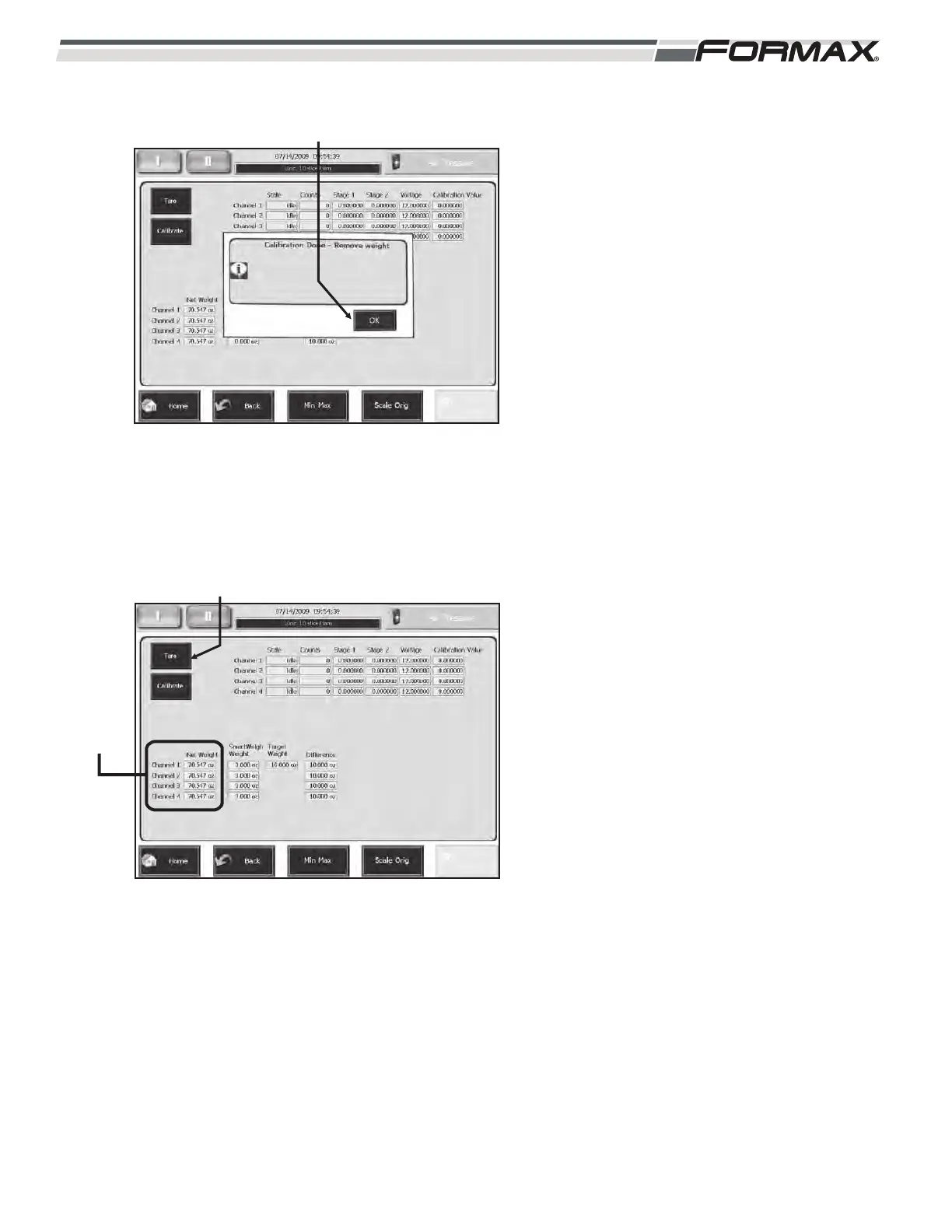
STEP 11 CALIBRATION DONE - REMOVE
WEIGHT
1. Remove the weight from the scale and
press the “OK” button. Press the clear
button. (Illustration 23)
STEP 12 PERFORM A STATIC CHECK OF
THE SCALE
1. The “Net Weight” column is a live
display of Scale weight. (Illustration 24)
2. Place a weight standard on the scale
conveyor. The window in the Net
Weight column for that scale will
display the weight.
3. With no weight on the scale the display
in the “Net Weight” column should be
close to 0.00. If they are not press the
“Tare” button. (Illustration 24)
ILLUSTRATION 24
TARE
NET
WEIGHT
ILLUSTRATION 23
“OK” BUTTON



 To Next Page