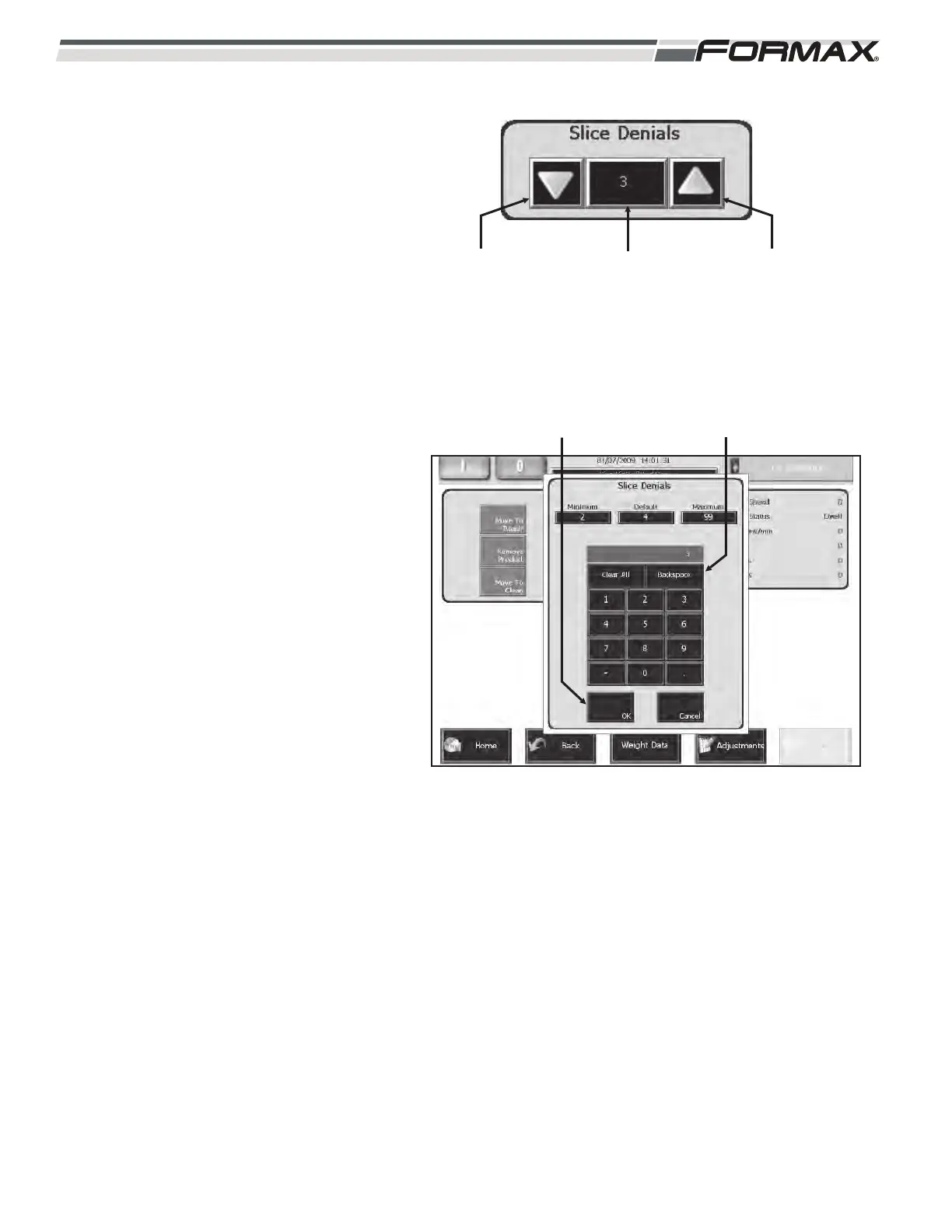
To adjust the Slice Denials:
1. For small Slice Denial adjustments,
use the “up/down” arrows next to the
Slice Denial display window to adjust
the number of “Denials.”
(Illustration 34)
2. For large Slice Denial adjustments,
touching the Denial window will
display an adjustment keypad.
(Illustration 35) Enter the new setting
on the keypad and touch the “OK”
button. The new setting will take effect
immediately.
IMPORTANT!
The minimum Slice Denial setting that the
Slicer can mechanically accomplish is
based on the “Knife Speed,” “# of Slices
per Stack,” and the “Conveyor Lowering
Rate.” The Computer will not allow a
setting that the Slicer cannot perform. The
minimum setting, based on the above
factors, will display on the “Slice Denials”
adjustment keypad.
6-14 031914
“SLICE DENIAL”
WINDOW
“DOWN”
ARROW
“UP”
ARROW
ILLUSTRATION 34
ILLUSTRATION 35
ADJUSTMENT KEYPAD“OK” BUTTON



 To Next Page