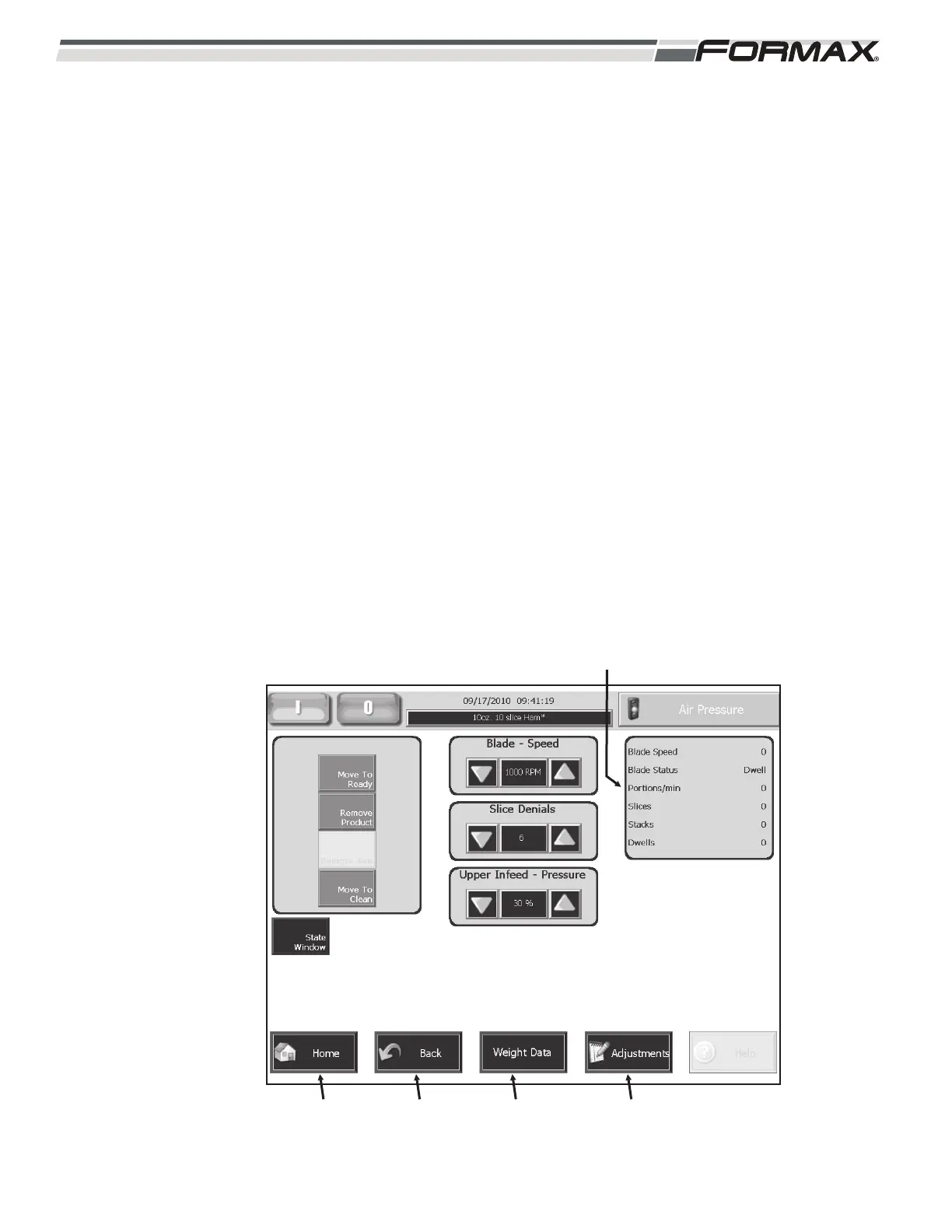
PRODUCTION RATE: The “Production Rate” window displays the “portions
per minute” of the Slicer. The “Production Rate” is determined by the Blade
Speed and the Slice Denial setting.
IMPORTANT!
This window does not display the actual output of stacks or drafts per
minute of the Slicer. The “Retract Time” and product “Loading Time” is
not figured into this calculation. For actual “Production Output”
information go to the “Production Data” screen.
HOME: Touching the “Home” button displays the “Home” or “Main” screen.
BACK: Touching the “Back” button returns you to the previous screen.
WEIGHT DATA: Touching the “Weight Data” button, displays the “Weight
Data” screen.
ADJUSTMENTS: Touching the “Adjustments” button, displays the
“Adjustment” screen.
6-16 031914
ILLUSTRATION 40
“PRODUCTION RATE” DISPLAY
“HOME”
BUTTON
“BACK”
BUTTON
“WEIGHT DATA”
BUTTON
“ADJUSTMENTS”
BUTTON



 To Next Page