WEIGHING
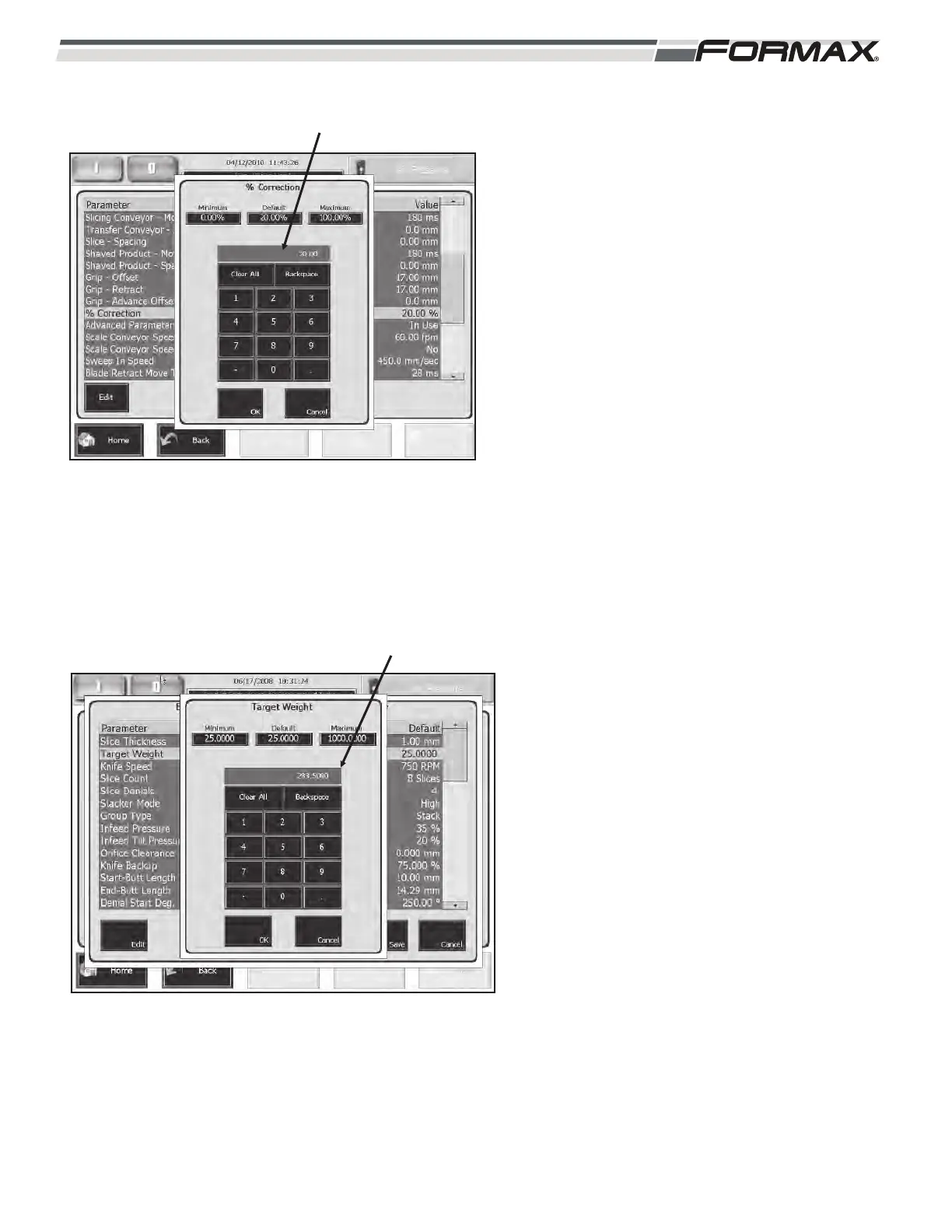
% Corrections: The “% Correction” adjustment
sets the percentage of “Weight Control
Corrections” for the drafts or stacks that do not fall
in the “Weight Tolerance” range. The adjustment
range is 0 to 100 percent. The “% Correction” can
also be adjusted on the “Weight Data” screen.
(Illustration 61) Touching the % Correction button
will display a keypad. Enter the new percentage in
the keypad and touch “OK.”
Weight Control using Correction Percentage:
1. The Computer controls the weight of the
product by increasing or decreasing the
slice thickness.
2. After weighing the product on the Dynamic
Scale, the Computer calculates the
necessary change to the slice thickness to
make the next draft or stack “On-Weight.”
3. If 100% is selected, the Computer changes
the slice thickness by the entire amount of
the calculated thickness.
4. If 50% is selected, the Computer will only
change by half of the calculated slice
thickness.
5. If the product has extreme variations in
diameter, 100% correction will usually
result in over-correction of the weights. The
Computer cannot respond to diameter
changes quickly enough and results in
extreme variations in product weights. By
running a smaller correction percentage,
the weight control will correct toward the
“Target Weight,” but will not over correct.
TARGET WEIGHT: Set the “Target Weight”
parameter to the desired weight of each stack or
draft. The “Target Weight” can also be adjusted on
the “Weight Data” screen. (Illustration 62)
031914 6-23
ILLUSTRATION 61
% CORRECTIONS
TARGET WEIGHT
ILLUSTRATION 62



 To Next Page