Click Test to check whether the added mailbox is available. If it is available, Successfully to
send the test email. is displayed. If it is unavailable, Failed to send the test email. is displayed.
Check whether the receiver's mailbox parameters for receiving emails are correctly set.
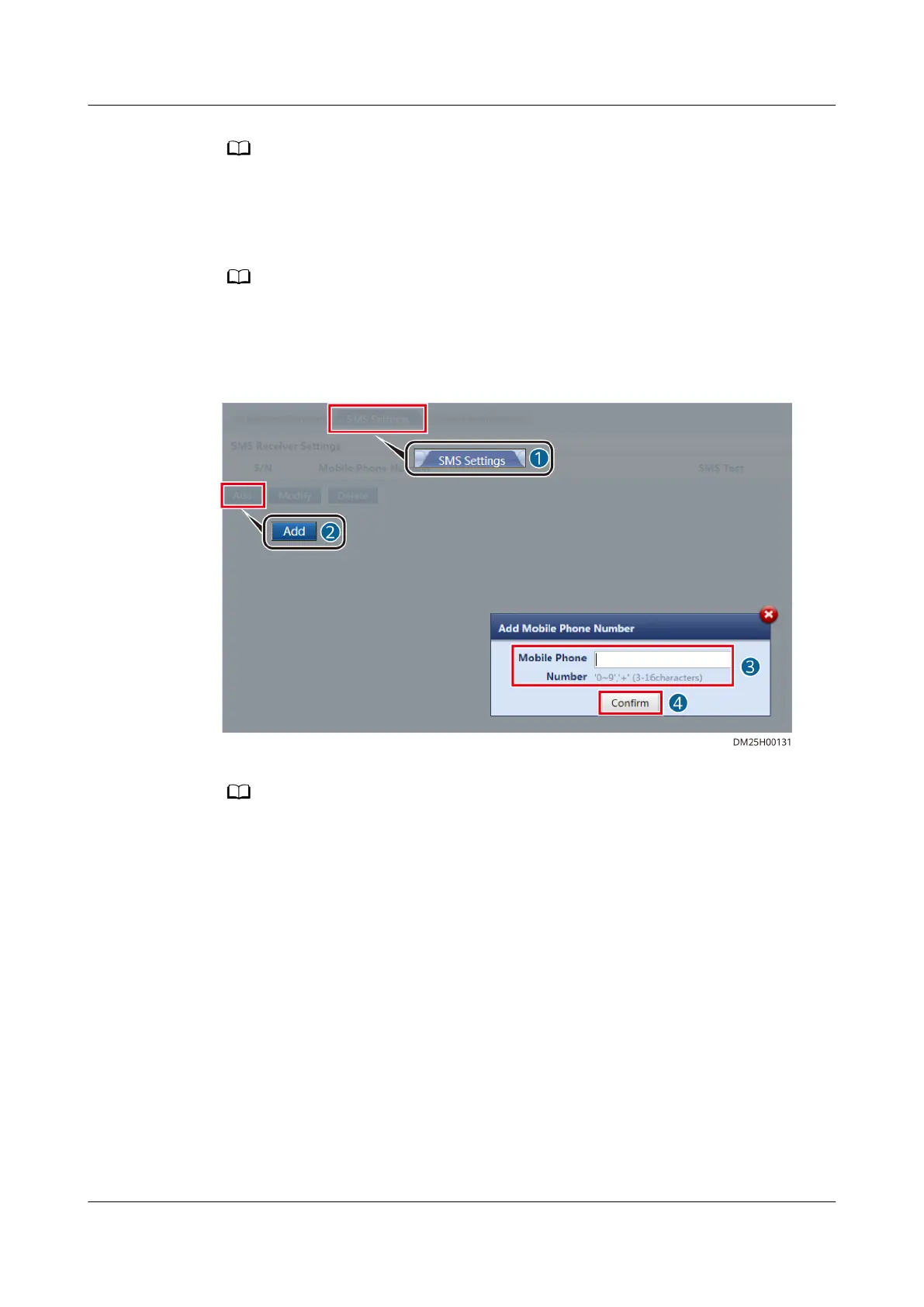
Step 4 Add a mobile number to receive event notications.
The mobile phone number is used only for conguring the SMS function and is not used for
other purposes. The phone number is encrypted during transmission in the ECC800-Pro to
ensure that the personal data of users is fully protected.
Figure 5-6 Adding a mobile number
Click
Test to check whether the added mobile phone number is available. If it is available,
Successfully to send the test short message. is displayed. If it is unavailable, Failed to send
the test short message. is displayed. Check whether the receiver's mobile phone parameters for
receiving short messages are correctly set.
Step 5 Set the alarm
notication delay parameter and the new alarm notication
parameter.
ECC800 Data Center Controller
User Manual (for ECC800-Pro) 5 Power-On Commissioning
Issue 02 (2020-09-07) Copyright © Huawei Technologies Co., Ltd. 111



 To Next Page