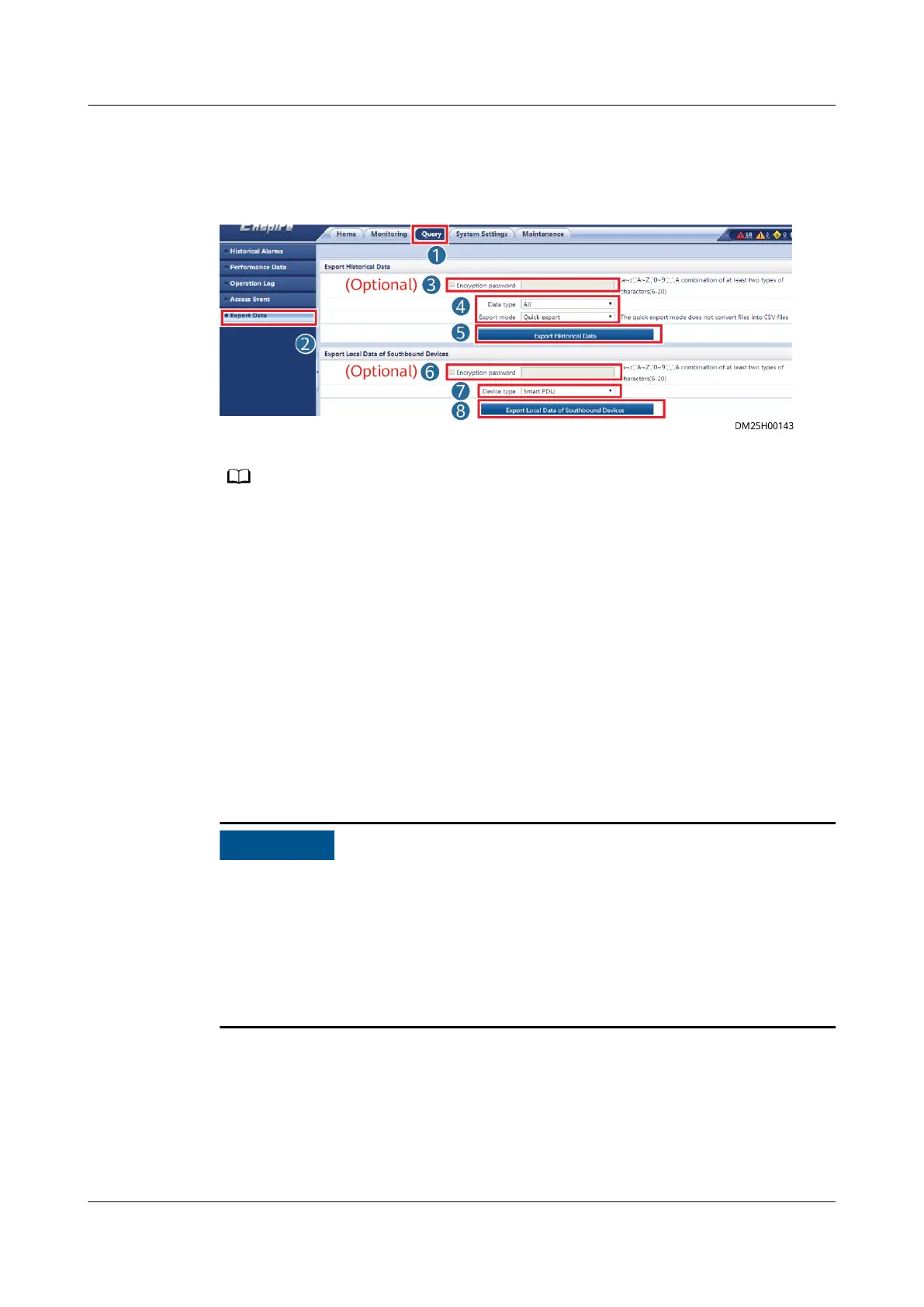
Step 4 Export historical data and local data of southbound devices, and select a save path
to save the exported data to the PC.
Figure 8-25 Exporting data
● Data can be exported from the integrated PDU, integrated UPS, iBOX, smart cooling
product, and other devices that have the local data storage function.
● If a USB ash drive is inserted, click Export Historical Data or Export Local Data of
Southbound Devices of Southbound Devices, and specify a save path to save exported
data to the USB ash drive.
----End
8.1.18 How Can I Export or Import a
Conguration File?
Context
You can export parameter congurations for ECC800-Pro_1 to a PC. If ECC800-
Pro_2 needs the same parameter congurations, import the conguration le to
ECC800-Pro_2.
● ECC800-Pro_2 and ECC800-Pro_1 must have the same type and number of
connected devices.
● Conguration les cannot be imported or exported for the monitoring module
IP parameters, smart module
certicate, NetEco certicate, NetEco second-
challenge password, time conguration parameters, access user management,
access permission management, device access
certicate, logs, and user
conguration information.
Procedure
Step 1 Log in to the ECC800-Pro_1 WebUI as an administrator.
Step 2 Choose Maintenance > Conguration File.
Step 3 Export a conguration le.
ECC800 Data Center Controller
User Manual (for ECC800-Pro) 8 FAQ
Issue 02 (2020-09-07) Copyright © Huawei Technologies Co., Ltd. 322



 To Next Page