Step 2 Open the cabinet electronic lock.
Table 8-57 Opening a cabinet electronic lock
Path Operation
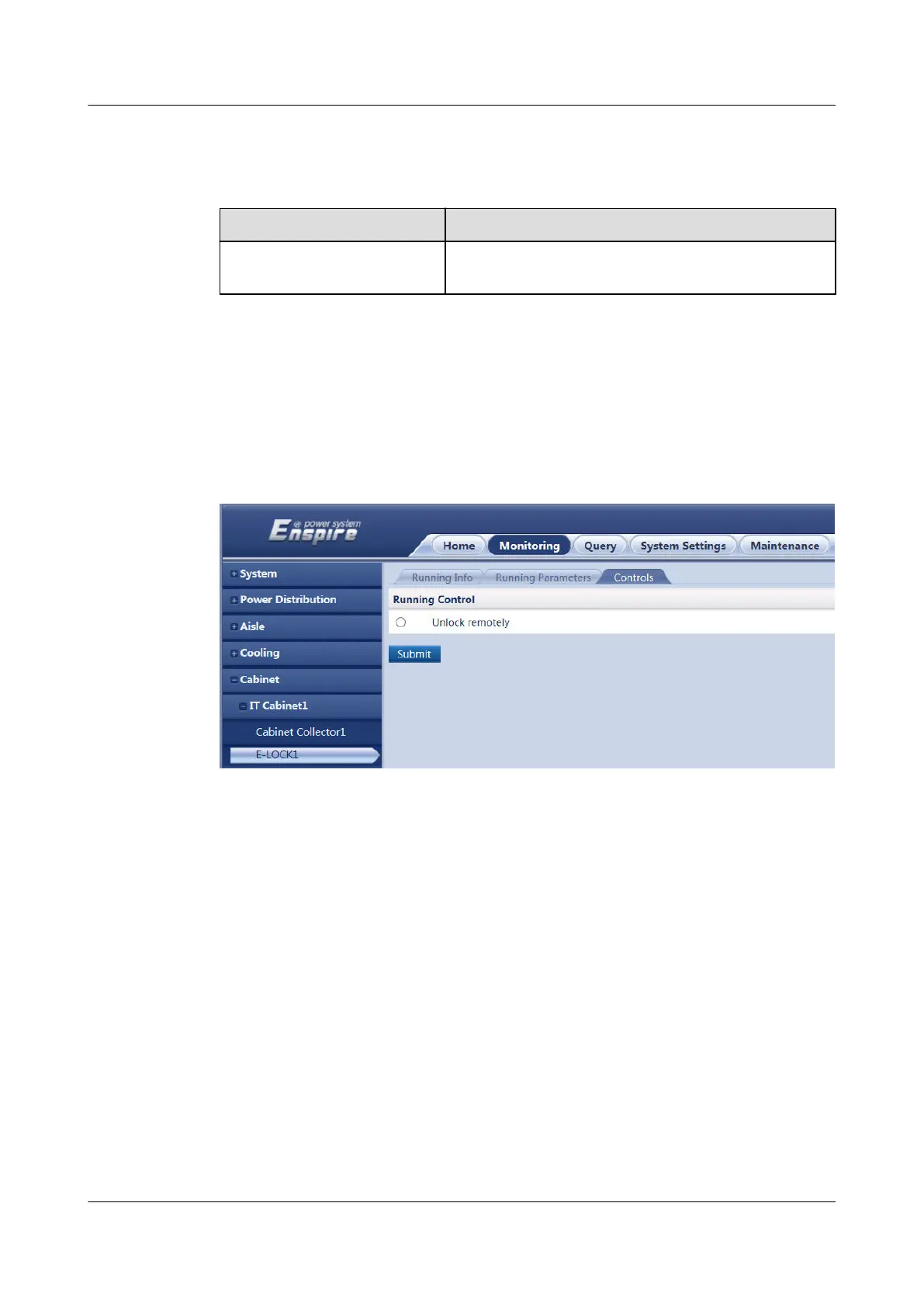
Monitoring > Cabinet > IT
Cabinet n > E-LOCK n
Select Remote and click Submit.
----End
Example
The following
gure shows how to open electronic lock 1 for IT cabinet 1.
Figure 8-41 Opening a cabinet electronic lock
Follow-up Procedure
After the maintenance is complete, O&M personnel need to close the cabinet door
manually.
8.1.38 How Can I Link the Smoke Alarm with the Alarm
Beacon over the ECC800-Pro WebUI?
Prerequisites
The alarm beacon is connected to the DO port on the ECC800-Pro.
Context
After the smoke alarm is linked with the alarm beacon, if smoke is detected inside
the smart module, the alarm beacon connecting to the corresponding DO port will
generate an audible and visual alarm.
ECC800 Data Center Controller
User Manual (for ECC800-Pro) 8 FAQ
Issue 02 (2020-09-07) Copyright © Huawei Technologies Co., Ltd. 342



 To Next Page