6.12.3 Viewing the Cooling Links Diagram
Context
When smart cooling products (NetCol5000-A025, NetCol5000-A042, and
NetCol5000-A050) are connected to the ECC800-Pro, you can view the cooling link
diagram.
Procedure
Step 1 Log in to the ECC800-Pro WebUI as an administrator.
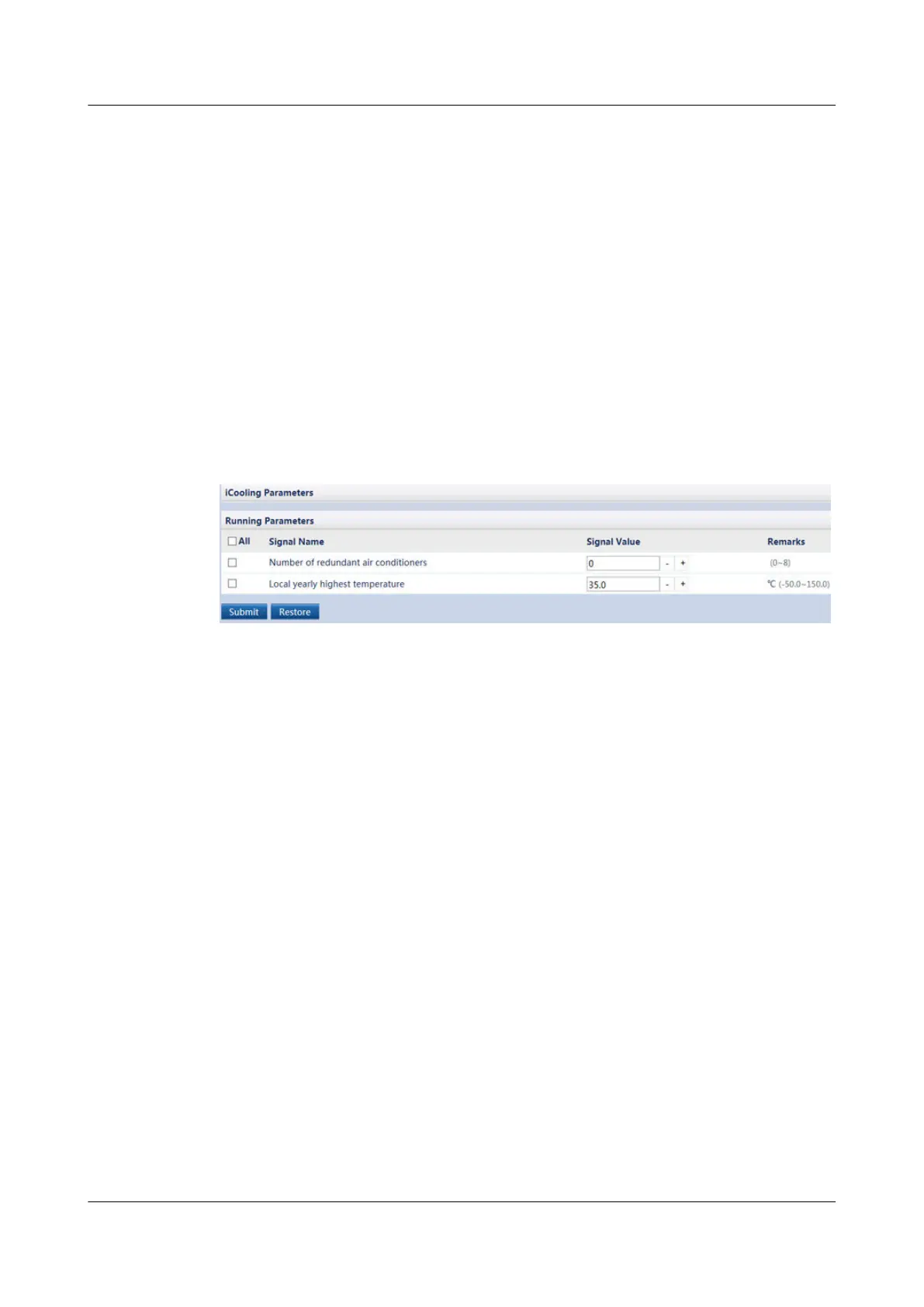
Step 2 Choose Monitoring > Cooling > Running Parameters to access the Running
Parameters page. Set Number of redundant smart cooling products and Local
yearly highest temperature as required and tap Submit.
Figure 6-76 Setting running parameters
Step 3 Use the pad to connect to the WiFi network of the ECC800-Pro in the room.
Step 4 Log in to the ECC800-Pro app as an administrator.
Step 5 View the cooling distribution information.
ECC800 Data Center Controller
User Manual (for ECC800-Pro) 6 Feature Description
Issue 02 (2020-09-07) Copyright © Huawei Technologies Co., Ltd. 227



 To Next Page