8.1.36 How Can I Turn On or O Smart Cooling Products over
the ECC800-Pro WebUI?
Context
You can turn on or
o smart cooling products over the ECC800-Pro WebUI in
emergencies.
Procedure
Step 1 Log in to the ECC800-Pro WebUI as an administrator.
Step 2 Turn on or
o smart cooling products.
Table 8-56 Turning on or
o smart cooling products
Path Setting
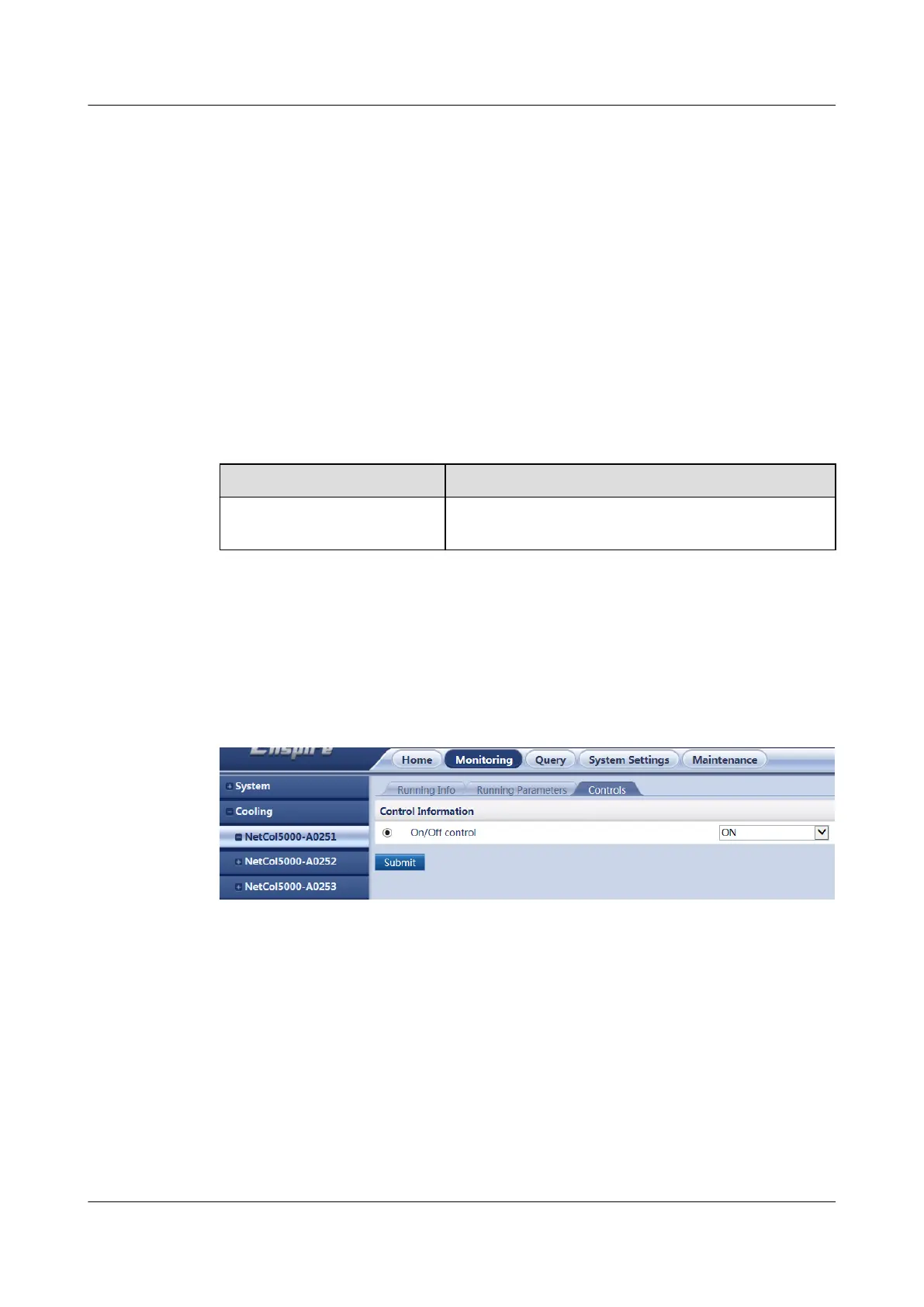
Monitoring > Cooling >
NetCol n > Controls
Select On/O control, select ON or OFF as
required, and click Submit.
----End
Example
The following gure shows how to turn on or o the NetCol5000-A025.
Figure 8-40 Turning on or o smart cooling products
8.1.37 How Can I Open the Cabinet Electronic Lock over the
ECC800-Pro WebUI?
Context
When O&M personnel need to open a cabinet for maintenance, you can open the
cabinet electronic lock over the ECC800-Pro WebUI.
Procedure
Step 1 Log in to the ECC800-Pro WebUI as an administrator.
ECC800 Data Center Controller
User Manual (for ECC800-Pro) 8 FAQ
Issue 02 (2020-09-07) Copyright © Huawei Technologies Co., Ltd. 341



 To Next Page