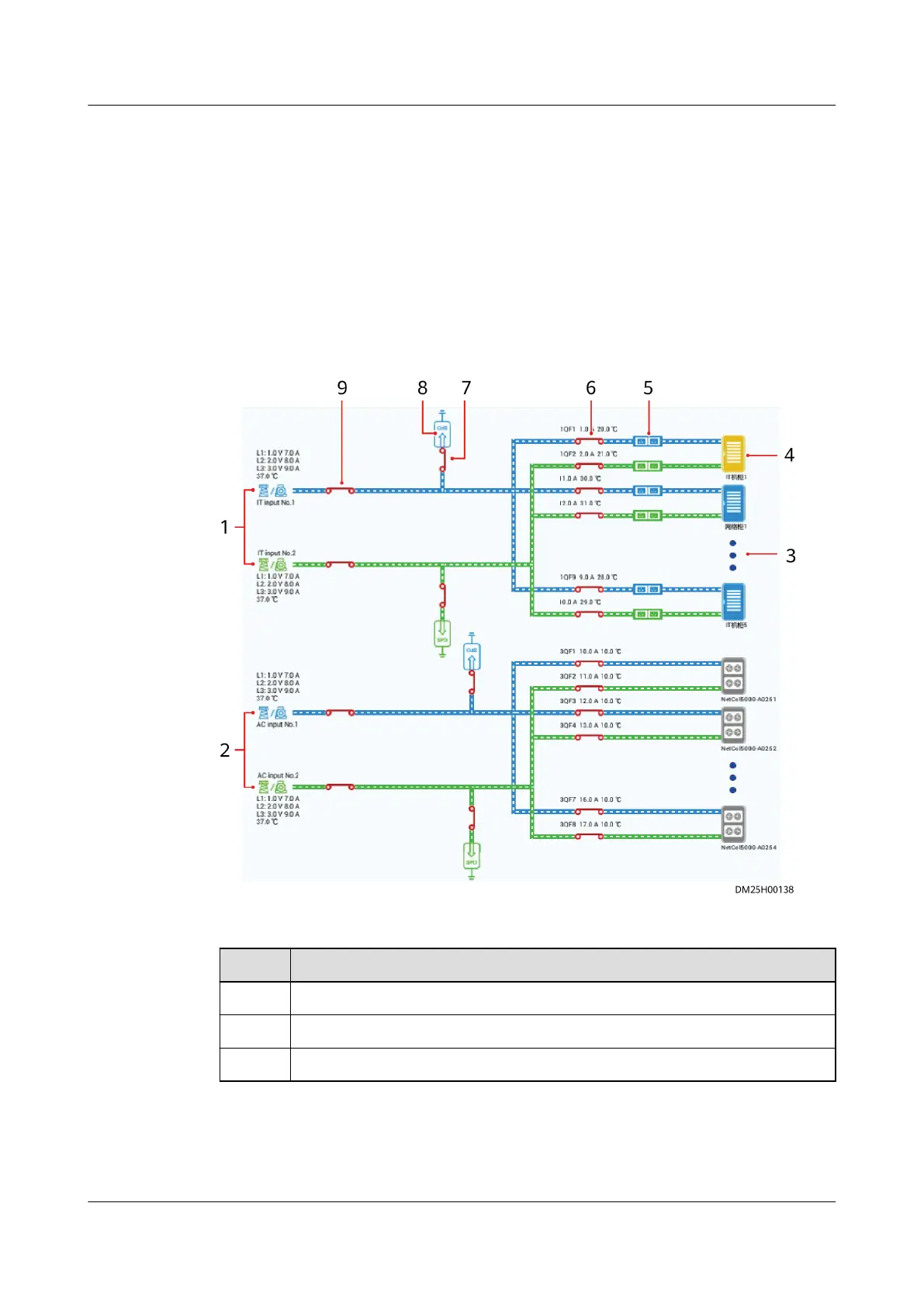
6.11.4 Viewing the Power Supply Links Diagram
Procedure
Step 1 Connect the pad to the WiFi network of the ECC800-Pro in the room.
Step 2 Log in to the ECC800-Pro app as an administrator.
Step 3 View the power supply status of the smart module and basic information about
each device in real time to quickly locate faults.
Figure 6-73 Power supply links diagram
Table 6-45 Specications of the power supply links diagram
Item
Specications
1 Two AC inputs for IT cabinets
2 Two AC inputs for smart cooling products
3 Tap to view the IT cabinets connected in real time.
ECC800 Data Center Controller
User Manual (for ECC800-Pro) 6 Feature Description
Issue 02 (2020-09-07) Copyright © Huawei Technologies Co., Ltd. 223



 To Next Page