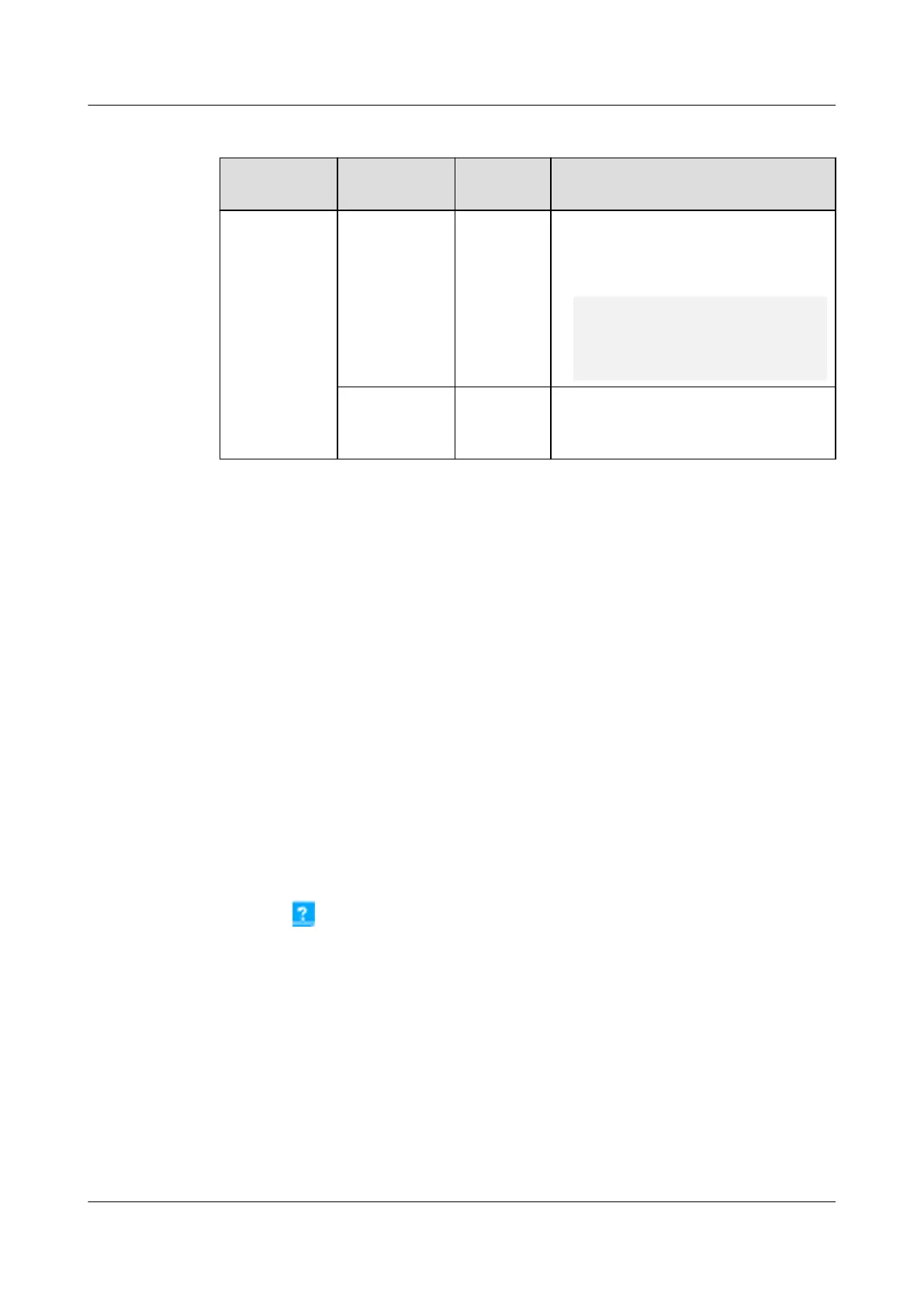
Table 6-53 Setting an authentication password
Path Parameter Default
Value
Setting
System
Settings >
NMS
Application
> NetEco >
Set
Authenticati
on Password
Authenticatio
n password
Modifyme
_123
Set this parameter based on
customer requirements.
NOTE
Requirements for setting passwords:
'a~z','A~Z','0~9','~!@#^*_={}:,./?-`
$'(8-32 characters that include at least
three of the following types: lowercase
letters, uppercase letters, digits, and
special characters)
Conrm
authenticatio
n password
- -
Step 5 Click Submit.
----End
6.14.1.3 Creating an ECC800-Pro on the NetEco
Prerequisites
● You have logged in to the NetEco client by web browser.
● You have created modules in Data Center Planning.
Context
For detailed operations, see
iManager NetEco 6000 Device Installation and
Commissioning Guide
of the corresponding version.
Procedure
1. Choose System >
Conguration > Data Center Planning from the main
menu. The Data Center Planning window is displayed.
2. Click
in the upper left area of the Data Center Planning window.
3. Click Access switch to the Add Device window. You can add an ECC800-Pro
device to the specied modular in the Add Device window.
ECC800 Data Center Controller
User Manual (for ECC800-Pro) 6 Feature Description
Issue 02 (2020-09-07) Copyright © Huawei Technologies Co., Ltd. 237



 To Next Page