1. Log in to the ECC800-Pro WebUI as an administrator.
2. Add the device.
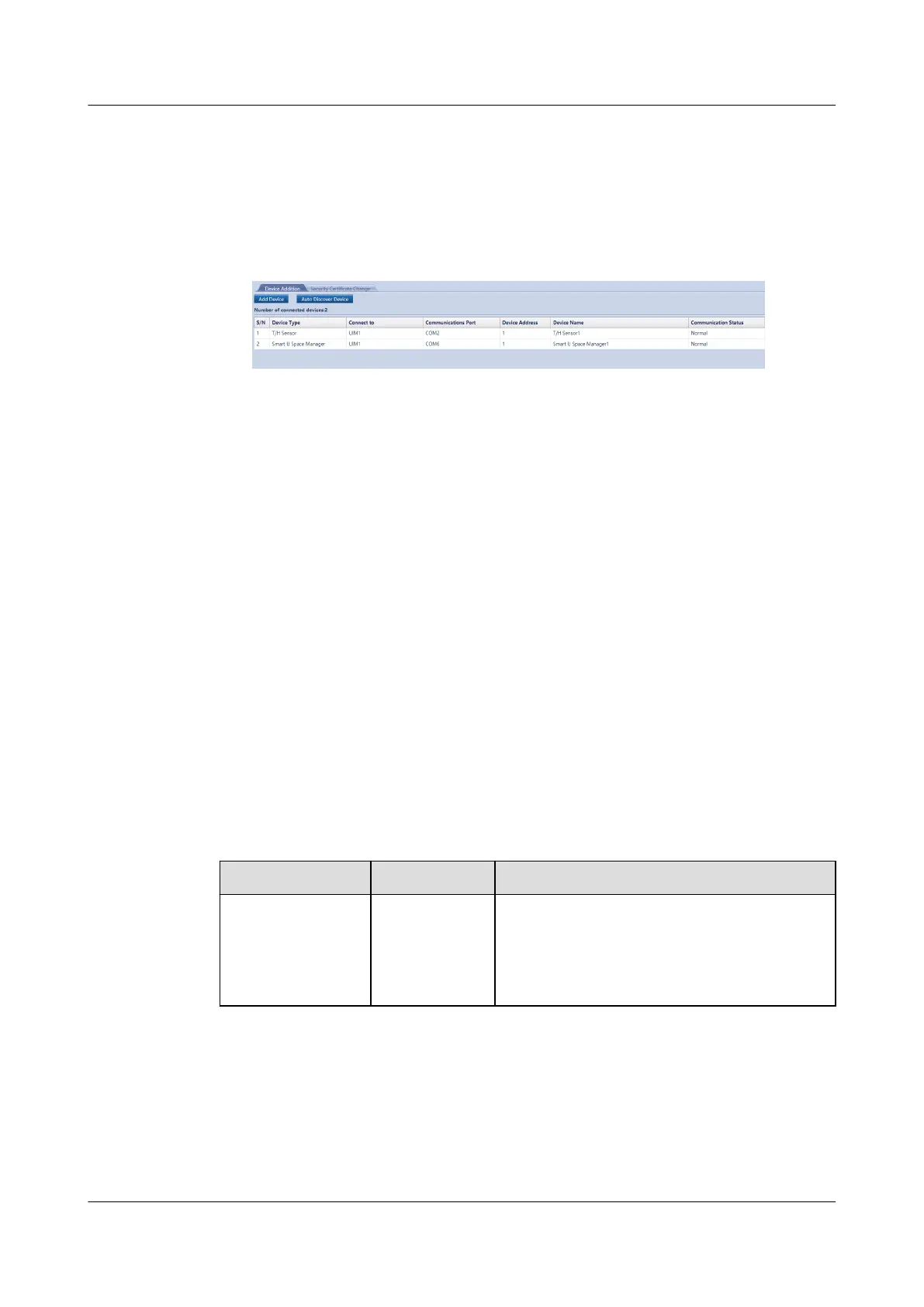
Choose System Settings > Device Management and click Auto Discover
Device to add the device. The device connection information is displayed.
Figure 8-36 Device connection
----End
8.1.32 How Can I Add a Dry Contact Device Connected to the
ECC800-Pro Through a UIM20A Expansion Module?
Prerequisites
This section uses the device (such as a door status sensor) connecting to the AI/
DI_3 port on the UIM20A expansion module as an example.
Context
Each UIM20A expansion module supports a maximum of eight dry contact
devices. In the scenario with multiple UIMs in the same smart module, a
maximum of 48 dry contact devices can be connected.
Procedure
Step 1 Log in to the ECC800-Pro WebUI as an administrator.
Step 2 Add the device.
Table 8-52 Parameter description for adding a device
Path
Parameter Setting
Monitoring >
System > UIM
Group > UIM1 >
AI/DI_3 Port
Settings
AI/DI_3
sensor
Select Enable and click Submit
ECC800 Data Center Controller
User Manual (for ECC800-Pro) 8 FAQ
Issue 02 (2020-09-07) Copyright © Huawei Technologies Co., Ltd. 336



 To Next Page