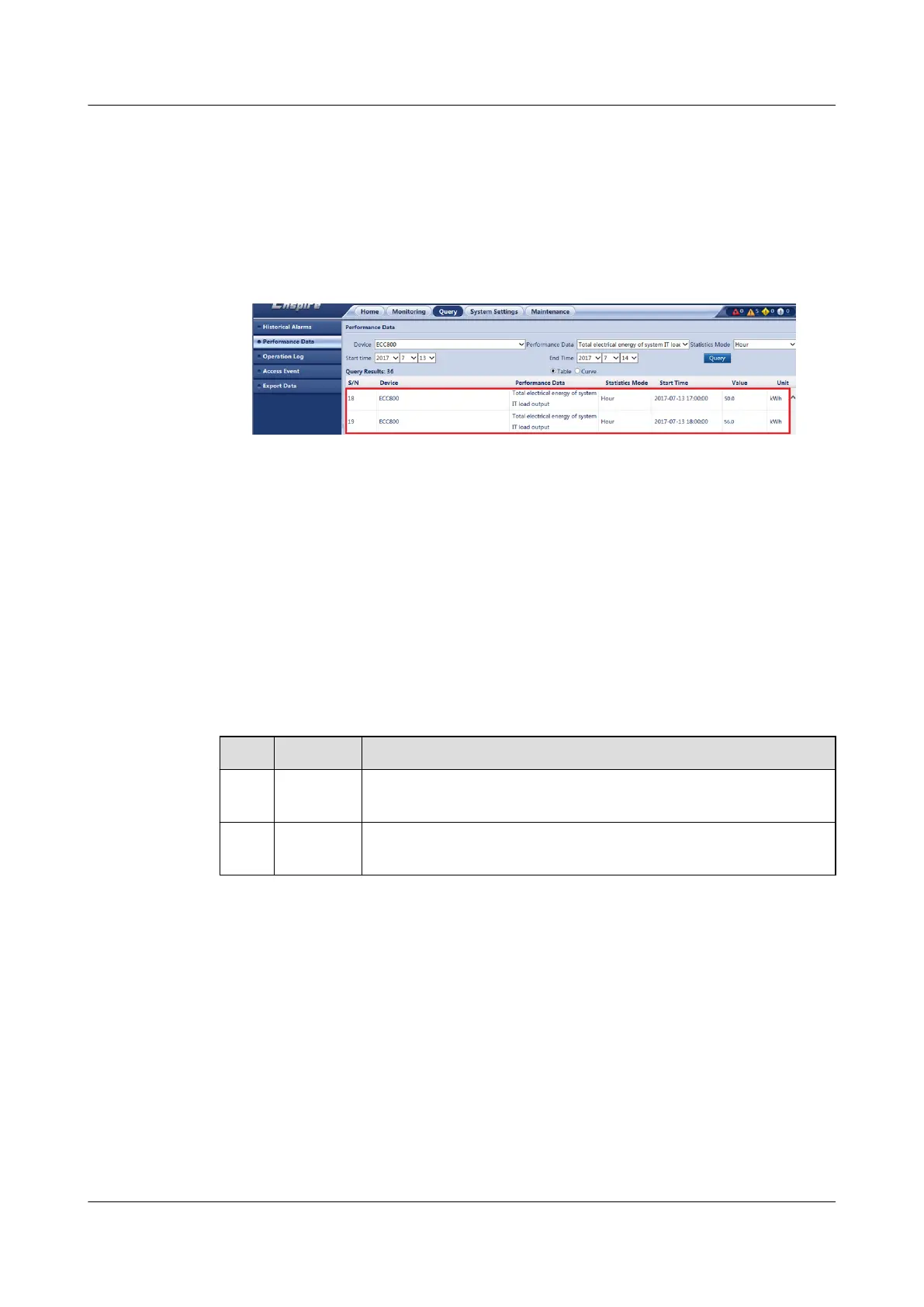
3. Set Device to ECC800, Performance data to Total electrical energy of
system IT load output, and Statistics mode to Hour, set other query criteria
such as Start time and End time as required, and click Query. Record the
increment in total electrical energy of system IT load output of the ECC800-
Pro. Increment in total electrical energy of system IT load output = 56.0 kWh
– 50.0 kWh = 6.0 kWh.
Figure 6-63 Querying the total electrical energy of system IT load output
4. Calculate the PUE of the smart module. PUE = Increment in total system input
electrical energy/Increment in total electrical energy of system IT load output
= 10.0 kWh/6.0 kWh = 1.67.
6.8.2
Conguring PUE User-dened Mode
Context
This section describes how to
congure PUE for the integrated PDU connected.
The functions of conguration buttons for the PUE user-dened mode are
described as follows.
Table 6-42 PUE conguration buttons
No.
Button Description
1 Add Adds new total power consumption or IT power consumption
parameters.
2 Delete Deletes a parameter setting for the total power consumption
or IT power consumption.
Procedure
Step 1 Log in to the ECC800-Pro WebUI as an administrator.
Step 2 Choose System Settings > PUE Conguration.
Step 3 Set PUE function to Enable.
Step 4 Set PUE
conguration mode to User-dened, and click Submit.
1. On the Total Power Consumption Conguration tab page, click Add to
enter the Total Power Consumption Conguration page. On the Select
Device tab page, select Integrated PDU 1. On the Select Indicators tab
page, select Total active electricity energy of PDU input, and click
Conrm.
ECC800 Data Center Controller
User Manual (for ECC800-Pro) 6 Feature Description
Issue 02 (2020-09-07) Copyright © Huawei Technologies Co., Ltd. 208



 To Next Page