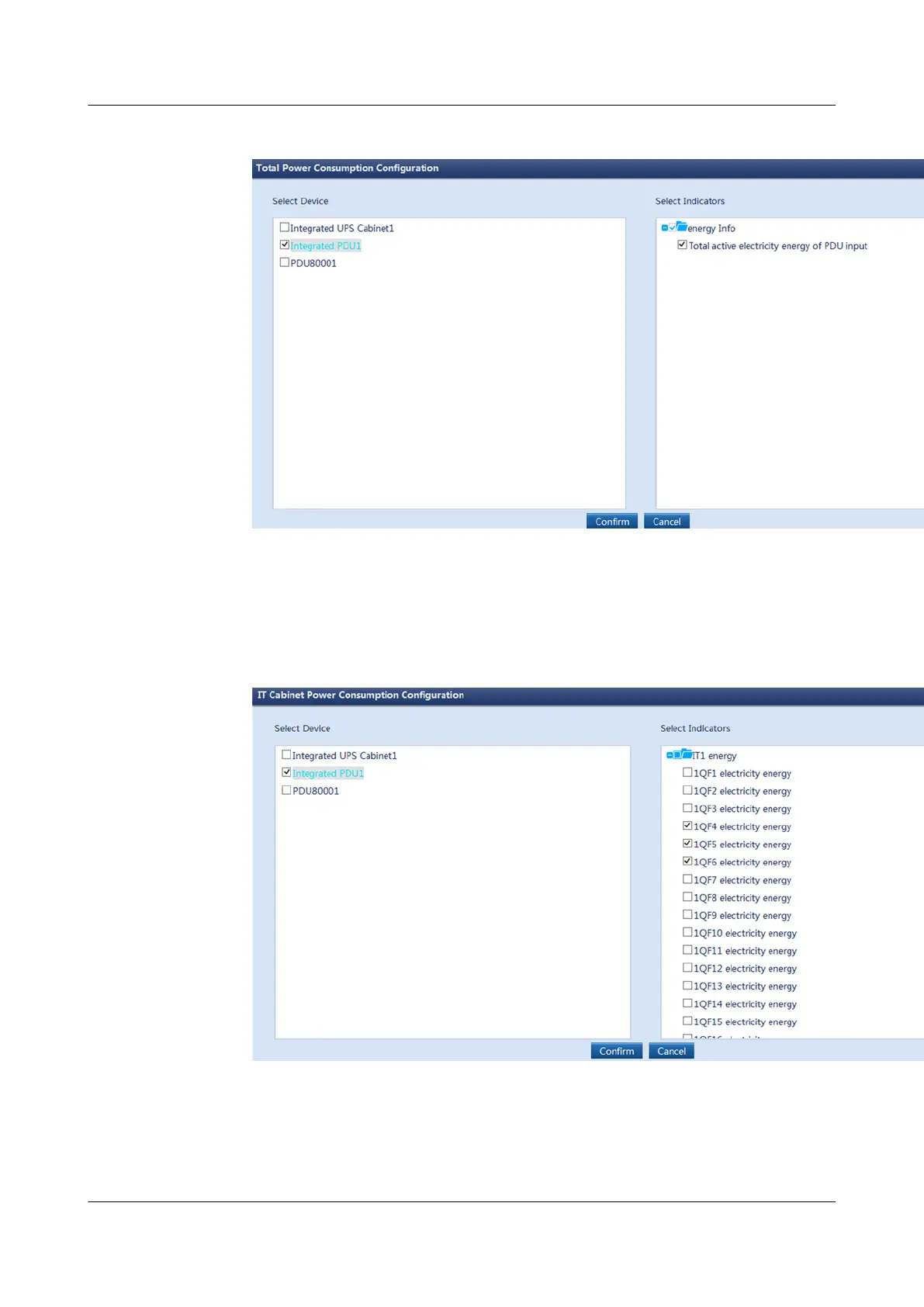
Figure 6-64 Total power consumption conguration
2. On the IT Cabinet Power Consumption Conguration tab page, click Add to
enter the IT Cabinet Power Consumption Conguration page. On the
Select Device tab page, select Integrated PDU 1 and on the Select
Indicators tab page, select 1QF4 electricity energy, 1QF5 electricity energy,
and 1QF6 electricity energy, and click
Conrm.
Figure 6-65 IT cabinet power consumption
conguration
3. Under Total Power Consumption Conguration and IT Cabinet Power
Consumption
Conguration, click the edit icon on the right to modify the
multiple for calculating indicators, as shown in Figure 6-66.
ECC800 Data Center Controller
User Manual (for ECC800-Pro) 6 Feature Description
Issue 02 (2020-09-07) Copyright © Huawei Technologies Co., Ltd. 209



 To Next Page