Table 6-18 Documentation for commissioning preparation
Component Document
IPC6325-WD-VR
IPC6325-WD-VR Conguration Guide
C3220-10-IU
Huawei C Series SDC 8.0.RC111 Product
Documentation
VCN500/VCN510/
VCN520/VCN540
VCN500: VCN500 Product Documentation
VCN510/VCN520/VCN540:
VCN510&VCN520&VCN540 Product Documentation
6.5.2 Networking Scenarios
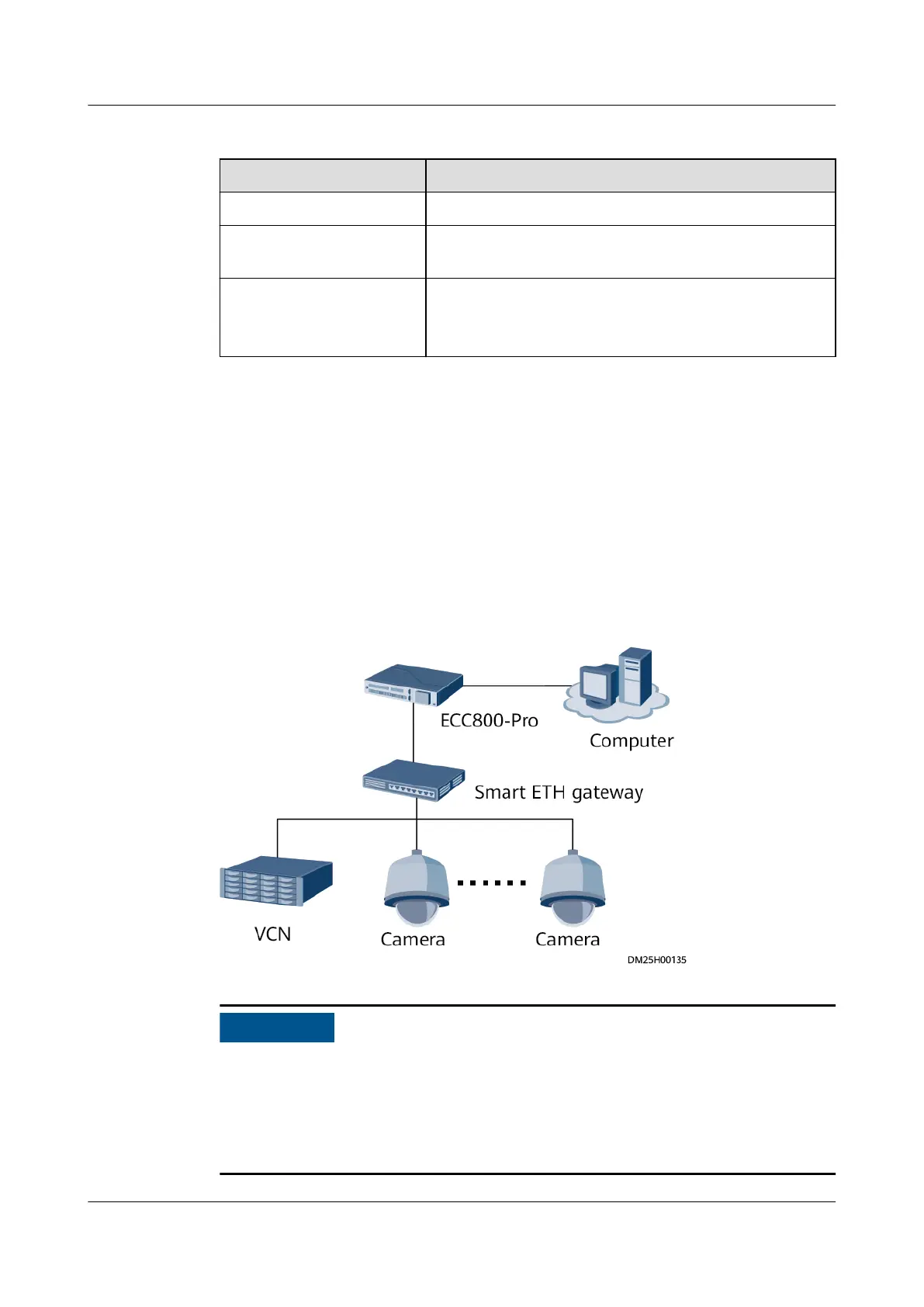
Smart ETH Gateway Networking Scenario
● If there are multiple VCNs for multiple smart modules, you are advised to
evenly distribute the cameras to each VCN.
● A maximum of four cameras can be connected in the smart ETH gateway
networking scenario.
Figure 6-8 Camera + VCN connecting to the ETH gateway
● To ensure the normal operating of the ECC800-Pro, avoid high data trac, such
as the concurrent display of dynamic monitoring of cameras and VCN500 video
playback.
● To ensure the normal operating of the ECC800-Pro, you can view the videos
from a maximum of two IPC6325-WD-VR cameras concurrently.
ECC800 Data Center Controller
User Manual (for ECC800-Pro) 6 Feature Description
Issue 02 (2020-09-07) Copyright © Huawei Technologies Co., Ltd. 143



 To Next Page