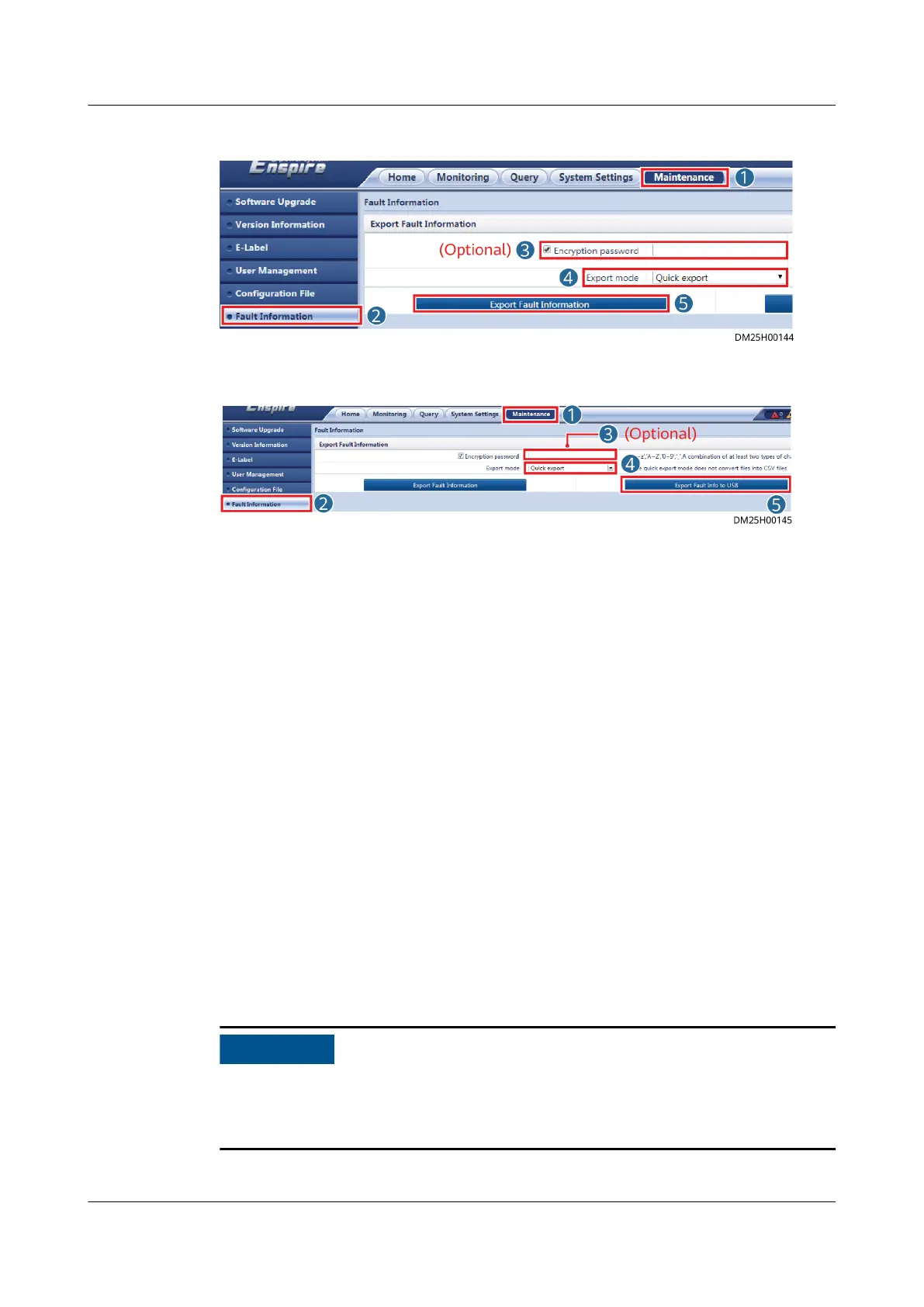
Figure 8-26 Exporting information to PC
Figure 8-27 Exporting information to USB ash drive
----End
8.1.20 How Can I Synchronize Device Parameters?
Context
● Do not delete the source devices before replacing devices.
● After replacing devices, you can choose to synchronize
congured device
parameters to the target devices.
● Source device: device before replacement
● Target device: device after replacement
Procedure
Step 1 Log in to the ECC800-Pro WebUI as an administrator.
Step 2 Choose Maintenance > Parameter Sync.
Step 3 Select a value from the Device type drop-down list box.
Step 4 Specify source device and target device, click Submit.
If communication between the ECC800-Pro and the device is interrupted during
parameter synchronization, the synchronization fails. Ensure that the ECC800-Pro
and the device communicate properly and synchronize parameters again.
ECC800 Data Center Controller
User Manual (for ECC800-Pro) 8 FAQ
Issue 02 (2020-09-07) Copyright © Huawei Technologies Co., Ltd. 324



 To Next Page