Table 6-41 PUE calculation formula
Conguration
Mode
PUE Calculation Method
Standard PUE = Increment in total system input electrical energy/
Increment in total electrical energy of system IT load output
User-dened PUE = Increment in total active electrical energy of device
input/Increment in total energy consumption of IT load output
NOTE
When the conguration mode is set to Standard, the ECC800-Pro can automatically
calculate the PUE of multiple devices connected in the N+1 and 2N scenarios.
6.8.1 Conguring PUE Standard Mode
Procedure
Step 1 Log in to the ECC800-Pro WebUI as an administrator.
Step 2 Choose System Settings > PUE Conguration.
Step 3 Set PUE function to Enable.
Step 4 Set PUE
conguration mode to Standard, and click Submit.
Step 5 View the PUE. Choose Query > Performance Data and set Device to ECC800
from the drop-down list box. For other searching criteria such as Performance
data, Statistics mode, Start time, and End time, select the item based on
requirements and click Query. You can also view the PUE in the dashboard or
curve on the home page.
----End
Example of PUE Calculation
In this example, the PUE is calculated on the basis of the start time 17:00 and end
time 18:00.
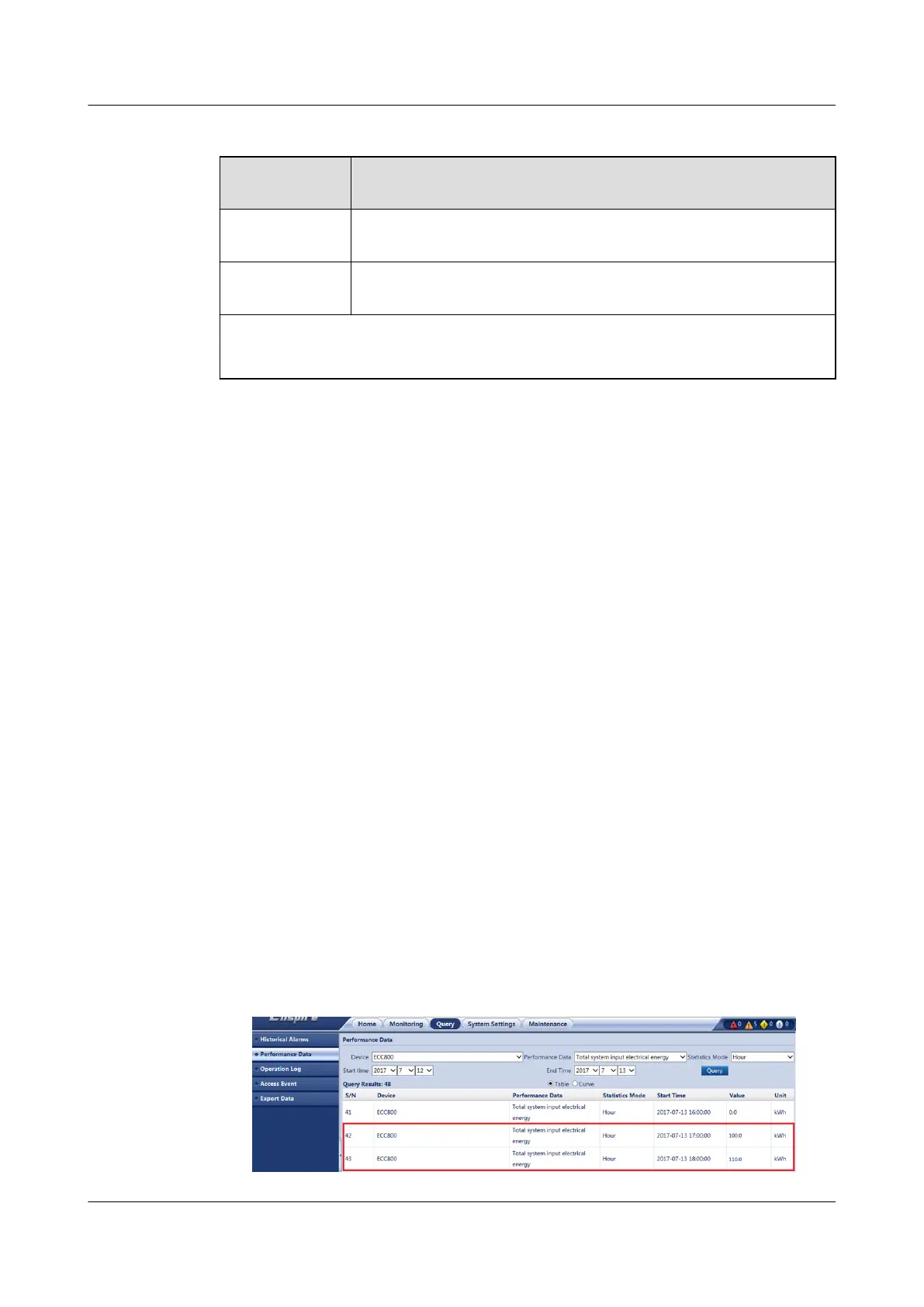
1. Choose Query > Performance Data.
2. Set Device to ECC800, Performance data to Total system input electrical
energy, and Statistics Mode to Hour, set other query criteria such as Start
time and End Time as required, and click Query. Record the increment in
total system input electrical energy of the ECC800-Pro. Increment in total
system input electrical energy = 110.0 kWh – 100.0 kWh = 10.0 kWh.
Figure 6-62 Querying the total system input electrical energy
ECC800 Data Center Controller
User Manual (for ECC800-Pro) 6 Feature Description
Issue 02 (2020-09-07) Copyright © Huawei Technologies Co., Ltd. 207



 To Next Page