Indicator Status Description
Blinking Blinking at super short intervals for 0.5s and then o for
0.5s; last 10s (blinking at super short intervals: 10 Hz,
on for 0.05s and then o for 0.05s)
ALM Steady
on
A system fault alarm is raised.
O The system is normal.
Table 3-22 BLINK button description
Function
Description
Operation
Description
Indicator Status
Blinking Press the button for
less than 2s.
The RUN indicator blinks at super
short intervals for 0.5s and then o for
0.5s; last 10s (blinking at super short
intervals for 10 Hz, on for 0.05s and
then o for 0.05s).
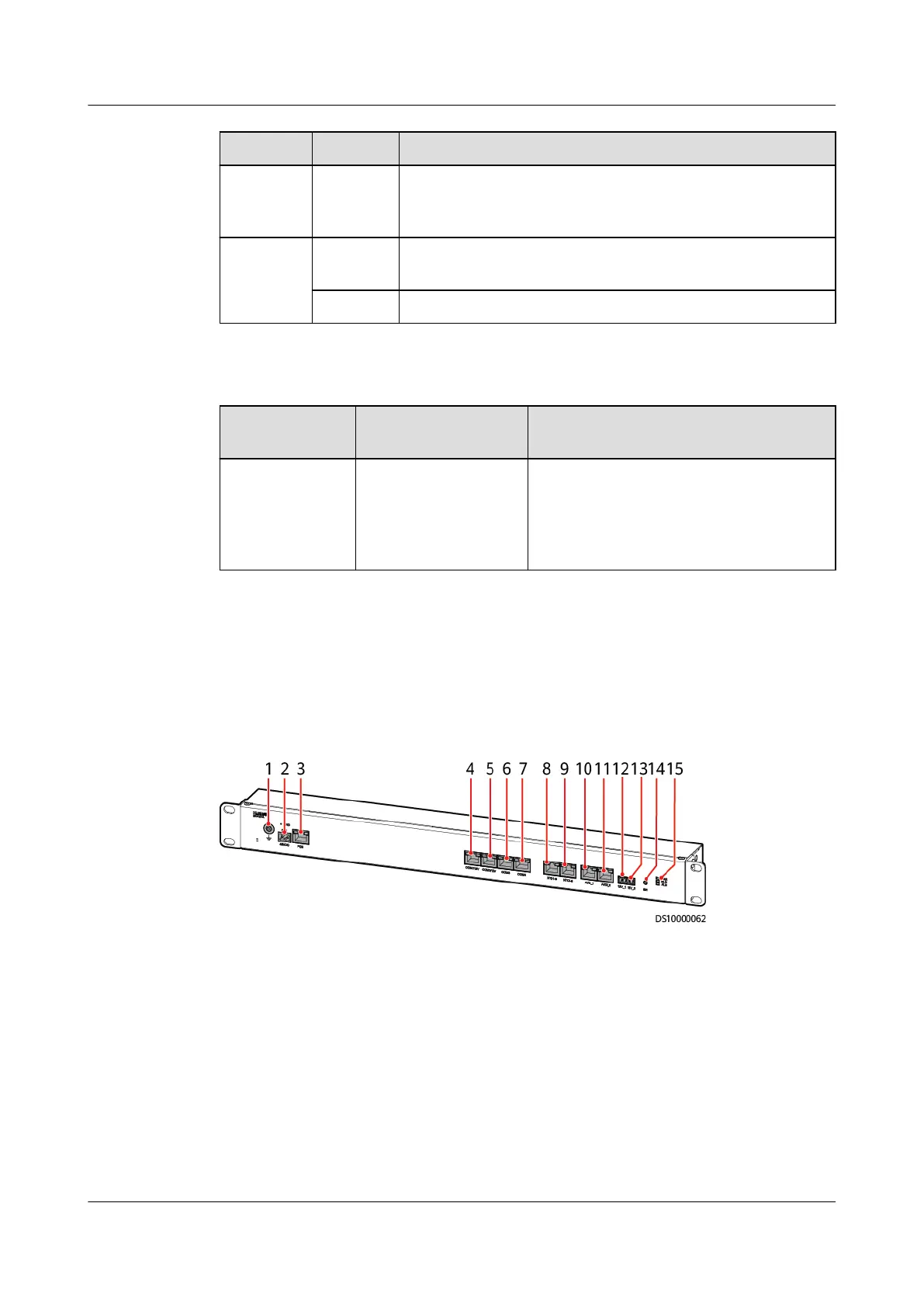
3.2.2 Rack Environment Unit
The rack environment unit collects and controls the environmental data of IT
cabinets in the smart module.
Figure 3-8 Rack environment unit
(1) Ground port
(2) 48 V DC power input port (3) PoE port (4) COM1/12V port
(5) COM2/12V port (6) COM3 port (7) COM4 port (8) NTC1–3
(9) NTC4–6 (10) AI/DI_1 port (11) AI/DI_2 port (12) 12V_1 port
(13) 12V_2 port (14) BLINK button (15) Status indicator
ECC800 Data Center Controller
User Manual (for ECC800-Pro) 3 Device Description
Issue 02 (2020-09-07) Copyright © Huawei Technologies Co., Ltd. 28



 To Next Page