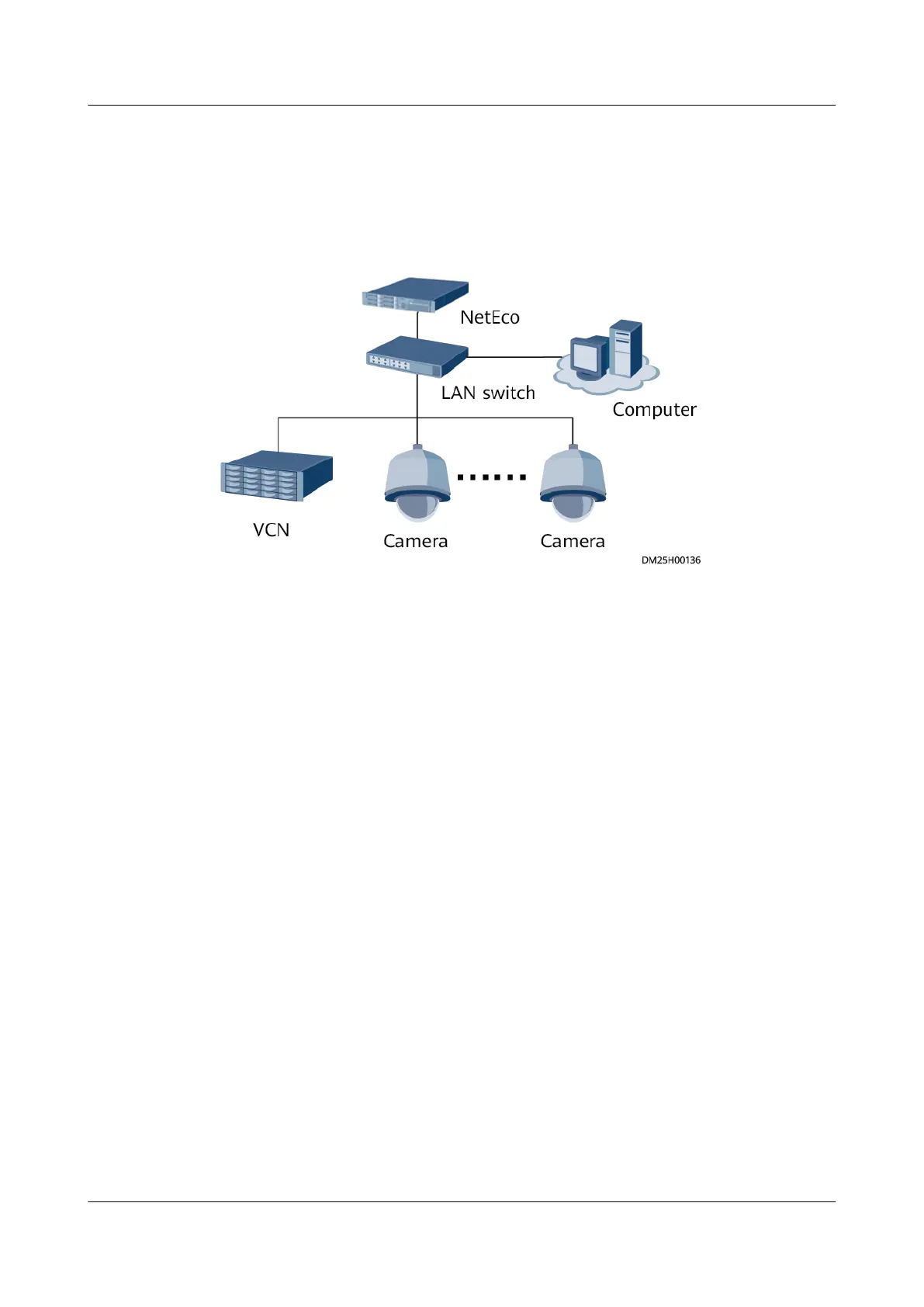
LAN Switch Networking Scenario
If there are multiple VCNs for multiple smart modules, you are advised to evenly
distribute the cameras to each VCN.
Figure 6-9 Camera + VCN connecting to the LAN switch
6.5.3 Commissioning a Camera (Smart ETH Gateway
Networking Scenario)
6.5.3.1 Commissioning IPC6325 Cameras
Prerequisites
● If multiple cameras are accessed, retain the connection of one camera and
disconnect connections from other cameras. After commissioning the
connected camera, commission other cameras in the same way.
● The camera has connected to the smart ETH gateway and the smart ETH
gateway communicates properly with the ECC800-Pro.
● The camera software version is later than V500R019C30.
Context
● Before commissioning the IPC6325 camera, set the IP address for the IPC6325
camera based on customer requirements.
●
Congure the camera or VCN internal IP address and the IP address of the
LAN port on the ECC800-Pro in the same network segment.
●
Congure the camera or VCN internal IP address and the IP address of the
WAN_1 port on the ECC800-Pro in the same network.
● Set the internal and external IP addresses as planned by the customer. The
following IP addresses are for reference only.
ECC800 Data Center Controller
User Manual (for ECC800-Pro) 6 Feature Description
Issue 02 (2020-09-07) Copyright © Huawei Technologies Co., Ltd. 144



 To Next Page