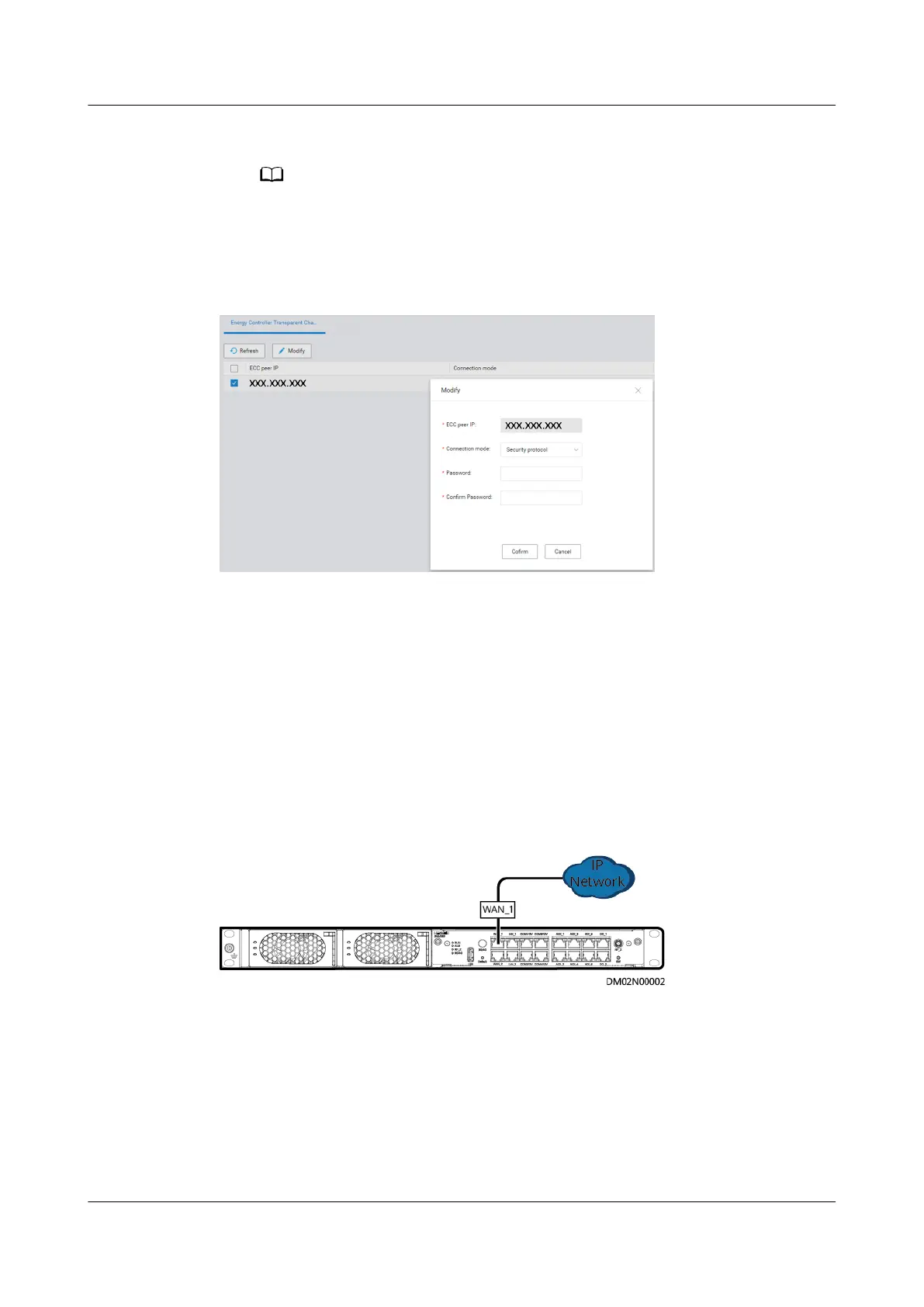
● If Connection mode is set to Compatible, click Conrm.
On the ECC800-Pro WebUI, Enable Security Authentication is set to Disable.
● If Connection mode is set to Security protocol, enter the value of Conrm
password that has been set on the ECC800-Pro WebUI, and click Conrm.
Figure 6-87 Page for managing transparent transmission channels
----End
6.14.2 Third-party NMS Management (over SNMP)
6.14.2.1 Connecting a Communications Cable
Procedure
Step 1 Connect a communications cable to the WAN1 port on the ECC800-Pro.
Figure 6-88 Connecting a communications cable
----End
6.14.2.2 Setting SNMP Management Parameters
Prerequisites
Before setting SNMP parameters, obtain the information listed as follows from the
NMS.
ECC800 Data Center Controller
User Manual (for ECC800-Pro) 6 Feature Description
Issue 02 (2020-09-07) Copyright © Huawei Technologies Co., Ltd. 241



 To Next Page