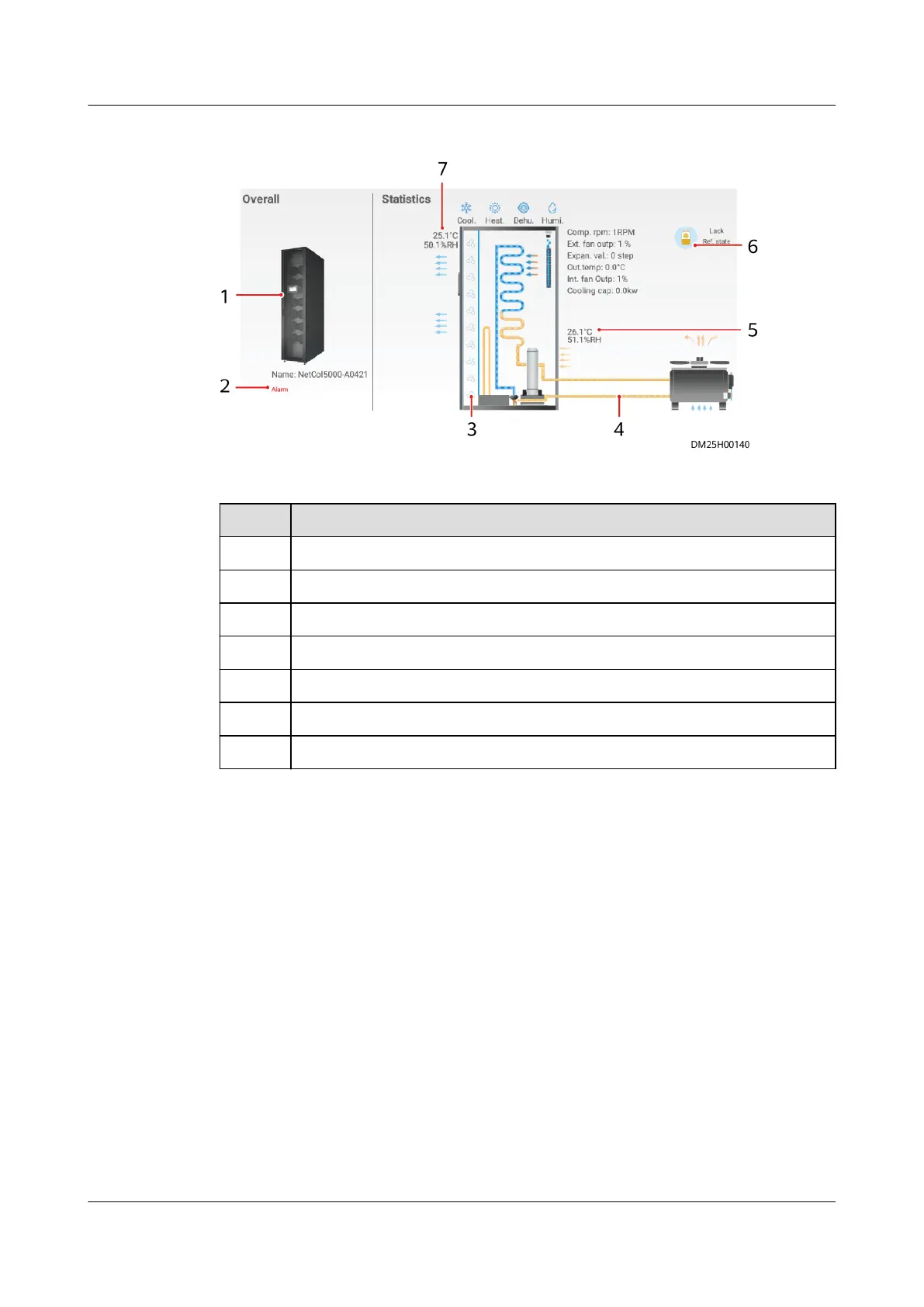
Figure 6-78 Links for a single smart cooling product
Table 6-47 Specications of the link diagram for a single smart cooling product
Item Specications
1 Smart cooling product appearance
2 Alarm (tap to view specic alarms)
3 Internal fan
4 Condensate pipe (yellow: high temperature)
5 Air inlet temperature of the smart cooling product
6 Refrigerant status
7 Air outlet temperature of the smart cooling product
----End
6.12.4 Setting the Temperature Map
If the temperature map function is
congured, follow the instructions provided in
this section to commission it.
Prerequisites
1. Cables to the NTC and T/H sensors have been connected.
ECC800 Data Center Controller
User Manual (for ECC800-Pro) 6 Feature Description
Issue 02 (2020-09-07) Copyright © Huawei Technologies Co., Ltd. 229



 To Next Page