Procedure
Step 1 Log in to the ECC800-Pro WebUI as an administrator.
Step 2 Open skylights.
Table 8-55 Opening skylights
Path Setting
Monitoring > Aisle >
Skylight Actuator Group >
Skylight Actuator n >
Controls
Select Remote open scuttle and click Submit
● Remotely opening the skylight may open the smart module skylight, and this
may pose security risks. Exercise caution when performing this operation.
● When a smart module actuator is congured, you need to set parameters for
the smart module actuator. The setting process is similar.
----End
Example
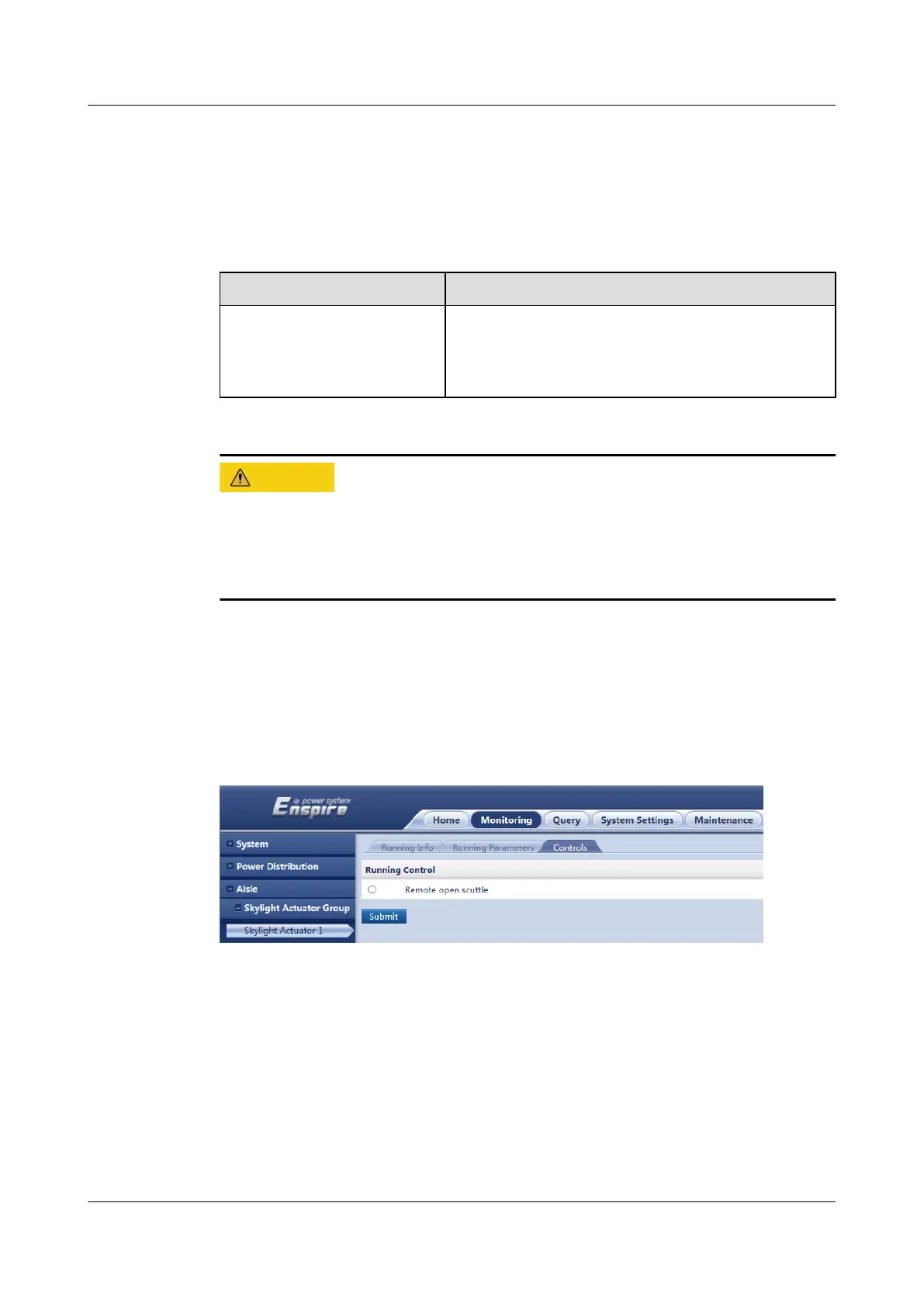
The following gure shows how to open the skylights controlled by skylight
actuator 1.
Figure 8-39 Opening skylights
Follow-up Procedure
After the maintenance is complete, O&M personnel need to close the skylights in
the smart module manually.
ECC800 Data Center Controller
User Manual (for ECC800-Pro) 8 FAQ
Issue 02 (2020-09-07) Copyright © Huawei Technologies Co., Ltd. 340



 To Next Page