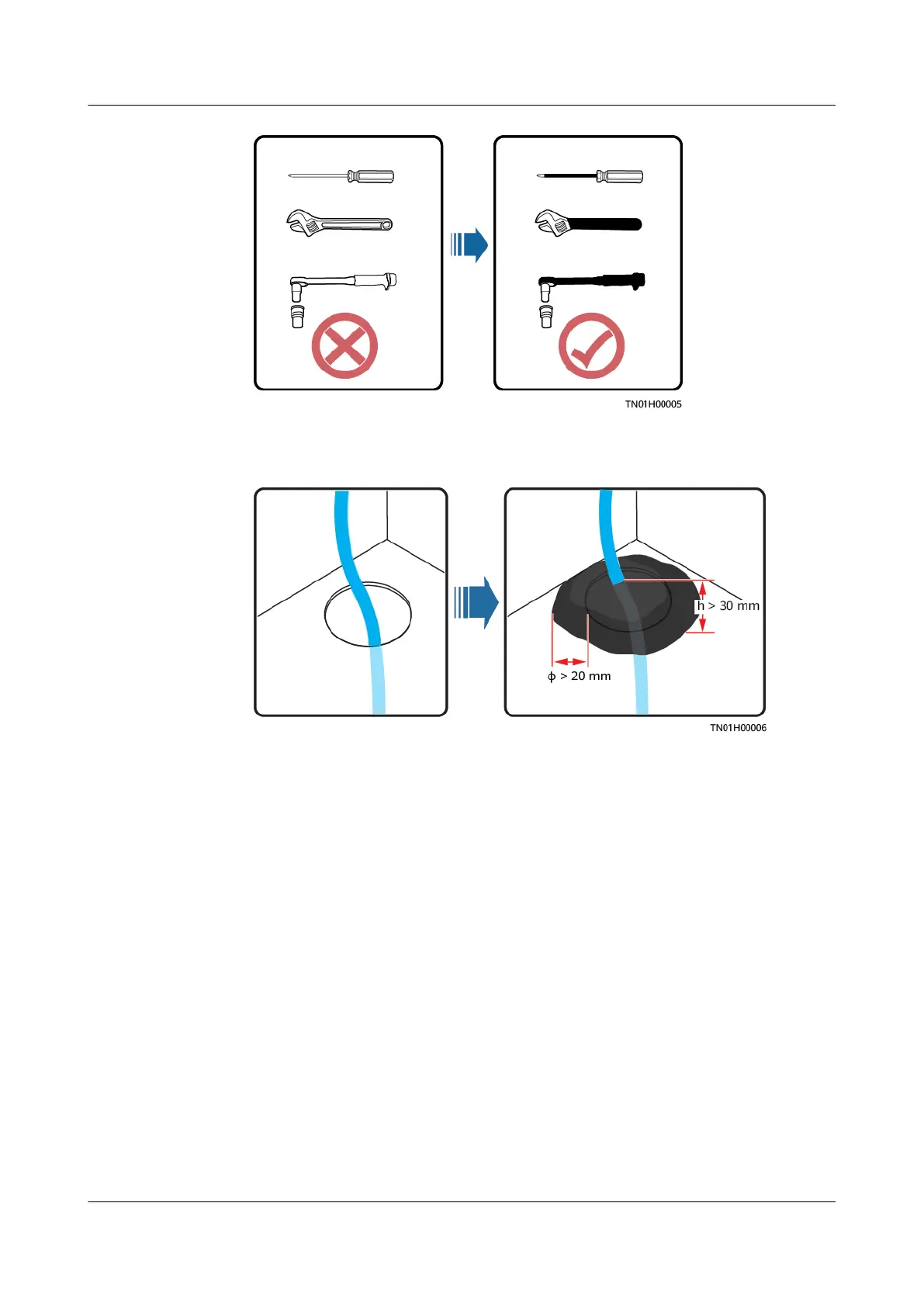
● All cable holes should be sealed. Seal the used cable holes with restop putty.
Seal the unused cable holes with the caps delivered with the cabinet. The
following
gure shows the criteria for correct sealing with restop putty.
● Do not scrawl, damage, or block any warning label on the equipment.
● Tighten the screws using tools when installing the equipment.
● Do not work with power on during installation.
● Repaint any paint scratches caused during equipment transportation or
installation in a timely manner. Equipment with scratches cannot be exposed
to an outdoor environment for a long period of time.
● Before operations, ensure that the equipment is
rmly secured to the oor or
other solid objects, such as a wall or an installation rack.
● Do not use water to clean electrical components inside or outside of a
cabinet.
● Do not change the structure or installation sequence of equipment without
permission.
● Do not touch a running fan with your
ngers, components, screws, tools, or
boards before the fan is powered o or stops running.
Personal Safety
● If there is a probability of personal injury or equipment damage during
operations on the equipment, immediately stop the operations, report the
case to the supervisor, and take feasible protective measures.
ECC800 Data Center Controller
User Manual (for ECC800-Pro) 1 Safety Information
Issue 02 (2020-09-07) Copyright © Huawei Technologies Co., Ltd. 3



 To Next Page