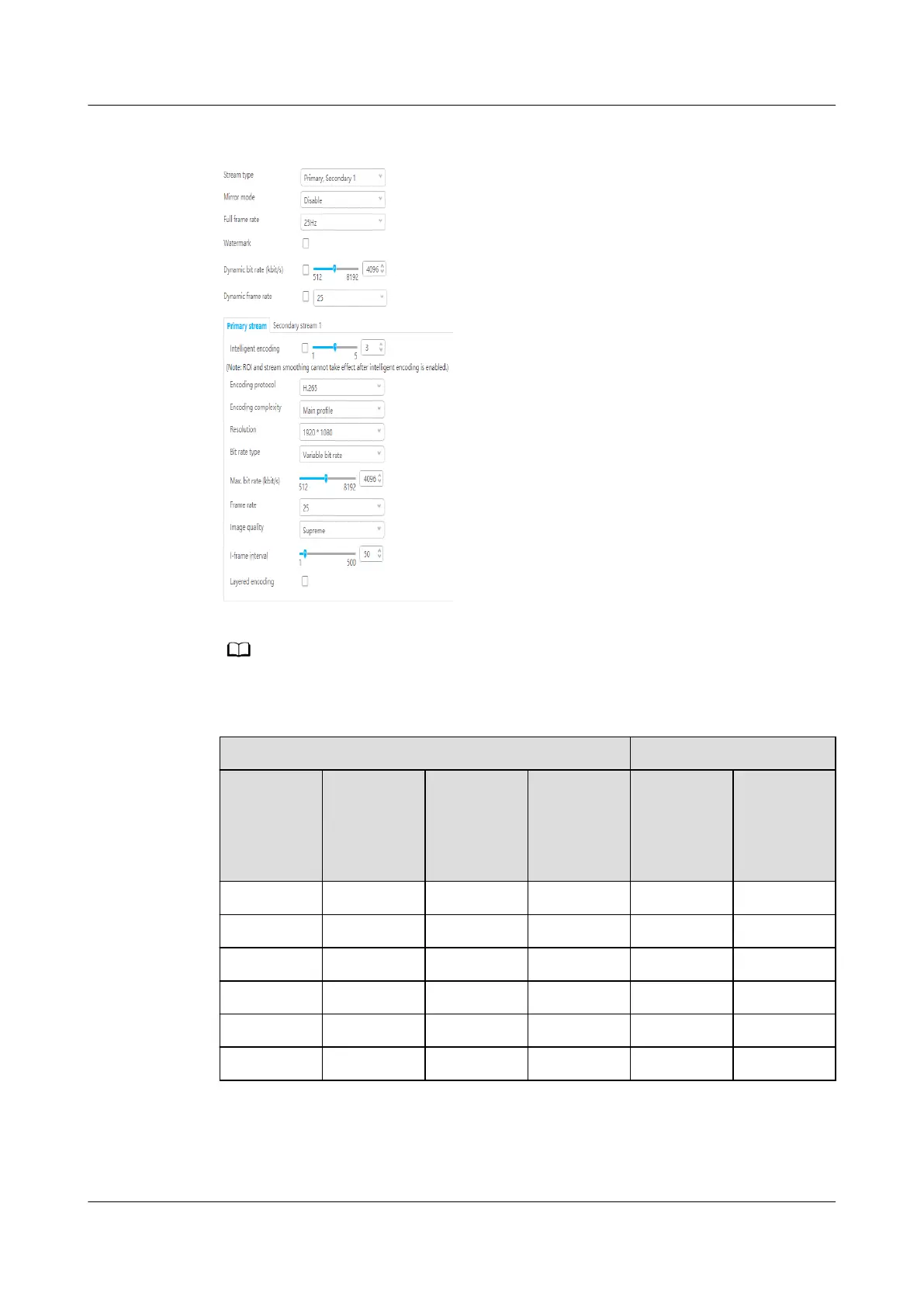
Figure 6-30 Setting audio and video parameters
If longer-time video storage is required, set camera parameters according to the following table.
Table 6-24 Camera conguration parameters
Condition
Result
Encoding
Protocol
Resolution Frame
Rate
I-Frame
Interval
Minimum
Bit Rate
Required
Supported
Video
Storage
Duration
(h)
H.265 1080P 25 50 1 Mbit/s 66
H.264 1080P 25 50 1 Mbit/s 66
H.265 720P 25 50 0.8 Mbit/s 75
H.264 720P 25 50 1 Mbit/s 66
H.265 720P 25 50 0.6 Mbit/s 105
H.264 720P 25 50 0.8 Mbit/s 75
Step 4 Choose Settings > Intelligent Analysis > Common Intelligence. Select Enable,
click Add, add motion detection areas, set motion detection parameters, and click
Save.
ECC800 Data Center Controller
User Manual (for ECC800-Pro) 6 Feature Description
Issue 02 (2020-09-07) Copyright © Huawei Technologies Co., Ltd. 162



 To Next Page