If longer-time video storage is required, set camera parameters according to the following
table.
Table 6-26 Camera conguration parameters
Condition Result
Encoding
Protocol
Resolutio
n
Frame
Rate
I-Frame
Interval
Minimum
Bit Rate
Required
Supporte
d Video
Storage
Duration
(h)
H.265 1080P 25 50 1M 66
H.264 1080P 25 50 1M 66
H.265 720P 25 50 0.8M 75
H.264 720P 25 50 1M 66
H.265 720P 25 50 0.6M 105
H.264 720P 25 50 0.8M 75
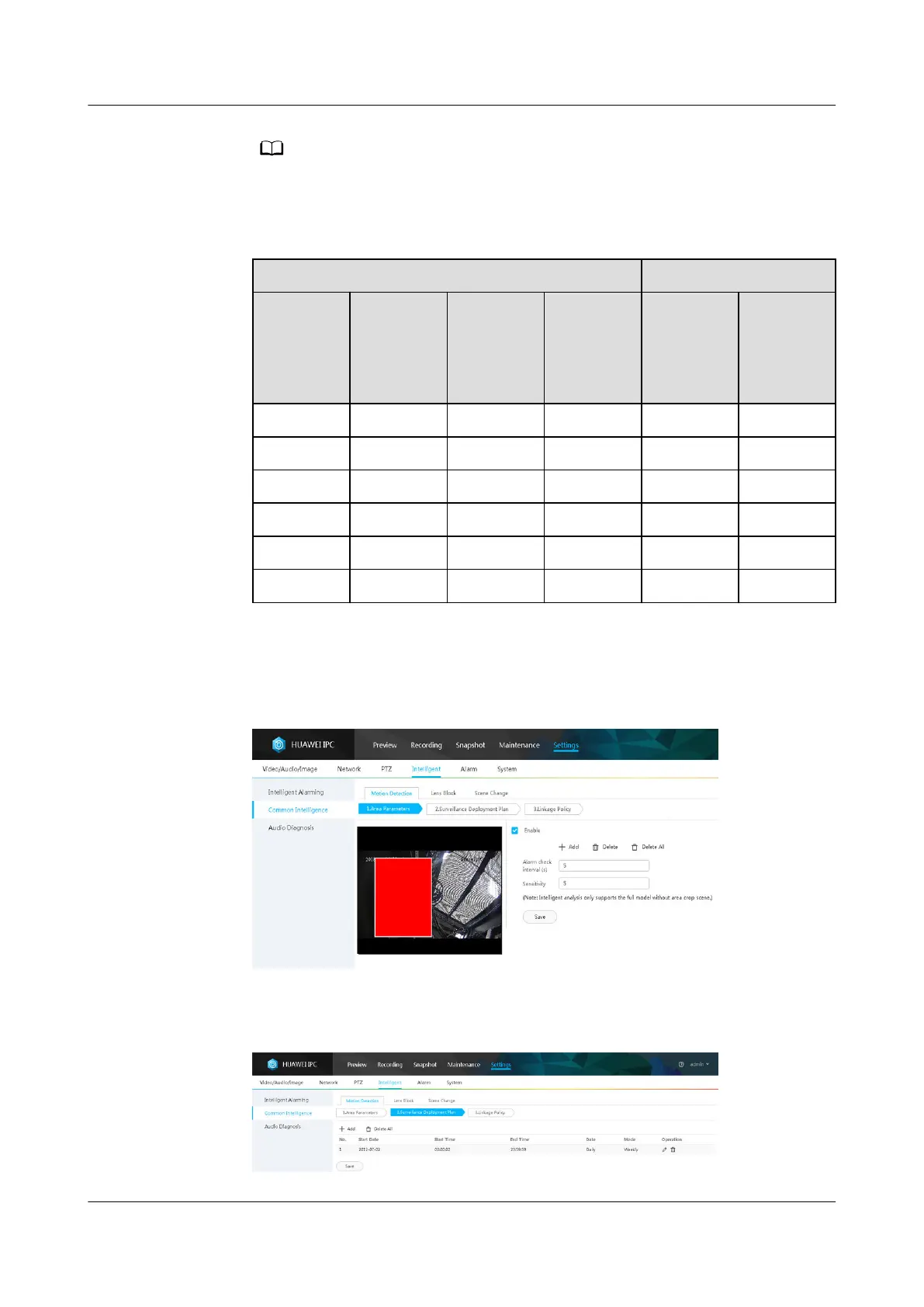
5. Select Enable, click Add, add motion detection areas, set motion detection
parameters, and click Save.
Figure 6-37 Setting motion detection parameters
6. Set the deployment policy.
Figure 6-38 Setting the deployment policy
ECC800 Data Center Controller
User Manual (for ECC800-Pro) 6 Feature Description
Issue 02 (2020-09-07) Copyright © Huawei Technologies Co., Ltd. 169



 To Next Page