Indicat
ors
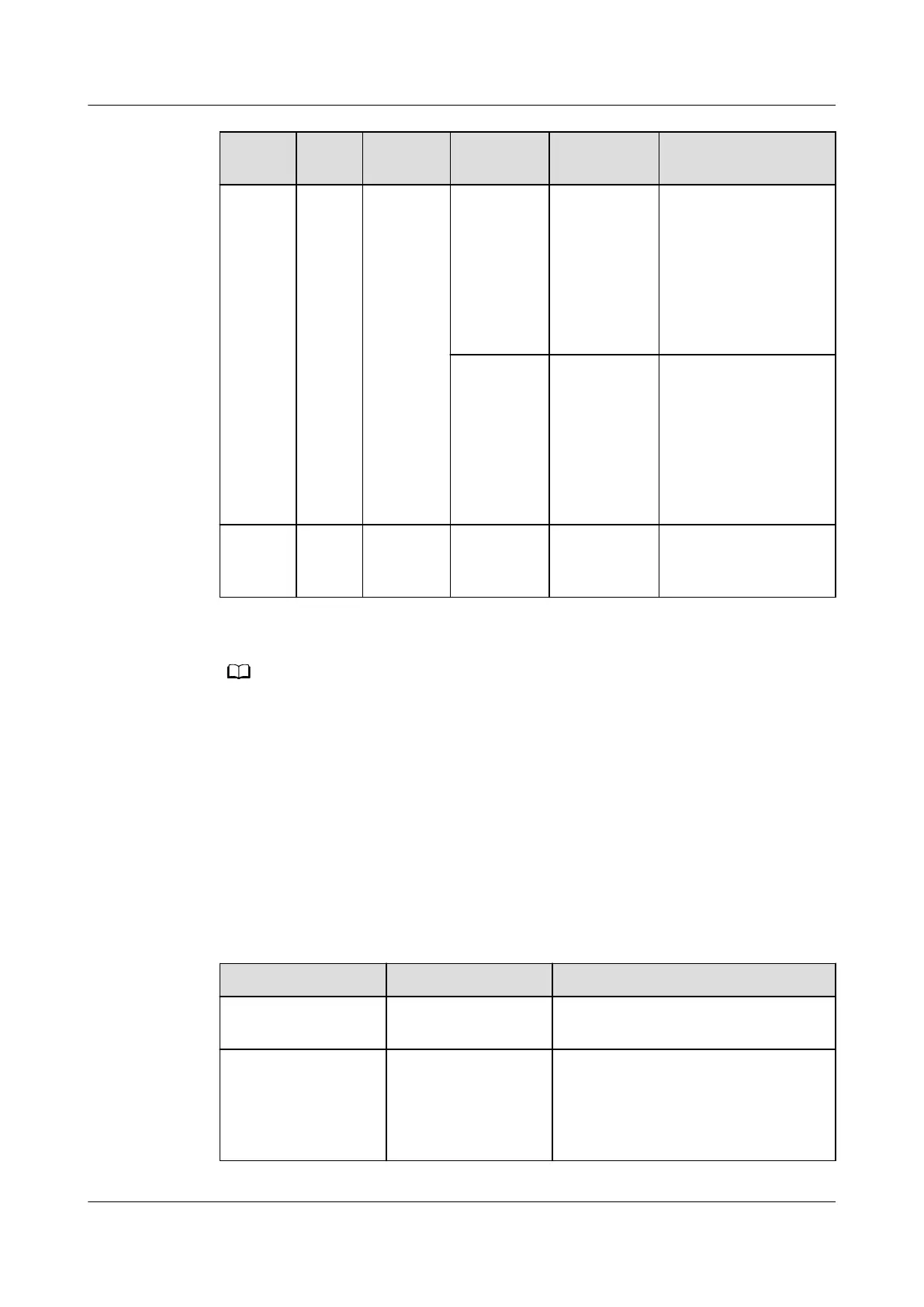
Color Meaning Status Description Measure
ALM Red Alarm
indicator
Steady on The actual
number of
online
devices is
less than
the value of
iBAT
number.
Check the value of
iBAT number, the
iBAT cable
connection, and the
iBAT indicators.
O The actual
number of
online
devices
equals the
value of
iBAT
number.
Requires no
handling.
PWR Green Power
indicator
Steady on Board
power
indicator.
Requires no
handling.
● If an indicator blinks at long intervals, it is blinking at 0.5 Hz, that is, on for 1s and then
o for 1s.
● If an indicator blinks at short intervals, it is blinking at 4 Hz, that is, on for 0.125s and
then o for 0.125s.
● If an indicator blinks at super short intervals, it is blinking at 10 Hz, that is, on for 0.05s
and then
o for 0.05s.
● Blinking intermittently at short intervals means an indicator blinks at super short
intervals for 0.5s and then remains o for 0.5s.
Networking Switch
Table 3-83 Networking switch description
Name
Denition Function
Button pressing Press the button for
less than 1s.
iBOX blinking function
Button pressing Press and hold the
button for more
than 1s but less
than 5s.
Creates a network if no network
has been created. Switches
between network organization and
data transmission if a network has
been created.
ECC800 Data Center Controller
User Manual (for ECC800-Pro) 3 Device Description
Issue 02 (2020-09-07) Copyright © Huawei Technologies Co., Ltd. 87



 To Next Page