G1E Programming Manual
25
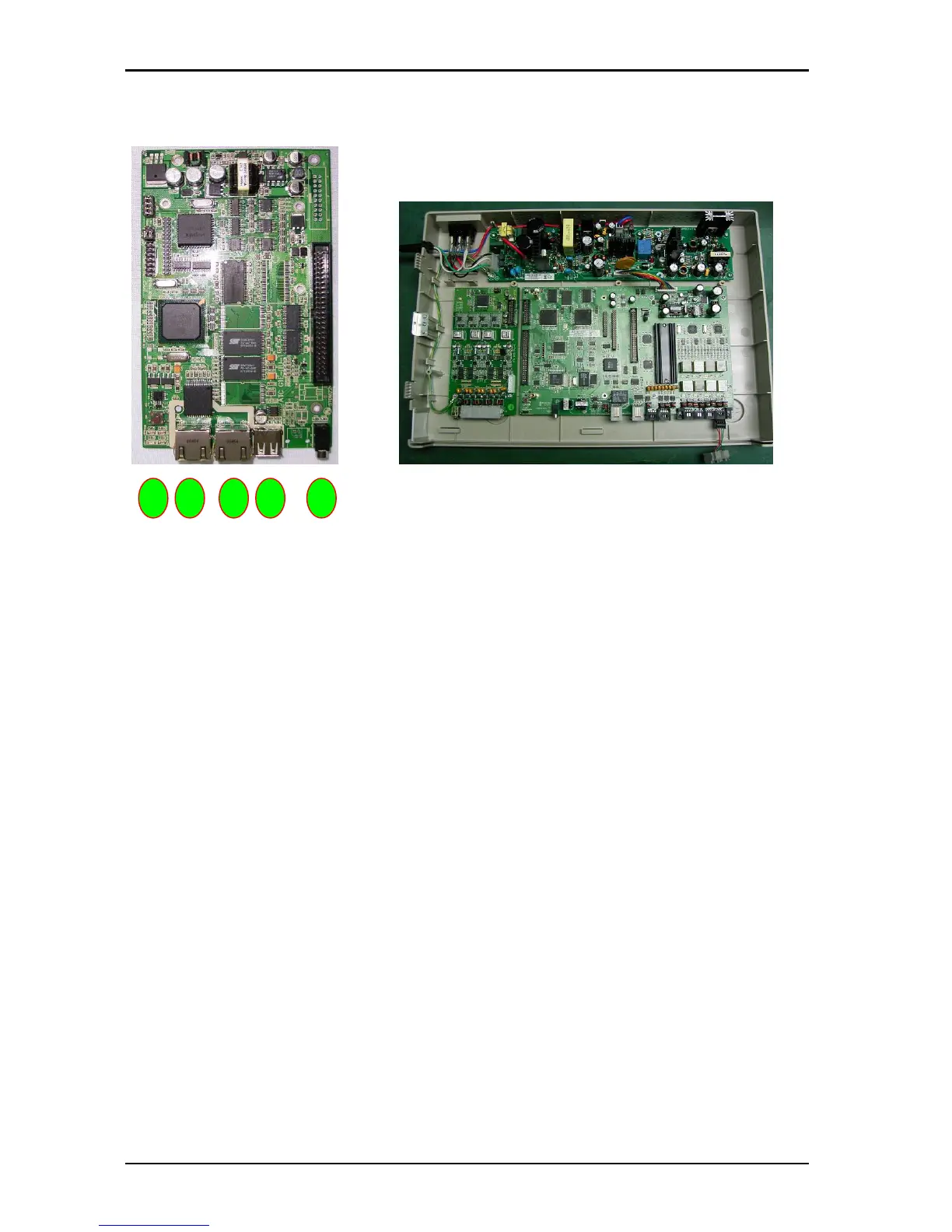
G1E-ITU IP Trunk Unit 4/8 port (For G1E+ Only)
1. CN1: Connection to G1E-MBU CN2
2. CN6: To G1E-MBU CN7
3. CN5:
4. JACK: USB port
5. JACK: PC port
6. JACK: LAN port
7. LED 1~4: LED1 for PC port connection. LED2 for detecting LAN port connection LED3 Card Status
(heartbeat) LED4 for Channel Registration indication.
8. SW1: Reset Switch
9. CN9: Connection for expansion ITC card from 4 to 8 port
10. CN10: ITU switch to select ITU1 or ITU2 (Must be set ITU2 position)
The G1E-ITU card is only able to be used in TK2 position. If ITU only is installed the system will still see
as TK2 but trunks will start from 801. If ITU card only is installed up to 12 VOIP trunks are available
depending on ITC card installed.
When the configuration is TKU plus ITU4 the total number of trunks will be 4 PSTN and 4 VOIP and
when an ITC4 is installed on the ITU the total number of trunks will be 4 PSTN and 8 VOIP.
When the configuration is SIU card plus ITU4 the total number of trunks will be 6 ISDN and 4 VOIP and
when an ITC4 is installed on the ITU the total number of trunks will be 6 ISDN and 6 VOIP.
These configurations may change with later updates, consult tech support for details.
Not all G1E+ MBU’s will support the installation of the G1E-ITU contact Tech support for details.
Minimum MBU version is MBU2-2(1).
4 5 6 7 3



 To Next Page