50 Issue 3.3.2 / April, 2011
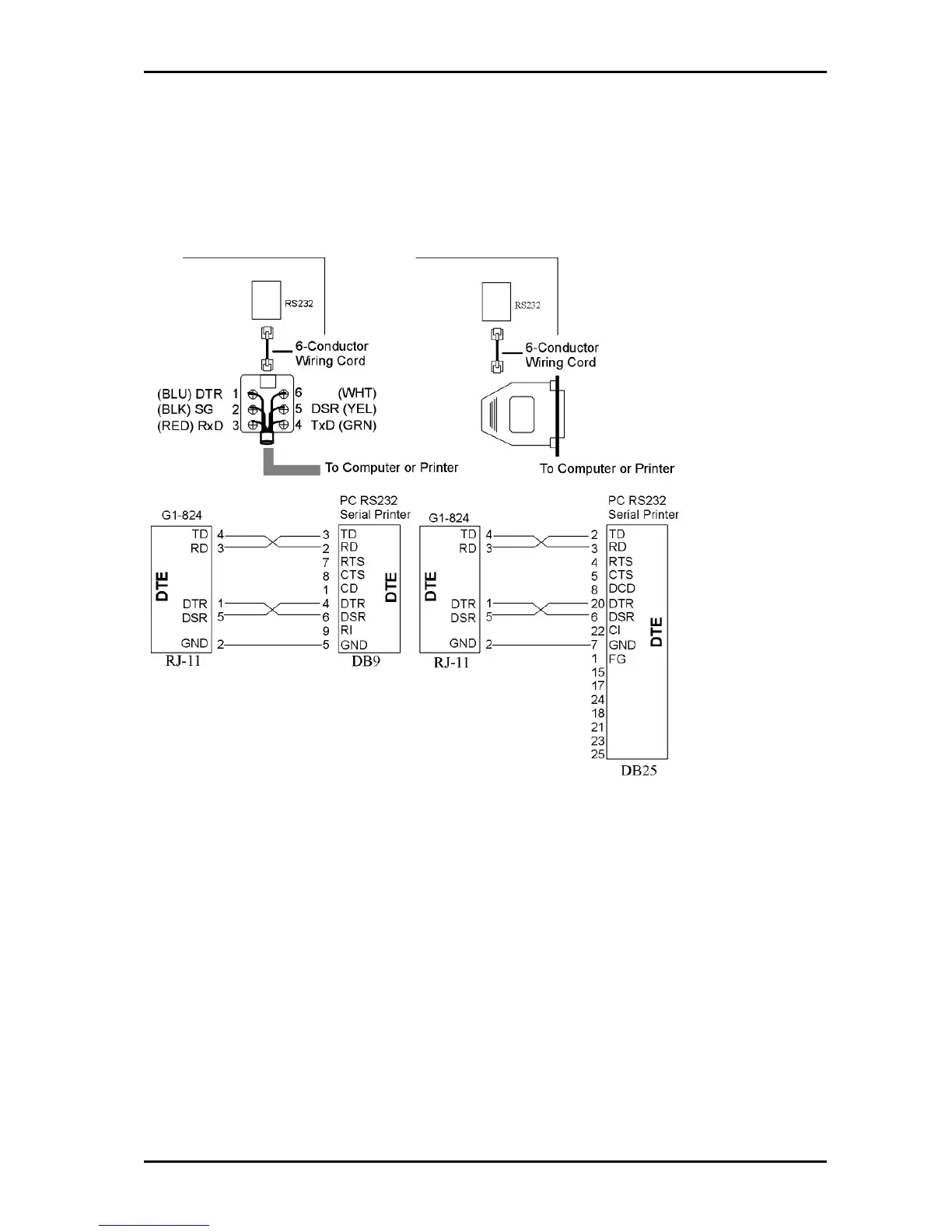
RS232 Port Connection
Use the RJ-11 connector to terminate the RS232 cable. Then connect the RJ-11 to the KSU with a 6
conductor line cord. Insert the line cord into the connector labelled RS-232.
Notice: Do not exceed the cable length limitation (15M / 50 feet.) for the RS232 connection
Connect old style 2 wire devices such as follows.
G1E Device
TD (4) RD
Gnd. (2) Gnd.
DTR (1) links to DSR (5) on G1E end only.



 To Next Page