34 Issue 3.3.2 / April, 2011
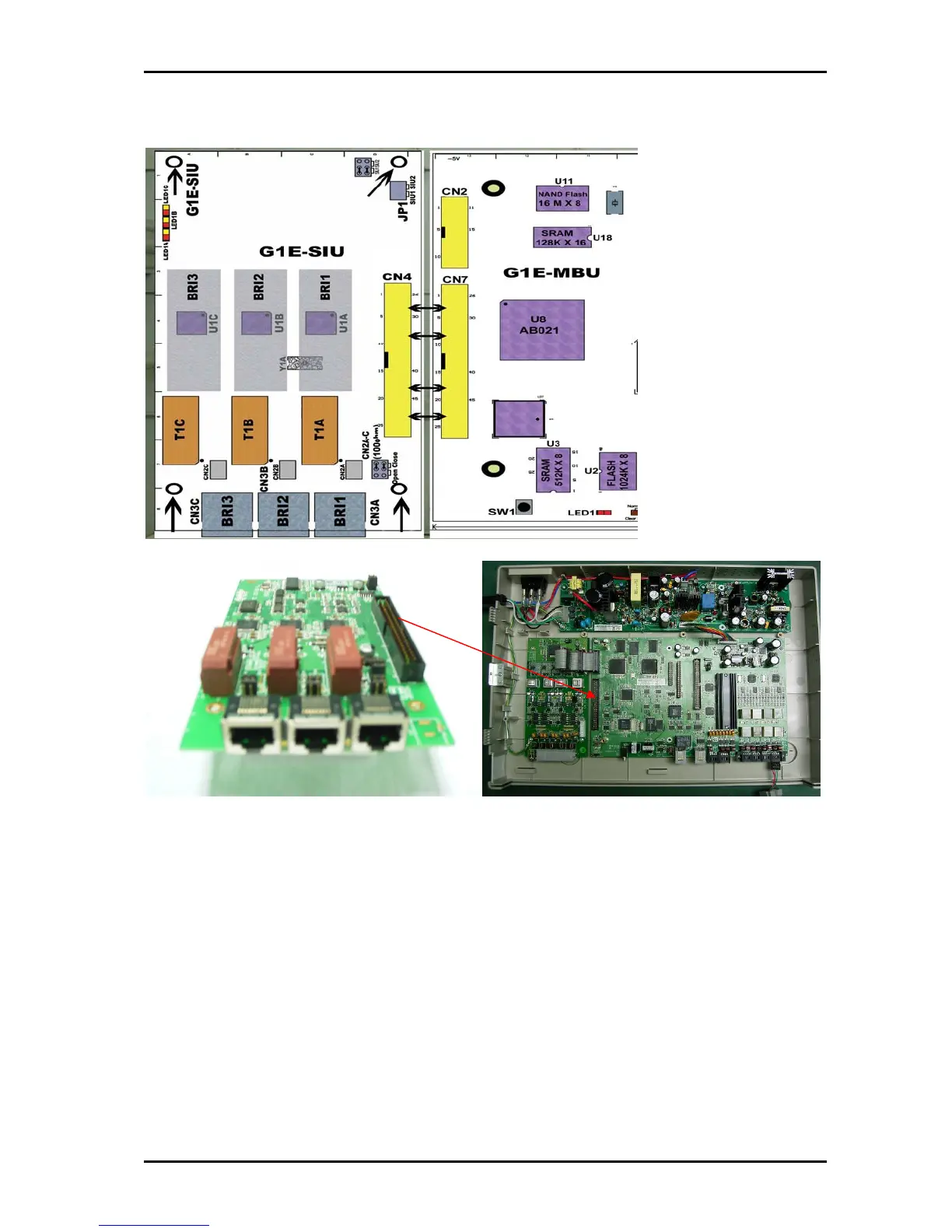
Install G1E-SIU 3 BRA Card
Installing the first ISDN Trunk card
Power off the system
Set the Jumper on the card to SIU1 position
Mount the SIU to the case using the provided screws
Plug the cable into the MBU
Installing the second ISDN Trunk card
Power off the system
Set the Jumper on the card to SIU2 position
Install the 4 brass spacers to the first SIU by removing the screws from the SIU and
fitting spacers
Plug the cable from the MBU to the first SIU to the second SIU and then fasten SIU to
spacers using the 4 screws removed from the first SIU.
Make certain that the cable is pushed home firmly into the connector



 To Next Page