G1E Programming Manual
39
Installing the Equipment
Backboard
Be sure to plan and allow enough space to mount
and connect the key service unit, power supply
and system battery back up if applicable.
Key Service Unit
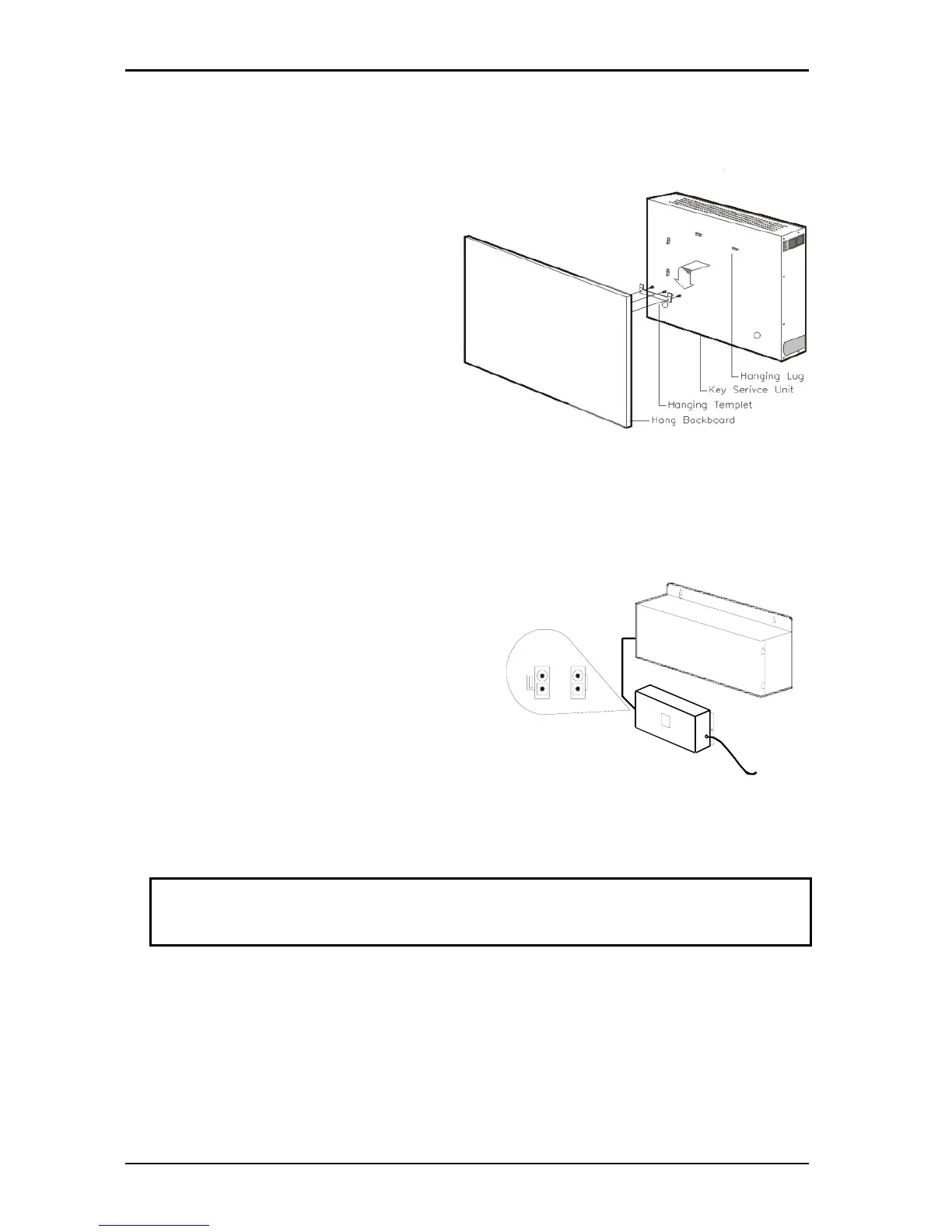
Use the enclosed paper template to locate the
mounting position for the Key Service Unit. Drill
appropriately spaced holes and mount the KSU
on the wall. When mounting the KSU, make
certain that there is adequate room for the
Battery Backup and that the connecting cable
between the KSU and the battery back up unit is
long enough.
Power Supply
Dedicated Power Source - The power cord must be connected to a dedicated AC outlet.
Be sure that the third wire earth ground of the AC circuit is connected to a good electrical ground. If a
music source is installed, it must be connected to a separate AC circuit rather than the system's
dedicated AC line cord.
Check Your Voltage Selection Jumper
Verify that the input voltage and input voltage jumper are correct before you power on the system. The
input voltage is set according to the Customer's requirement before shipping. However it is important to
verify that the setting is correct prior to initial
system power up.
Power Supply voltage options for the unit:
100-VAC: 100 to 120 V AC (50/60Hz) or 240-VAC:
205 to 265 V AC (50/60Hz).
Preparing The External Battery Backup
The Key Service Unit uses one external backup
battery unit containing 2 x 12v batteries in series
(24 volts) for emergency power when a power
failure takes place.
If you are installing an optional Battery Backup (BBOX1), make certain that there is adequate room for
its installation. Make certain that the Battery Backup is mounted close enough to the Main Equipment
that the interconnecting cable between the Battery Backup and the Main Equipment can connect.
Do Not Connect the Battery Backup at this time!
Do Not Connect the Battery Backup at this time! Battery Backup should not
be connected to the System power supply until all power up testing has
been completed!



 To Next Page