G1E Programming Manual
37
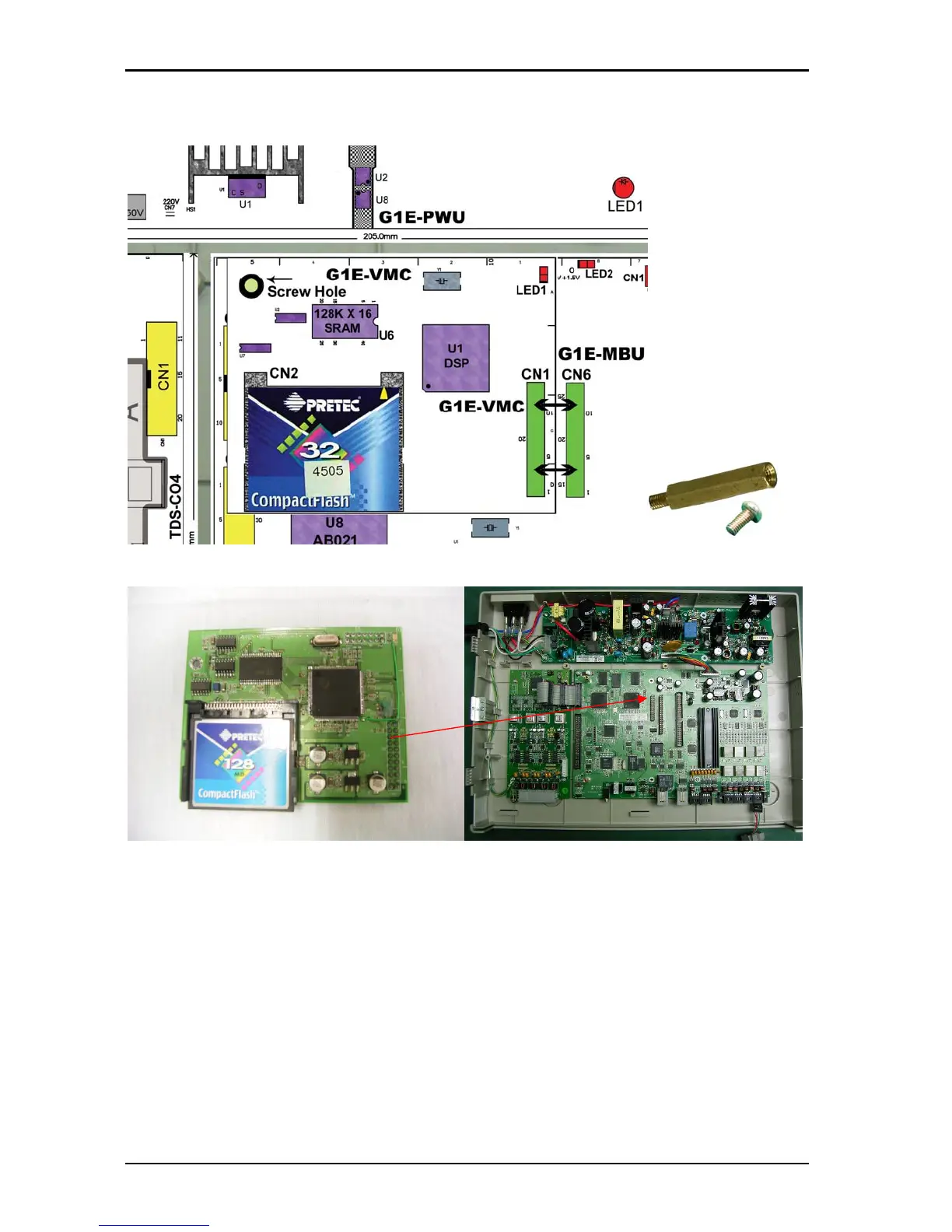
Install G1E-VMC 4Port Voice Mail Card
Power off the system before installing card
Remove the screw from MBU and replace with Spacer Long spacer for G1E, short
spacer for G1E+
Mount G1E-VMC CN1 to G1E/G1E+-MBU CN6
Screw VMC to Brass spacer
Make certain that the card is aligned correctly and pushed home firmly into the
connector
For a description of the VMU and Auto Attendant setup and configuration including how to
record messages see the section at the end of the Installation Manual



 To Next Page