52 Issue 3.3.2 / April, 2011
Power On and Operational Test
Before connecting the G1E-PWU to AC power:
z Verify that input voltage and input voltage selection jumper on G1E-PWU are correct before you
power up the system.
z Recheck the cabling for incorrect connections, loose wires and wiring fragments that may cause
short-circuits.
z Plug the power cord into a power outlet.
z Verify the system boots properly by checking the display of a telephone set.
z You may now connect the battery back up unit if applicable.
Operational Tests
Check each telephone and CO line to verify that outgoing lines are connected properly.
Check that intercom calls can be made from extension to extension.
WARNING:
DISCONNECT THE POWER SUPPLY FROM THE AC POWER SOURCE BEFORE WIRING OR
CHANGING ANY WIRING.
Connect the Battery Backup AFTER AC power has been connected to the Power Supply.
Disconnect Battery Backup BEFORE disconnecting AC power from the Power Supply.
NOTICE:
ONCE THE SYSTEM OPERATES PROPERLY, PROCEED TO SYSTEM PROGRAMMING.
(REFER TO THE SYSTEM PROGRAMMING MANUAL
.)
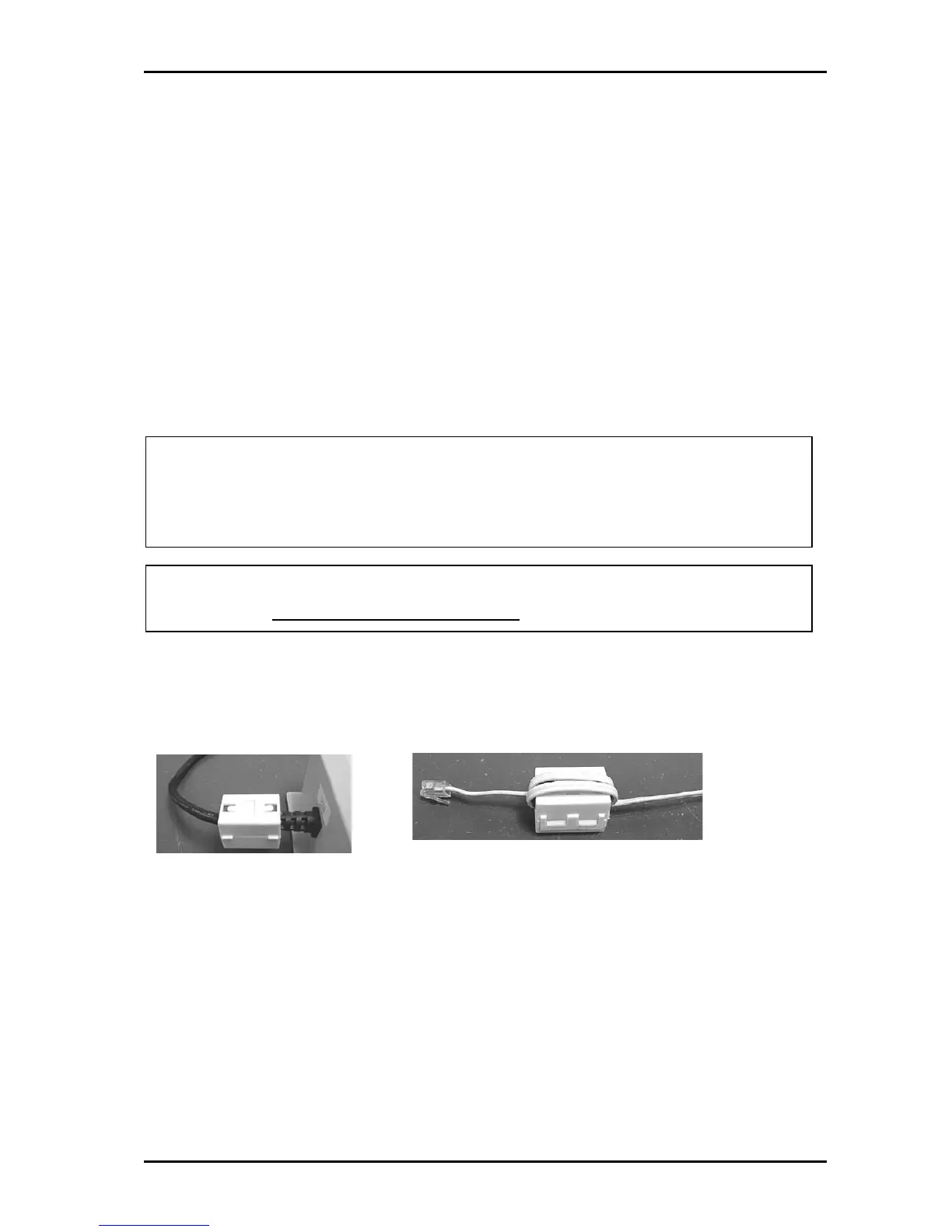
Special Immunity Protection for System and terminals
Adding Noise Filters to the points below can enhance the immunity capability of the system from
outside environmental noise.
For Power Supply: For Line:



 To Next Page