2014-03-24
155
B.2 Main Parts Expanded View
B.2.16.3 Ground Wiring
155
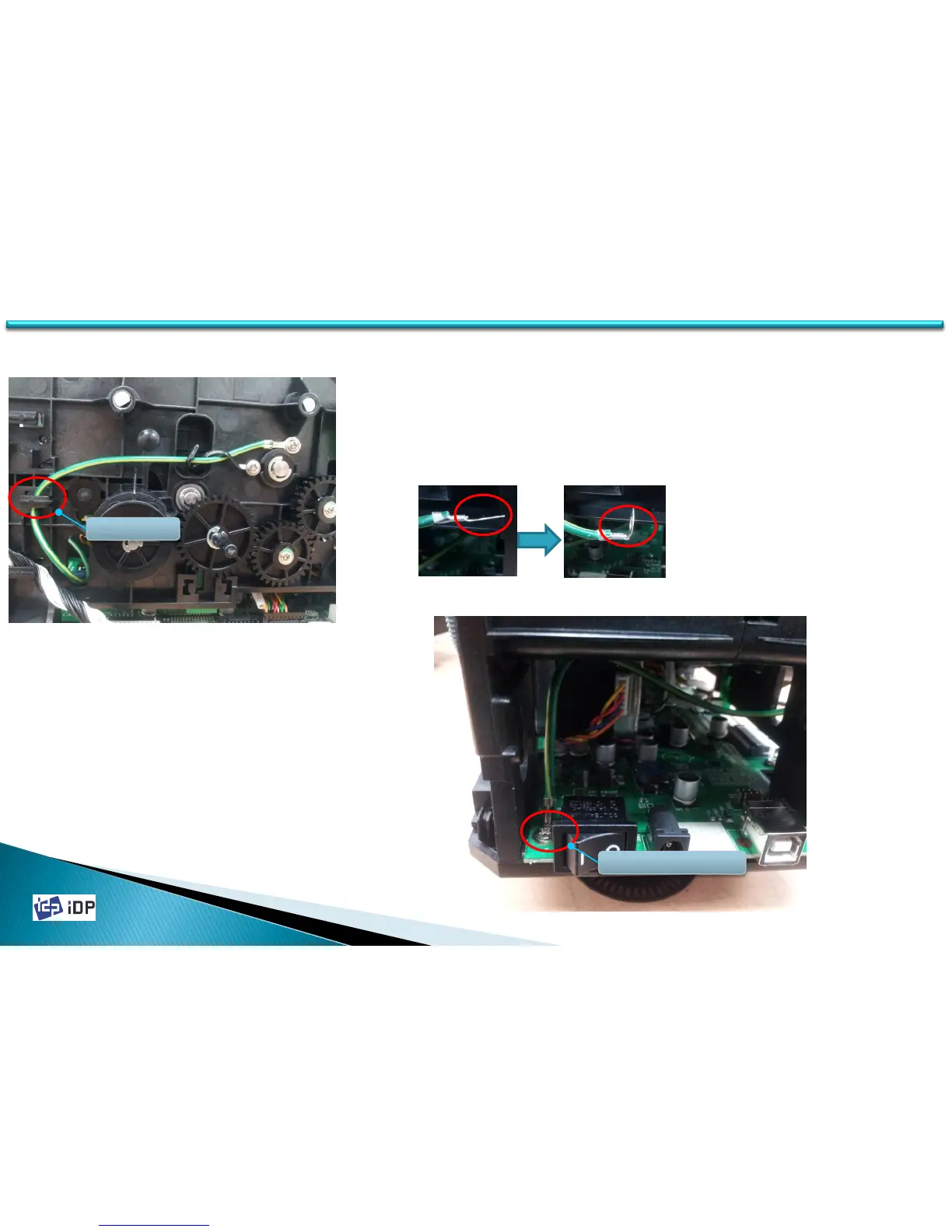
<Fig.6>
6. Insert Ground Wire into printer after hanging Ground Wire on Wire
Holder Fig.6.
7. O-ring of Ground Wire is Fig.7-1. To assemble it to main board, fold
O-ring as Fig.7-1.
Wire Holder
<Fig.7-1> <Fig.7-2>
<Fig.8>
Assemble Location
8. Ground Wire inserted into printer is installed on the location of
Main Board as Fig. 8.
9. Insert screw into O-ring of Ground Wire and tighten screw on
MAIN BD와 FRAME S3, BOTTOM.
10. Static Brush under BRACKET S3,COLOR_SEARCH_COVER in
installed as same with existing method.
11. On Rewritable model, there is no need to install antistatic
method.



 To Next Page