2014-03-24
17
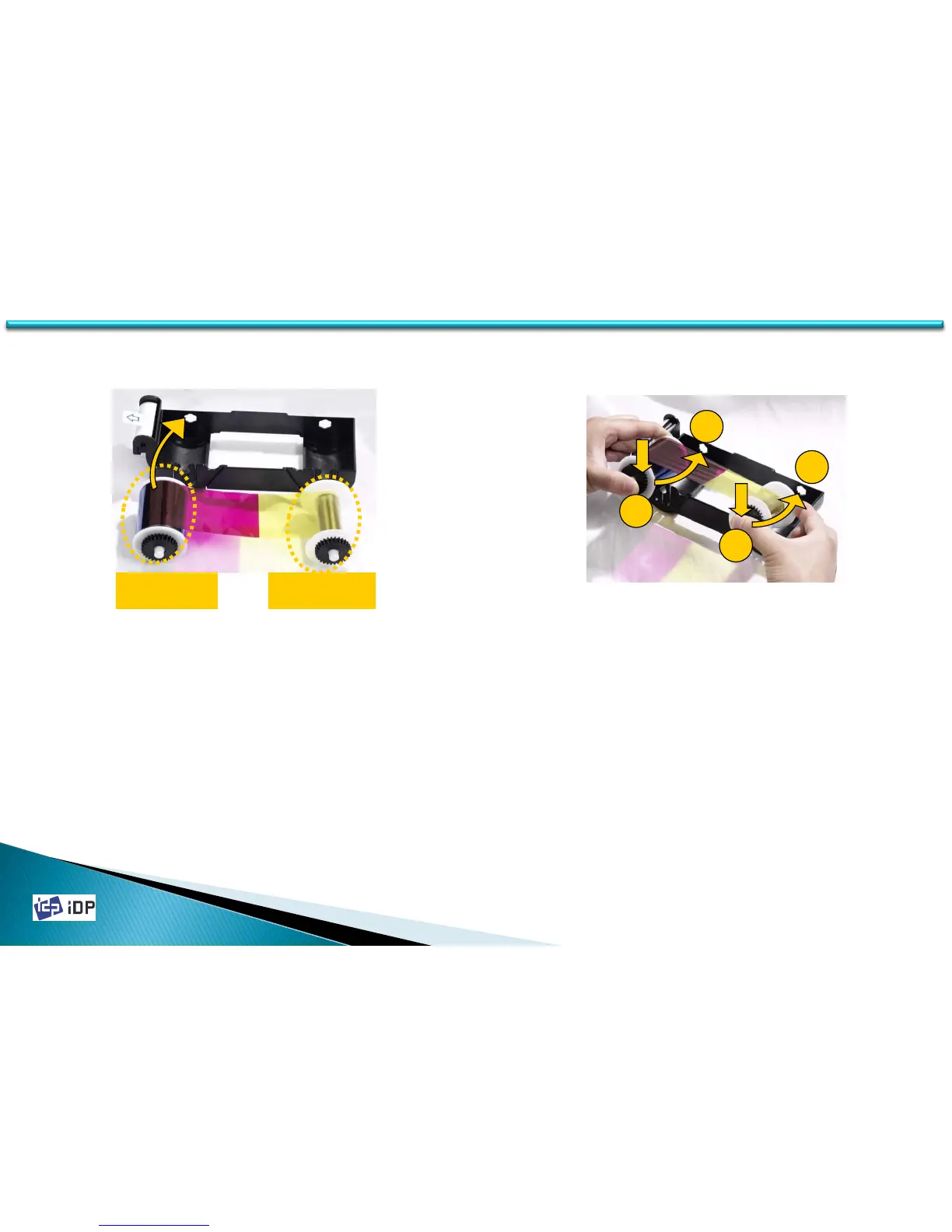
Ribbon Supply
Core
Ribbon Take-up
Core
Fig.2-3 Prepare the ribbon
1
2
3
4
Fig.2-4 Install the ribbon]
5. Insert the supply side of the ribbon to
no.1 hole and press the opposite(no.2)
until it clicks. Insert the take-up side of
the ribbon to no.3 and no.4 by the same
way. And fasten the ribbon.
※ Caution! If the ribbon is not fastened, a
rolling up error might happen.
4. Prepare the ribbon before inserting it into
the ribbon cartridge.
※ Refer to the illustration on the inside of the
cartridge.
1.2 Printer Installation and Instructions



 To Next Page