2014-03-24
19
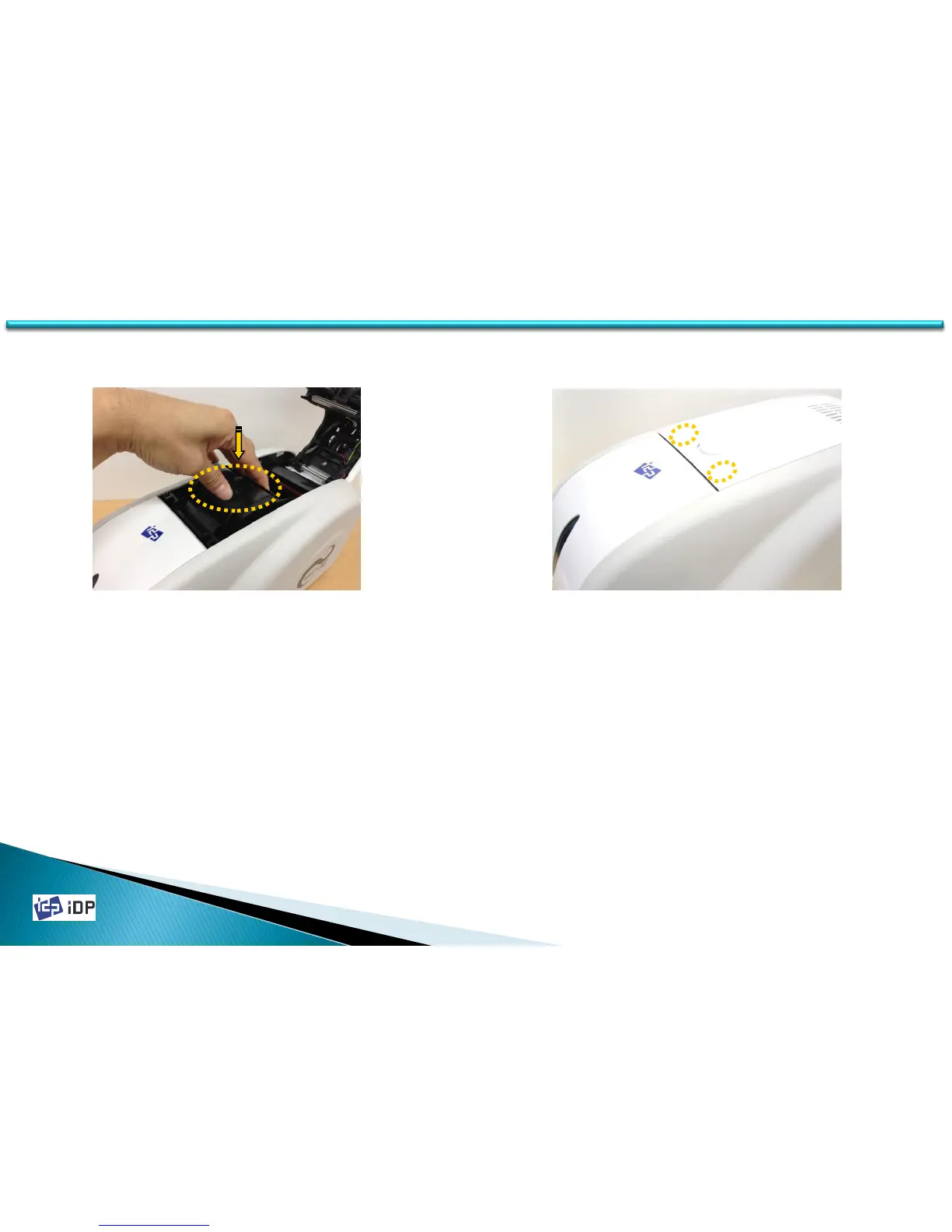
Fig.2-7 Install the ribbon cartridge
Fig.2-8 Close Top Cover
1.2 Printer Installation and Instructions
8. Install the ribbon cartridge to the printer
after install the ribbon and cleaning roller
to the cartridge.
9. Close the top cover until it clicks.
(If it is not closed, check the installation
state of the ribbon cartridge.)



 To Next Page