2014-03-24
84
4.2 Test
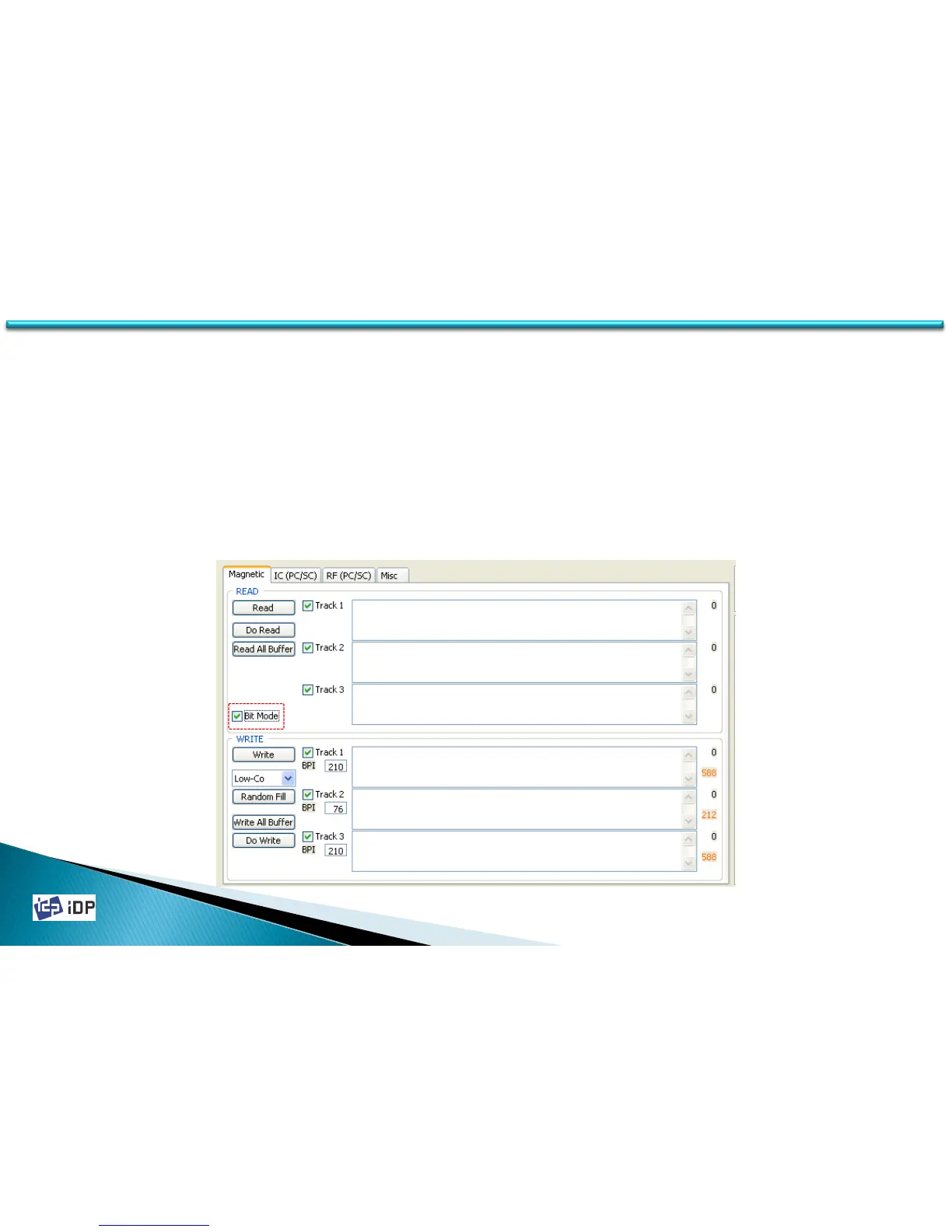
When you tick ‘Bit Mode’, display is changed to Bit Mode writing condition. In the ‘Bit Mode’, you can input data
with ‘0’ and ‘1’ only. You can set BPI information in the ‘Bit Mode’.
BPI range: 210 ~ 40,
You can set BPI value: 210, 168, 140, 120, 105, 93, 84, 76, 70, 64, 60, 56, 52, 49, 46, 44, 42, 40
If you set not defined BPI value, above BPI value is set automatically.
(EX) If you set 170 BPI, it becomes 210 BPI.
Bit which can be written on card may be varied in accordance with BPI. Please refer a formula as below,
Bit can be written = 2.8 X BPI
If you use 210BPI, 2.8 X 210 = 588. SO you can write 588 bit.



 To Next Page