REPAIR INSTRUCTIONS, PART 1
Page 275
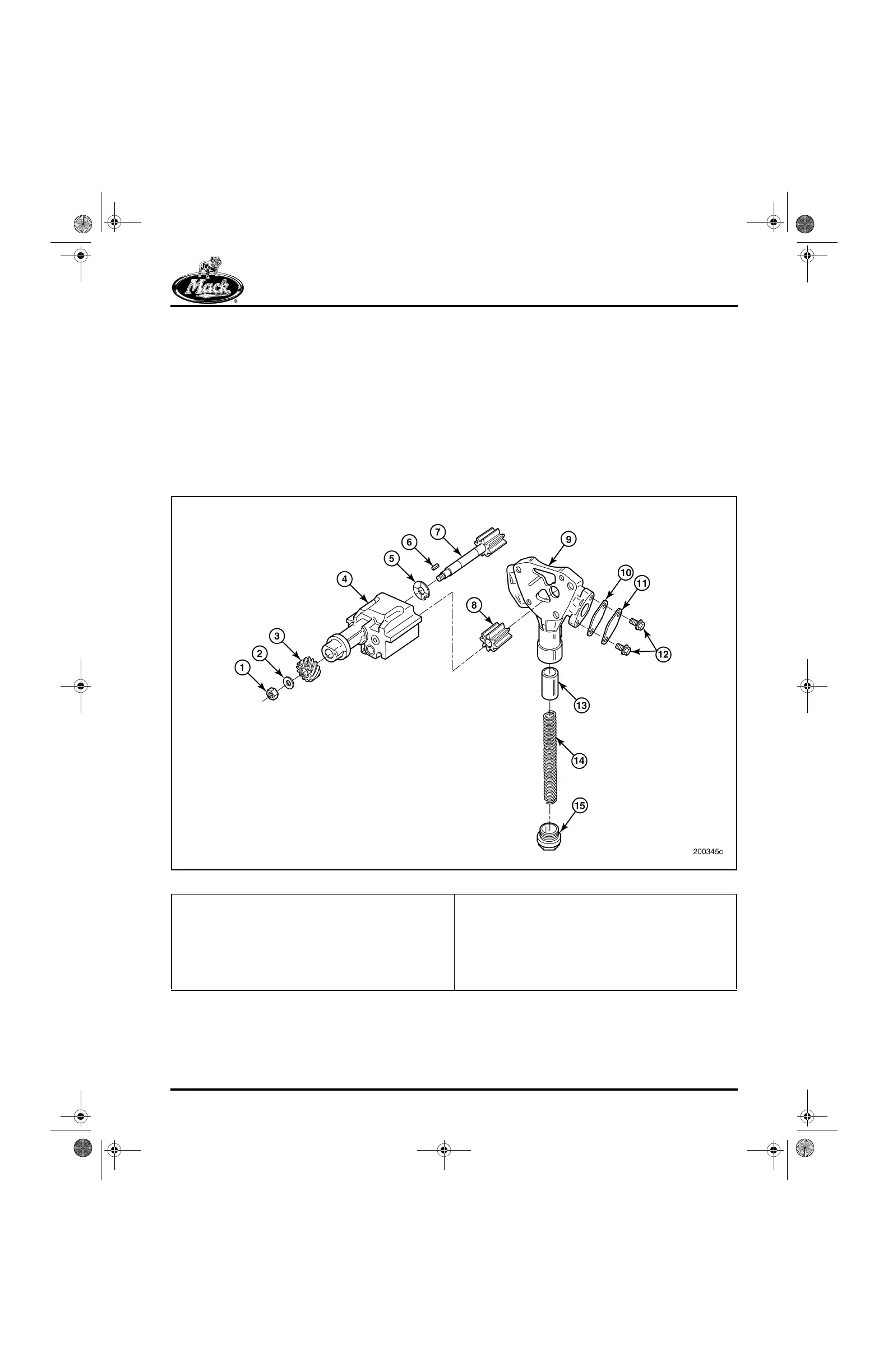
3. Remove the oil pressure relief valve cap and
collect the pressure relief spacers (if
equipped).
4. Remove the oil pressure relief valve spring
and plunger.
5. Remove the oil pump housing cover from
the oil pump housing.
6. Slide the oil pump idler gear off the shaft.
7. Remove the oil pump from the cylinder block
or other suitable holding fixture.
8. Turn the oil pump upside down and remove
the oil pump shaft nut and washer.
9. Using a press, remove the driven gear and
key from the pump gear and shaft assembly.
10. Remove the pumping gear-shaft assembly
and thrust washer from the housing.
11. Remove the oil pump inlet flange plate and
gasket from the housing by removing the
capscrews.
306
Figure 306 — Lubrication Oil Pump
1. Self-Locking Nut
2. Washer
3. Driven Gear
4. Housing
5. Key
6. Pump Gear and Shaft
7. Oil Pump Housing Cover
8. Gasket
9. Inlet Flange Plate
10. Capscrews
11. Plunger
12. Relief Valve Spring
13. Relief Valve Cap
14. Idler Gear
15. Thrust Washer
5-111.bk Page 275 Monday, July 10, 2006 2:26 PM



 To Next Page