11 Inspection and Mainetenance NICE3000
new
User Manual
- 294 -
Installing the cooling fan
Reverse the procedure above to reinstall the fan.
1. Connect the fan power cable to the socket.
2. Put the fan into the controller, and ensure mounting hole alignment.
Pay attention to the direction arrow on the fan, and lay the fan in the specied direction to ensure upward air ow
direction.
3. Press in the hooks on the fan cover into the controller, and guide the fan cover until it clicks back into place.
◆
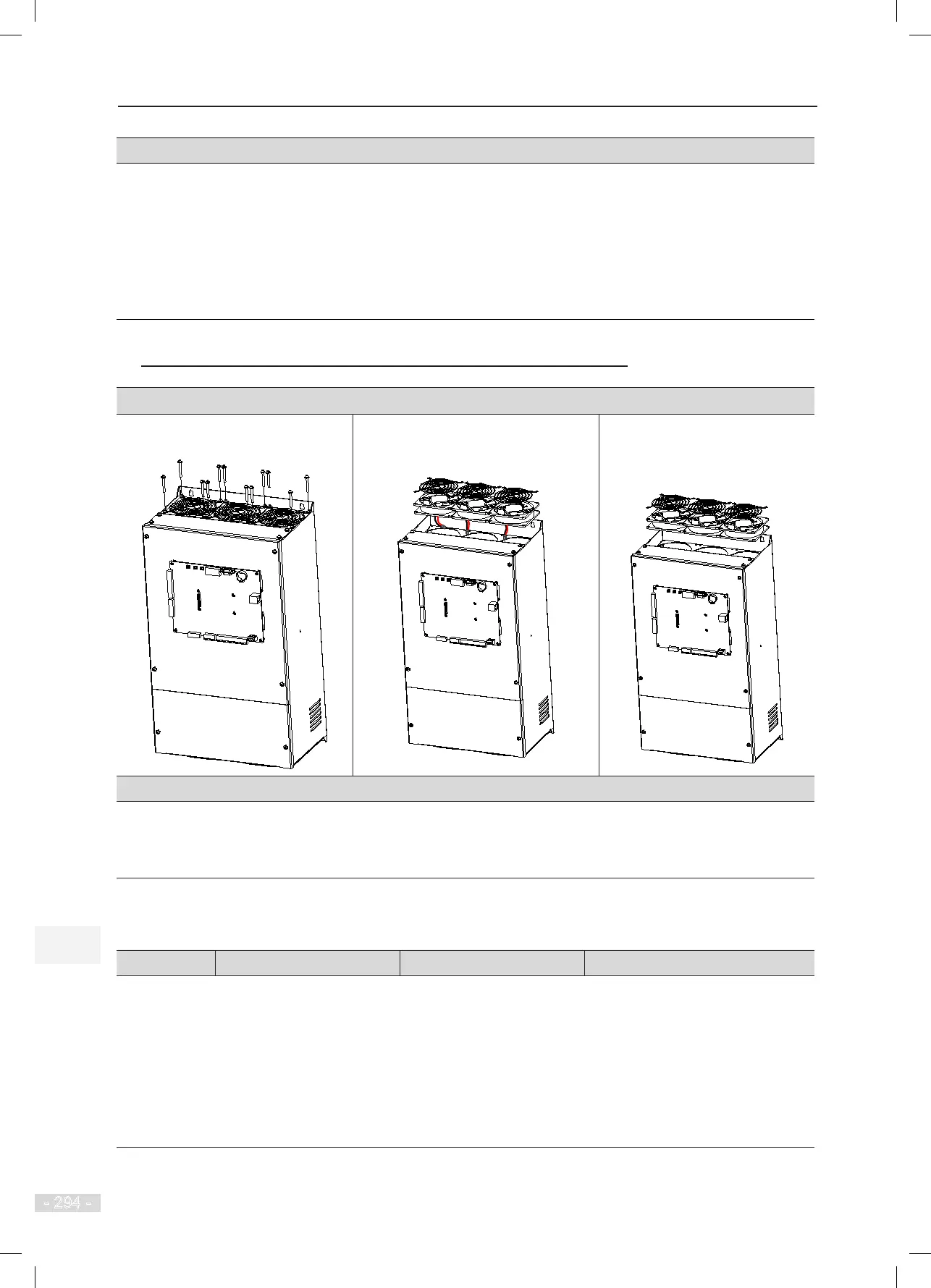
Removing and Installing the Fan of a Sheet Metal Housing
Removing the cooling fan
1. Loosen and remove the screws on
the fan cover by using a screwdriver.
2. Lift the fan cover and fan a little, and
disconnect the fan power cable from
the socket.
3. Remove the fan cover and fan.
Installing the cooling fan
Reverse the procedure above to reinstall the fan.
Align the mounting holes on the fan with the mounting positions inside the controller.
Ensure correct air ow direction after reinstallment.
11.3.2 Electrolytic Capacitor
Component Possible Cause Judging Criteria Replacement
Electrolytic
capacitor
● Input power supply in
poor quality
● High ambient
temperature
● Frequent load jumping
● Electrolytic aging
● Whether there is liquid
leakage.
● Whether the safe valve
has projected.
● Measure the static
capacitance.
● Measure the insulating
resistance.
● Replacement of electrolytic
capacitor will inuence internal
components of the controller.
● Do not replace the electrolytic
capacitor yourself. If replacement
is required, contact us.



 To Next Page