-182-
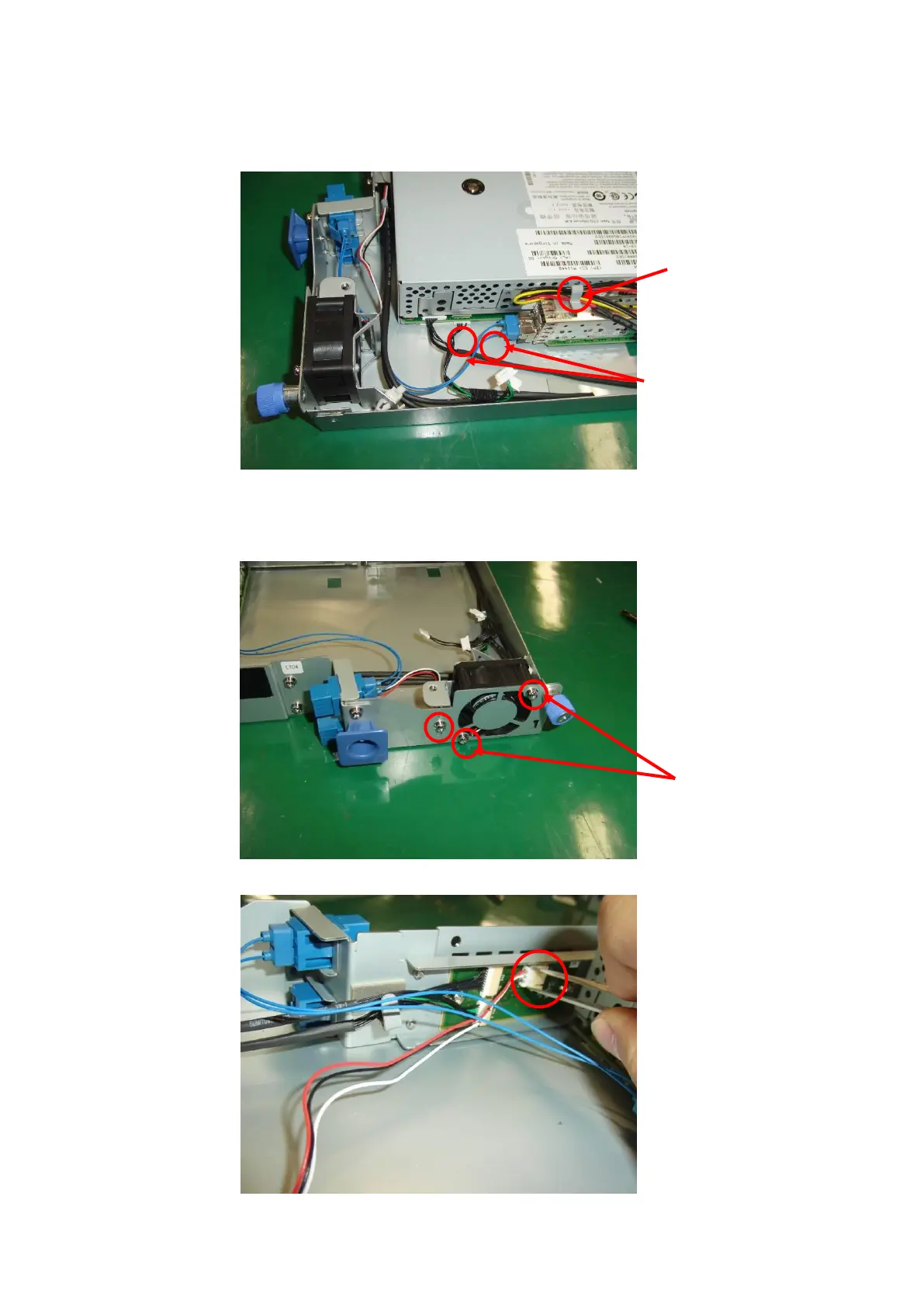
4. Remove the two drive connectors shown below. The figure below shows an example of the FC
drive.
Remove the cables from the cord keeper.
5. Pull out the drive further. When pulling it out, be careful not to bend the internal cables, causing
the wires to break.
6. Remove the three fan bracket screws shown below and demount the fan.
7. Remove the fan connector. Use tweezers to do this.



 To Next Page