103 / 374
SOCT User Manual Version 10.0 rev. A
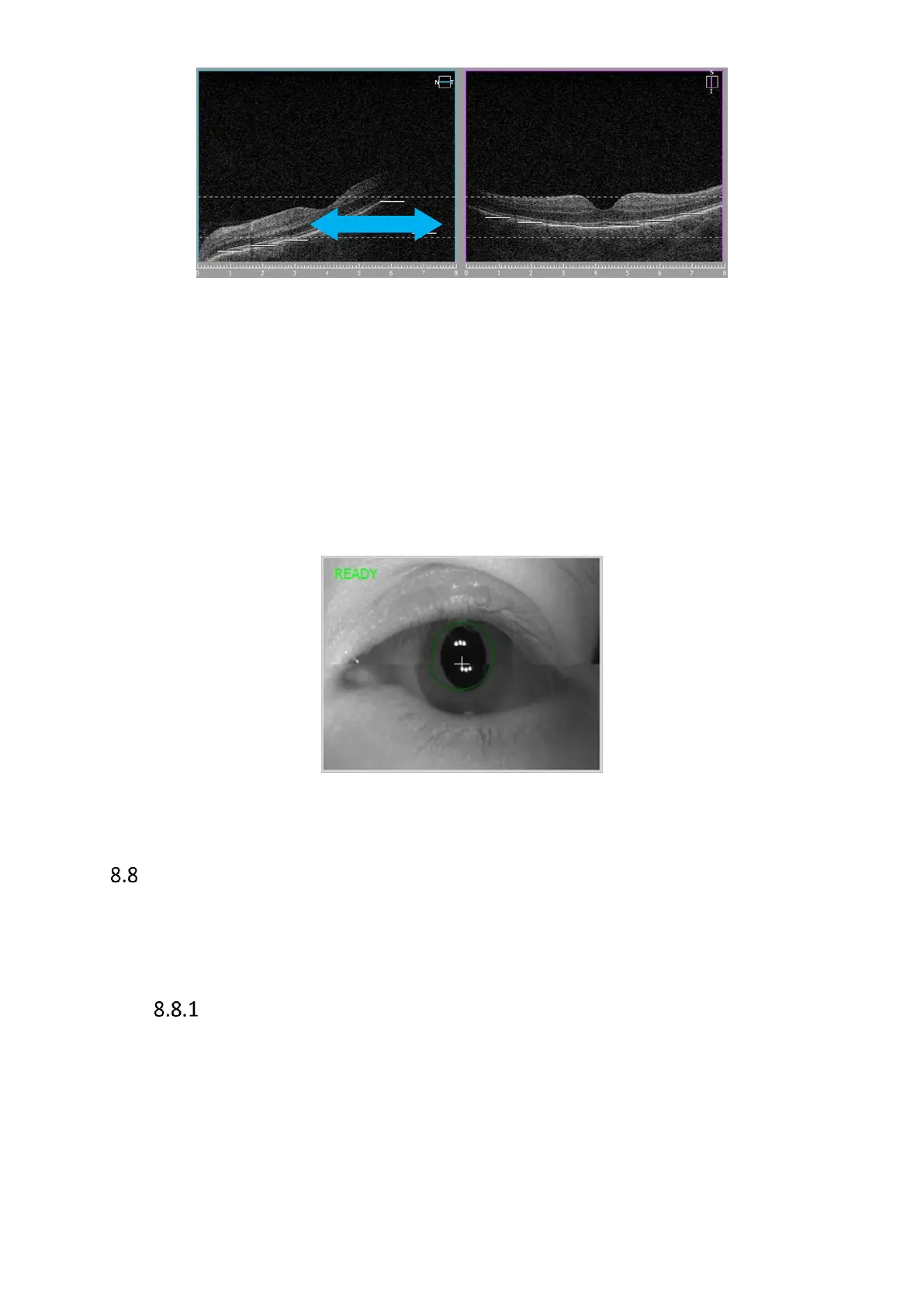
Figure 67. Shadow on tomogram, grab and drag towards right side
Horizontal line in fundus preview window relates to left part of scan preview window. This scan
also should be horizontal. In the case here above the tomogram should be dragged right (head
movement device should be moved right to align scan and remove shadow.
The easiest way to align the tomograms is to drag a tomogram to the proper position.
If it is required to manually align working position across the center of the pupil, move first the
scanning head (usually forward) to working distance. At the working distance images created
from two preview cameras create one equal view. Then click on the pupil or use up/dw and
right/left movements to place the white cross in the center of equally aligned pupil.
Figure 68. Proper live eye preview while manual acquire mode
Critera for Exam Acceptance
Use the following criteria to ensure that an OCT image you have captured is suitable.
Evaluate Fundus reconstruction to see the quality of the OCT exam and then evaluate
OCT images.
Evaluation of OCT Fundus reconstruction for Posterior 3D exams.
• The fundus reconstruction image should be sharp and clear, preferably with good
visibility of the branching blood vessels
• The Fundus reconstruction image should have uniform saturation without dark
corners



 To Next Page