271 / 374
SOCT User Manual Version 10.0 rev. A
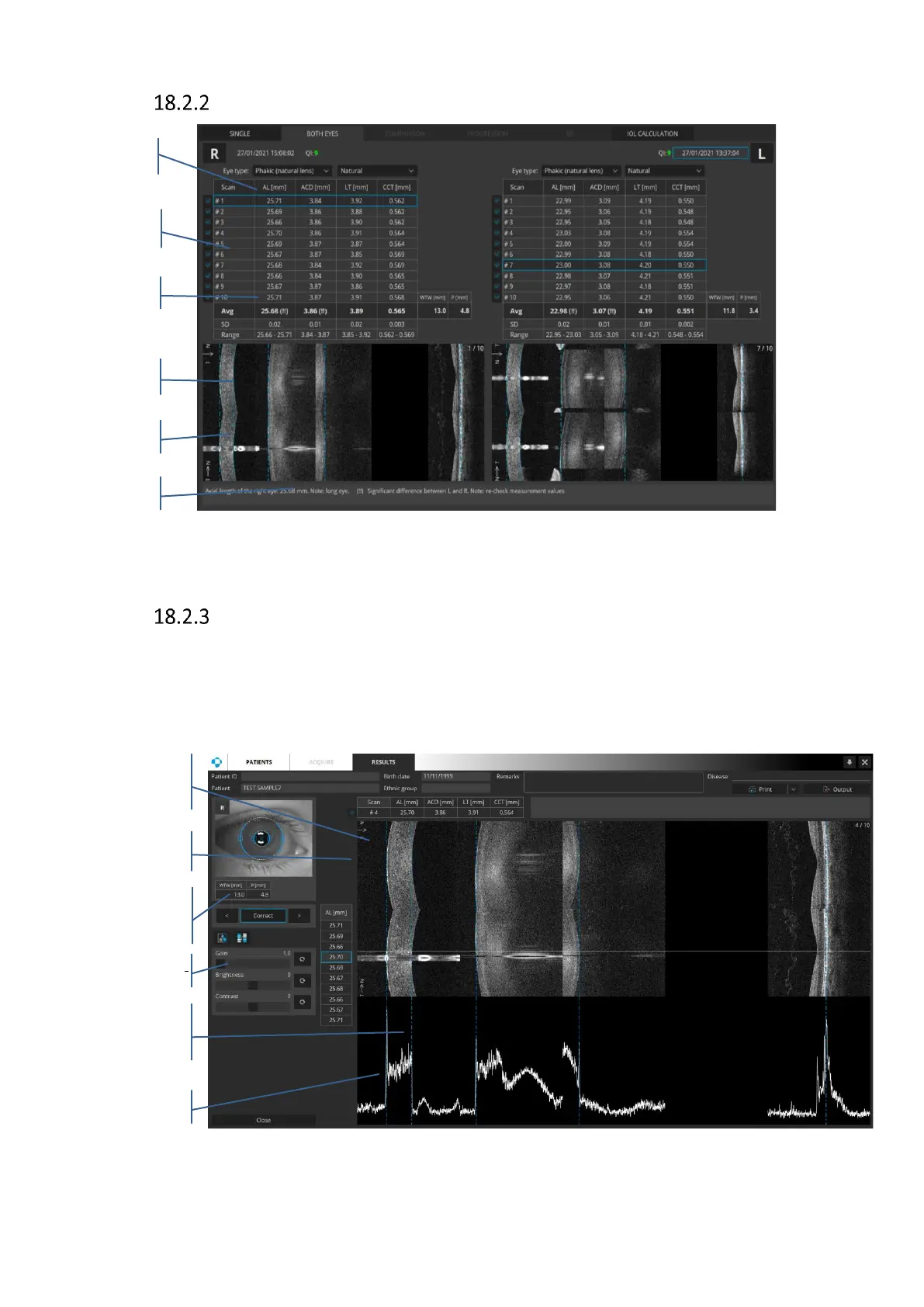
Both view
Figure 270. Biometry Both view
Full screen
SOCT provides Full screen window to manually edit the values obtained. There may be
instances of detecting the wrong boundaries, especially in the posterior of the lens as well as
the retinal position. User can visually adjust the value by positioning the line-markers on the
tomogram image and signal graph. Signal graph shows the value marked by horizontal line.
Figure 271. Biometry Full screen window



 To Next Page