52 / 374
SOCT User Manual Version 10.0 rev. A
Filter
The filter window helps to find examinations easily in the database. System filters
examinations according to all patients. In order to apply filter, select the desired criteria.
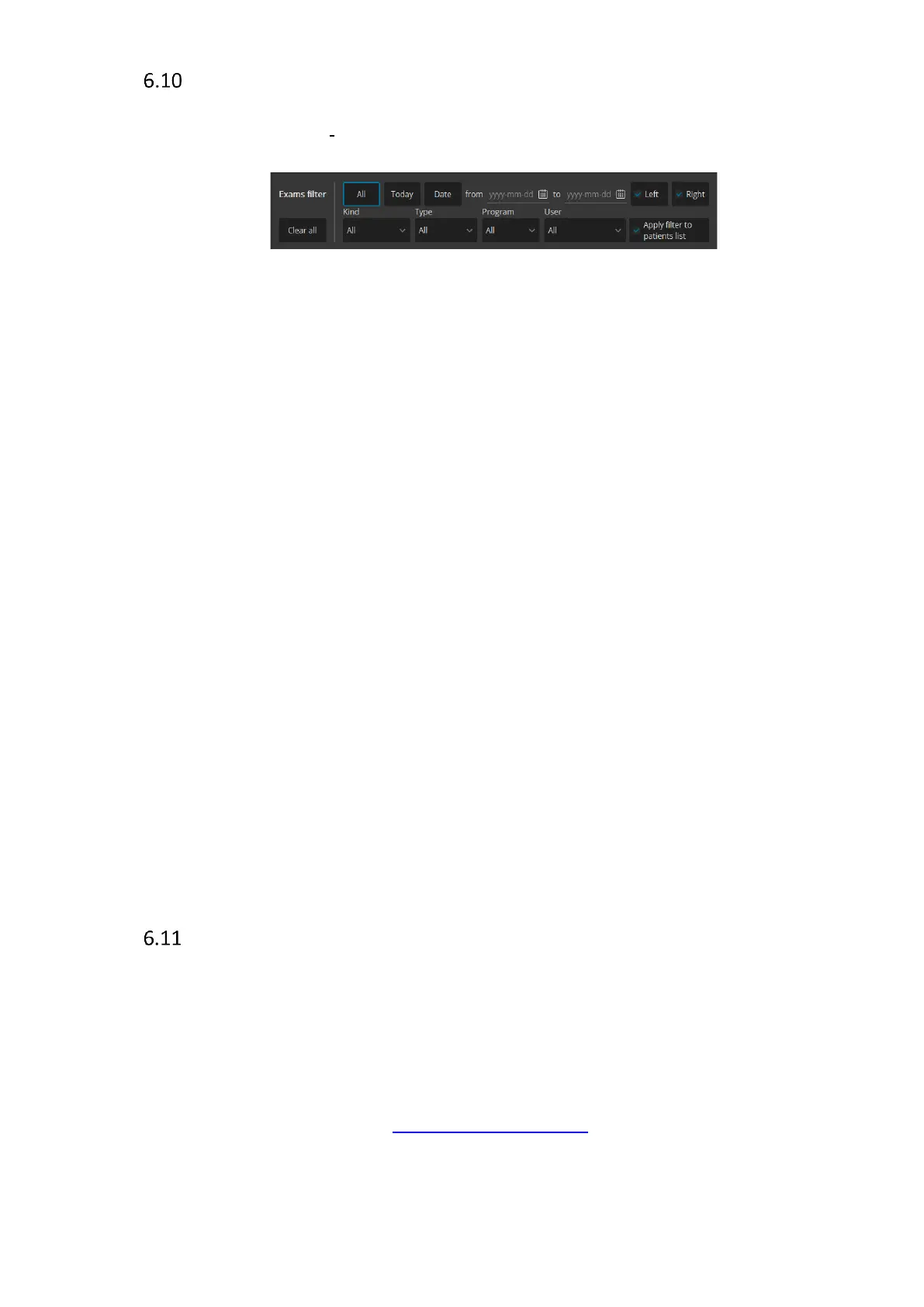
Figure 13. Filter panel
User can filter examinations by date:
All All examinations are displayed.
Today “Today’s” in the list of patients you will see only that/those
examination/s which has/have been made today - all others will
be hidden.
Date From - To Select specific Date range by selecting the start day [From] to last
day [to]. In the list of all examinations you will see only
that/those which has/have been scanned between selected
days.
Eye If you want to hide examinations of Left or Right eye, unmark
check box labeled “Left eye” or “Right eye”.
Kind The filter allows to filter by type exam. It can be oct result or
imported examination.
Type Retina, Disc, Anterior, Central – depending on the analyzing
program different views are available.
Program Raster, Radial, 3D, single B-scan etc.
Users Filter patient by operator who made examination.
Use [Clear all] to reset the filter settings and disable filtering.
Output
From the Patient tab it is possible to output results from the:
- Single exam
- All examinations from single visit
- All patient results.
Right Click on the exam thumbnail, visit identifier or on the patient record and select Output
option from the menu. It is possible to output Reports, Tomogram or series of tomograms.
More details can be found in chapter 22.7.1 Output set window.



 To Next Page