40 / 374
SOCT User Manual Version 10.0 rev. A
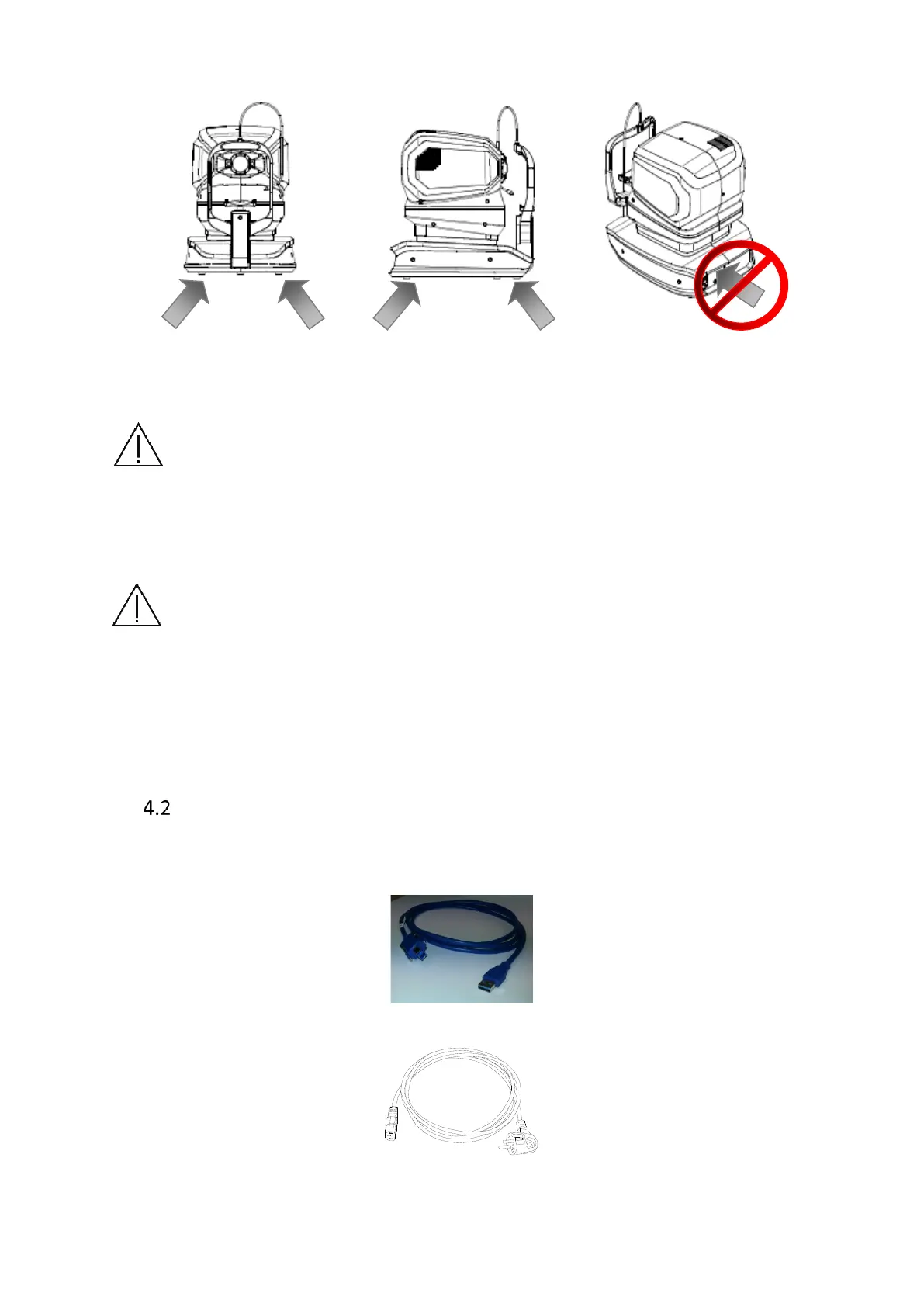
Figure 2. REF 190 and 193 series device
CAUTION: The SOCT weighs approximately 23 kg or 30 kg. It should be lifted by at
least two persons. Use only the indicated positions for lifting.
After unpacking, one should check the whole set for any mechanical damages,
cables damages, etc. In case any damage is found, don't connect the device and
contact your local distributor.
IMPORTANT: Always let the device reach room temperature before it is powered
up. This is particularly important if the device was exposed to extreme temperature.
Always operate the device within operating ranges of temperature and humidity.
Transportation position of the SOCT device is to be set by turning it off and on –
the device will go to base position. Turn it off and pack to the box securing with
packing foams.
Connecting cables
To connect the SOCT to a PC, you need one USB 3.0 cable shipped with the device:
USB 3.0 cable to connect SOCT (type B) and PC (type A):
Power supply cables are provided by local distributor.



 To Next Page