244 / 374
SOCT User Manual Version 10.0 rev. A
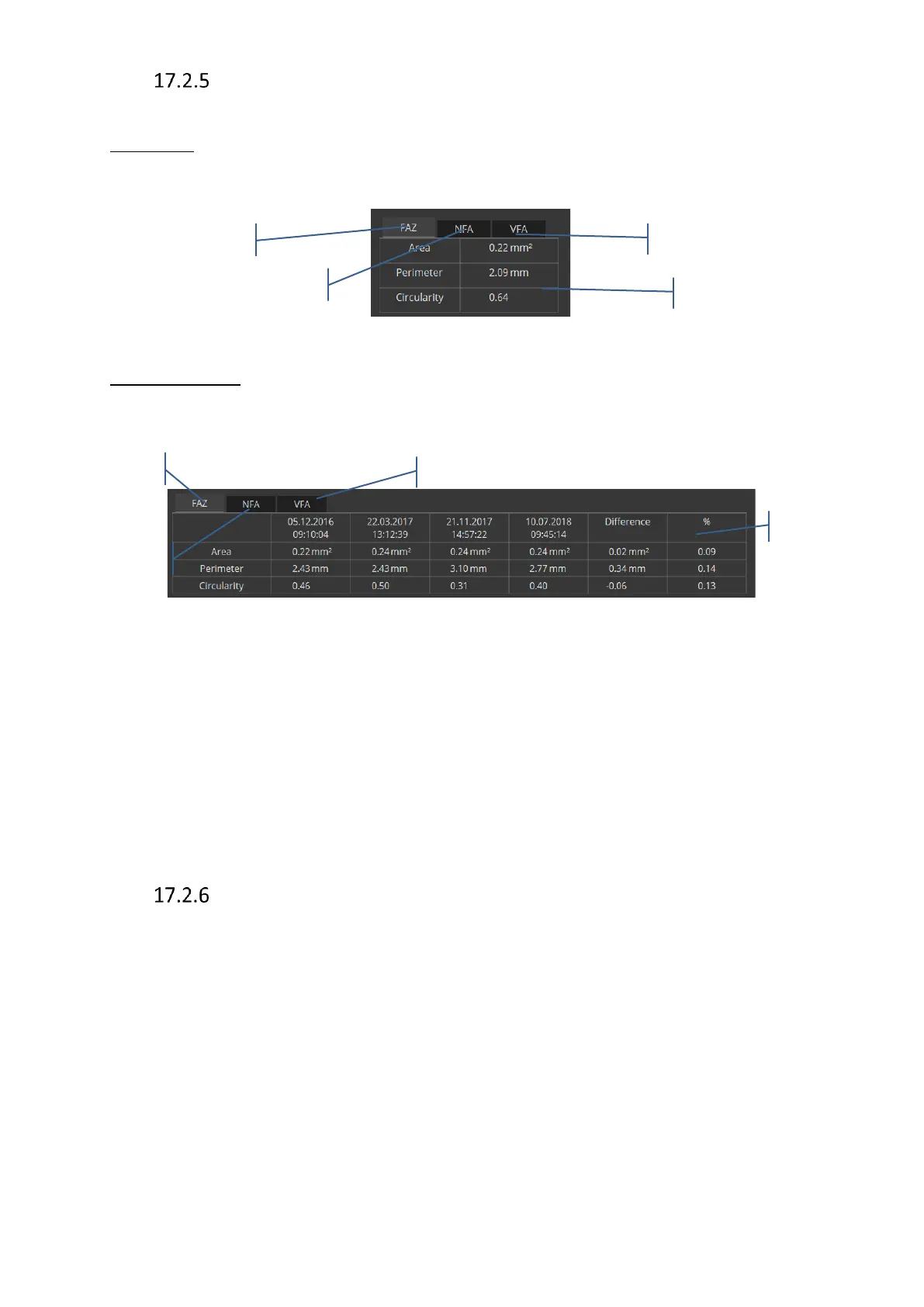
Angio OCT Analysis Table
Single view
Figure 244. Angio OCT Analysis Table for Single View
Comparison view
Figure 245. Angio OCT Analysis Table for Comparison View
If the measurements are performed on exams differing in size and/or on different layers, the
„!” symbol is displayed in the table next to the result. Difference is calculated as: newer scan -
baseline scan. The percentage value is a percentage change compared to the baseline
(change/baseline)*100%
If the operator uses only one analysis tool the tab with the measurements results is activate.
[Both] view.
In the „Both eyes” tab it is possible to make a comparison of both eyes’ analysis, i.e. left and
right eye, which can be followed by asymmetry analysis of both eyes.
This analysis protocol operates only on one Right and one Left angio retina examinations from
the same visit.



 To Next Page