89 / 374
SOCT User Manual Version 10.0 rev. A
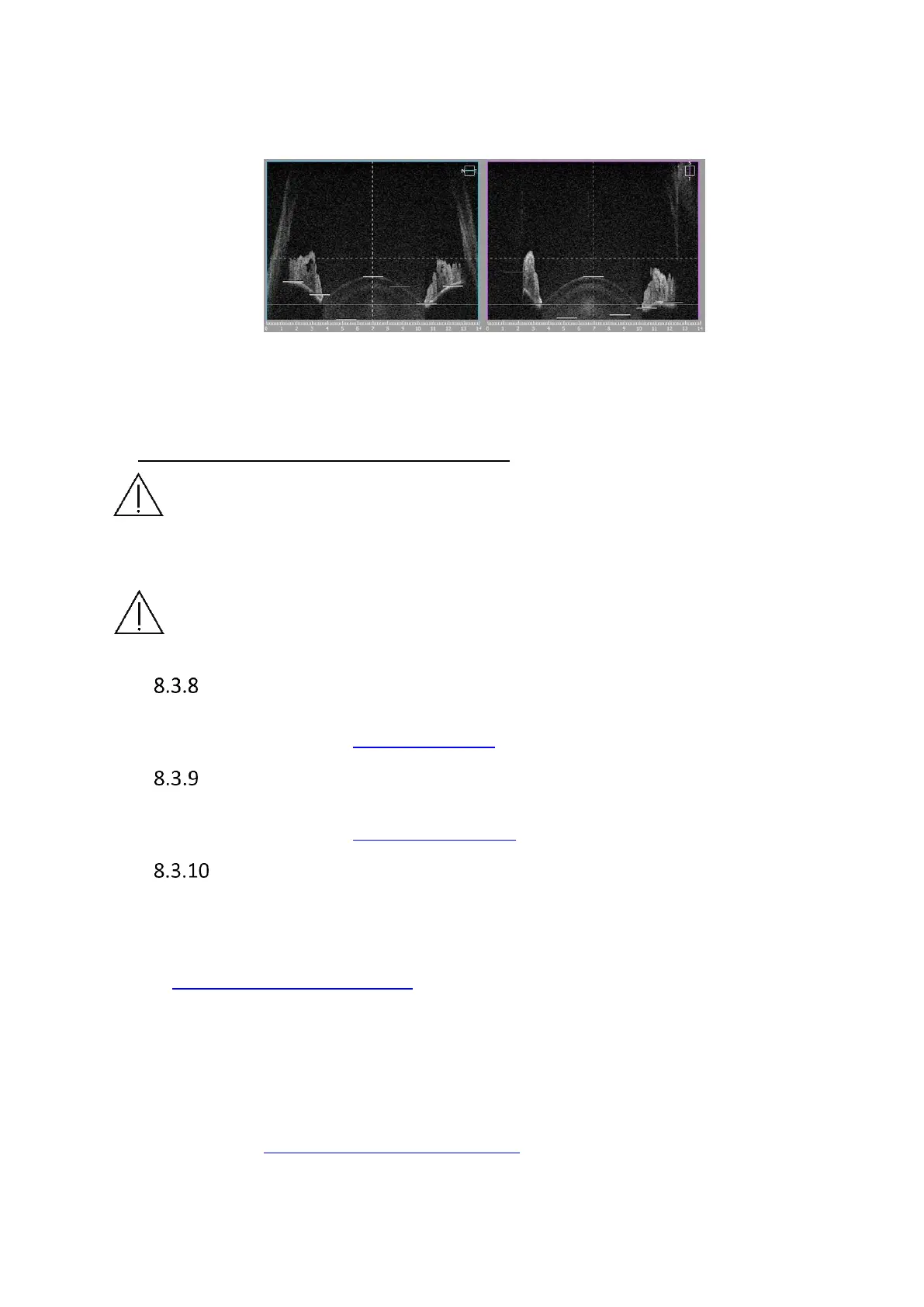
− Angle to Angle scan – Ask patient to look at the green cross. Place the scan in the
middle of the iris. Use pSLO view and dashed vertical line on live OCT window for
reference. Both angles have to be visible on the live OCT window.
Figure 51. Angle to angle scan proper alignment
6) Once the scan location is set in selected place click twice on the tomogram or press [Start]
button. PC will initialize measurement process and then full scan will be performed.
Remove the Anterior Chamber Adapter after use.
NOTE: Only when cornea/sclera tissue is parallel to the scanning window are the
AOD and TISA measurements accurate.
CAUTION: Be sure to keep the patient’s face away from the chin rest and forehead
rest when the Anterior Chamber Adapter is still attached. Otherwise, a patient may
be injured by the Anterior Segment Adapter making contact with them when the
scanning head moves in any direction.
Biometry program
OCT Biometry is an optional feature. It is available as an upgrade purchased separately. For
more information go to chapter 18 BIOMETRY OCT.
Topography program
OCT Topography is an optional feature. It is available as an upgrade purchased separately. For
more information go to chapter 20 TOPOGRAPHY OCT.
Fundus Image REVO FC (REVO FC only)
8.3.10.1 OCT/Fundus Mode
1. The OCT/FUNDUS exam mode is similar to standard OCT modes. The only difference is that
the OCT exam is followed by a Fundus image capture. Prepare the patient as explained in
chapter 8.1 Preparation for examination.
2. Ask the patient to look at the center of the green cross and blink freely if the sound support
is Mute or disabled. If required, use the large fixation target.
3. Verify the scanning program and change it to the required mode.
4. Follow the procedure depending on Acquisition mode analogical to the OCT scanning
modes. See chapter 8.2 Acquisition modes description



 To Next Page