322 / 374
SOCT User Manual Version 10.0 rev. A
Preferences
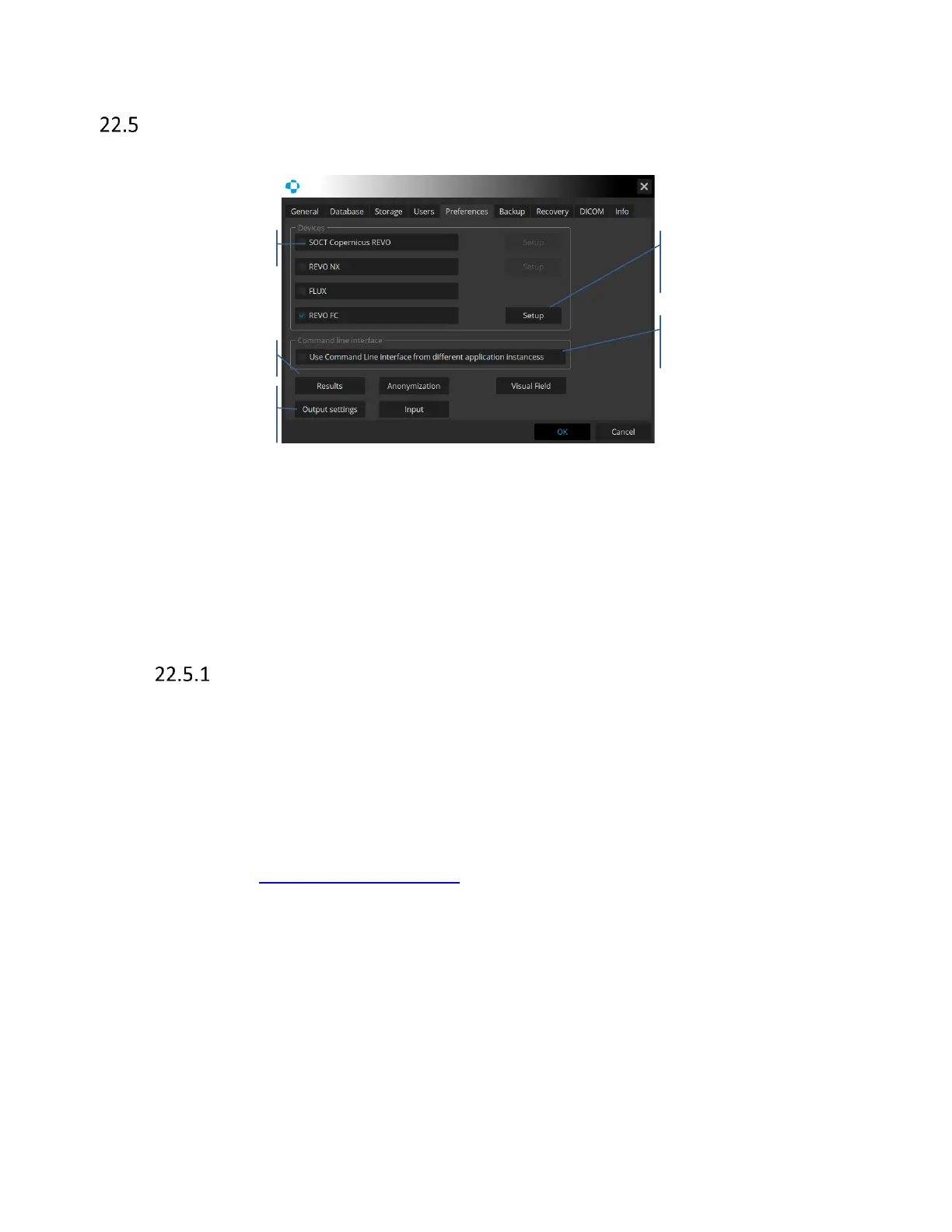
The preferences tab allows to customize the device and software settings.
Figure 314. Preferences tab.
Devices
Select the type of the OCT device connected to PC. When the device is selected the device, Setup
is available. If no checkbox is selected the device stays in Offline mode and works as a review
station.
CMDL interface
This application was designed as an independent system to operate the device and to manage
examination and patient data.
Use Command Line Interface from different instances – active CMDL communication. It features
data exchange interfaces with external applications and the EMR systems.
When CMDL checkbox system creates Output Set – ‘Export to EMR’. The ‘Export to EMR’ protocol
can be customized but the name cannot be changed. Find more details how to customize out
protocol in chapter 22.7.1 Output set window.
The application can be ordered to run various orders (tasks) by external EMR system. All tasks are
queued in the list of Work List when the application operates. The following tasks can be
performed, based on data collected from the data exchange interface:
• Adding patient to one day Worklist
• Registering patients in a local database
• Displaying the examination results belonging to a patient



 To Next Page