EasyManua.ls Logo

Optopol SOCT Copernicus - Color Fundus Photo [Both] View; Color Fundus Photo [Comparison] View

Optopol SOCT Copernicus
374 pages
Print Icon
To Next Page IconTo Next Page
To Previous Page IconTo Previous Page
Loading...
222 / 374
SOCT User Manual Version 10.0 rev. A
the sliders for all individual channels is available with three sliders respectively for the three
channels (R, G, B).
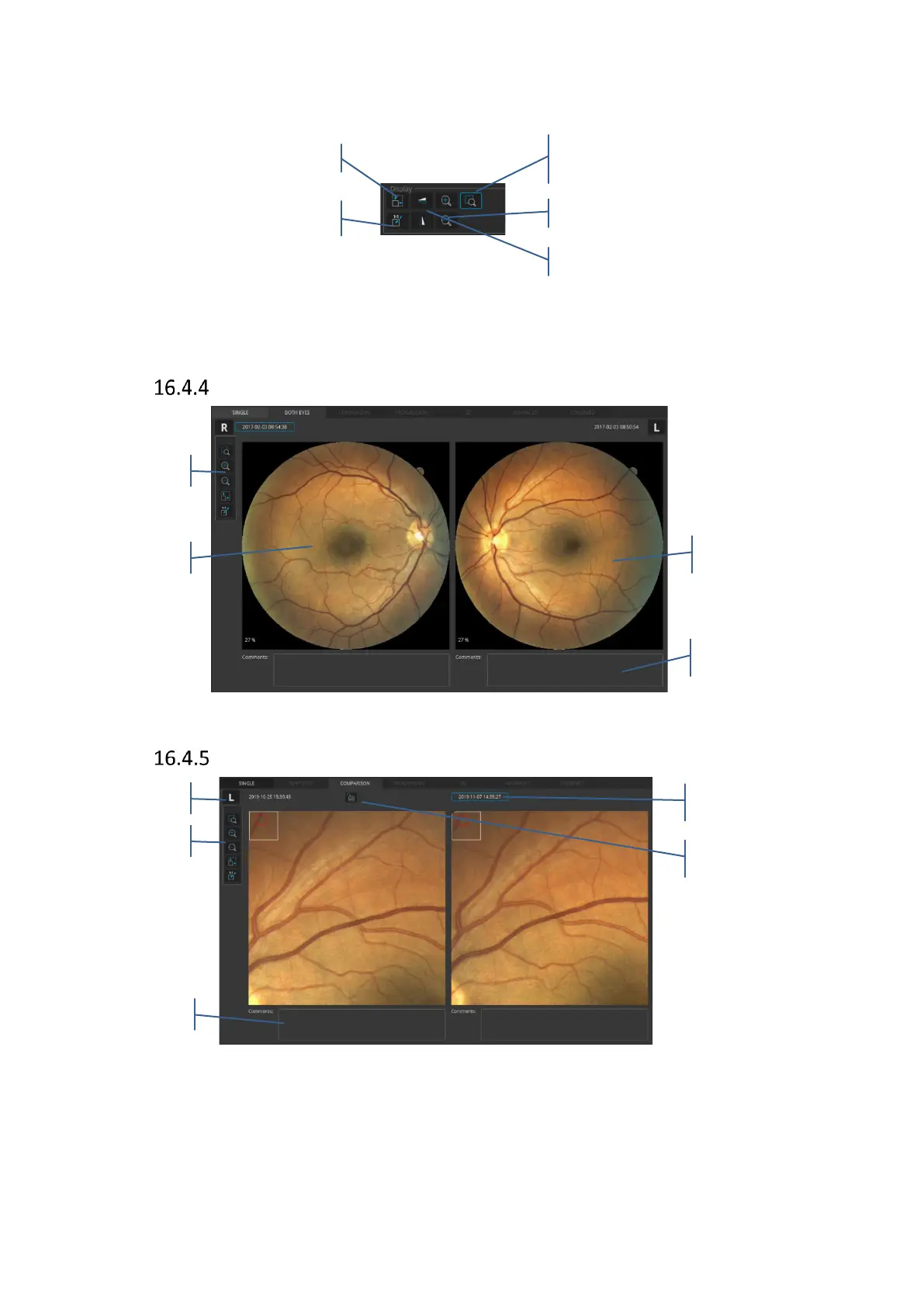
Figure 223. Display settings in single eye color fundus photo full screen view
Color fundus photo [Both] view
Figure 224. Both eyes color fundus photo view
Color fundus photo [Comparison] view
Figure 225. Comparison color fundus photo view

Loup - enlarges an area of
the image
Zoom in/out
Fit to window
Oryginal size
Flip horizontally/vertically
Examinaton date
Lock function
Left eye
Display settings
Right eye
Display settings
Comments
Comments
Left/Right eye

Table of Contents

Other manuals for Optopol SOCT Copernicus

Related product manuals