337 / 374
SOCT User Manual Version 10.0 rev. A
When printing System output data when operator initiates printing the report.
No User must press Output and select desired set.
[Connection check] Check the connection with DICOM server.
Anonymization Disabled by default. Anonymization can be enabled or disabled for
each specific output file
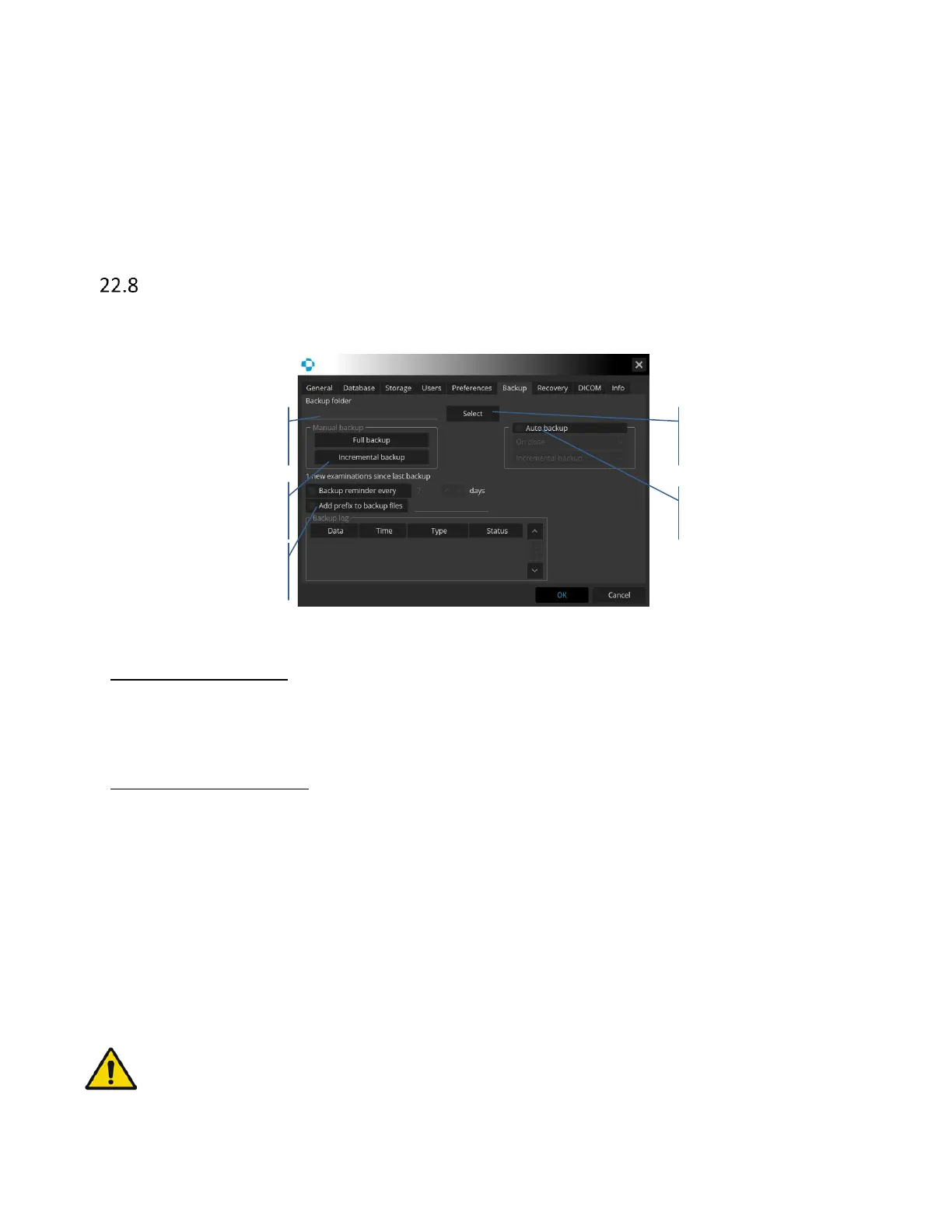
Backup
Database and examinations backup can be performed on external HDD or in network server
location.
Figure 328. Backup tab.
Manual backup options:
Full backup - complete database will be saved as a spare copy.
Incremental - only new exams are added to previously archived with this method.
Automatic backup options:
Auto Backup – Activates automatic backup process.
- On close or on start – it decides when the SOCT application starts backup.
- Incremental or full backup – types of backup.
Backup reminder – When backup is not performed, the system displays backup reminder after
specified period of time.
Add prefix to backup files – When backup is performed, files will have a prefix added for the user
to easily distinguish an original file from a backup.
WARNING: Make sure there is enough free space on HDD/remote folder before performing
backup process.



 To Next Page