221 / 374
SOCT User Manual Version 10.0 rev. A
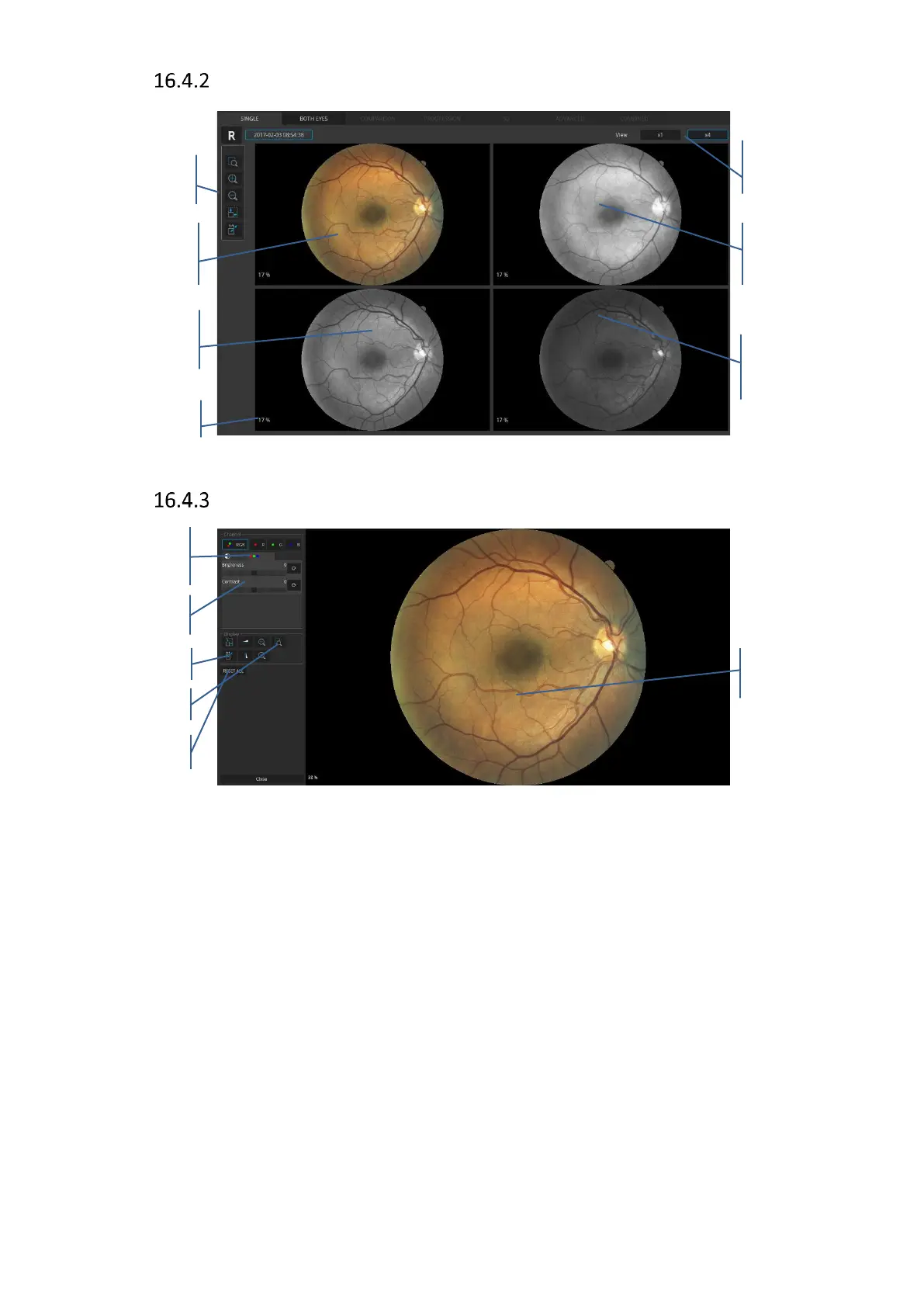
Color fundus photo [Single] view x 4
Figure 221. Single eye color fundus photo x4 view
Color fundus photo Full screen view
Figure 222. Single eye color fundus photo full screen view
The user can choose all channels tab (RGB) or a single channel (R, G or B).
RGB tab allows the operator to adjust each channel separately or all channels simultaneously.
Also, the adjustment of brightness and contrast is available.
When the user chooses a single channel (R, G or B) it is only possible to manipulate brightness
and contrast of the selected channel. Color channels manipulation – The user can choose only
one option at a time. The RGB button controls 3 channels; R – only red channel, G – only green
channel, B – only blue channel. When the button is pressed, the image is displayed in one of
the channels or in RGB. With the button selected the user can adjust the Brightness, Contrast,
Gamma and Sharpness sliders which affect only the displayed channel. The RGB button is
selected by default. Choosing a different channel for display closes the previously chosen
channel. Displaying multiple channels simultaneously is not possible. Deactivating all of the
channels results in displaying the image in gray scale. If the RGB button is engaged the tab with



 To Next Page