60 / 374
SOCT User Manual Version 10.0 rev. A
[Biometry] group – AL and ACD scan programs.
[Topography] group
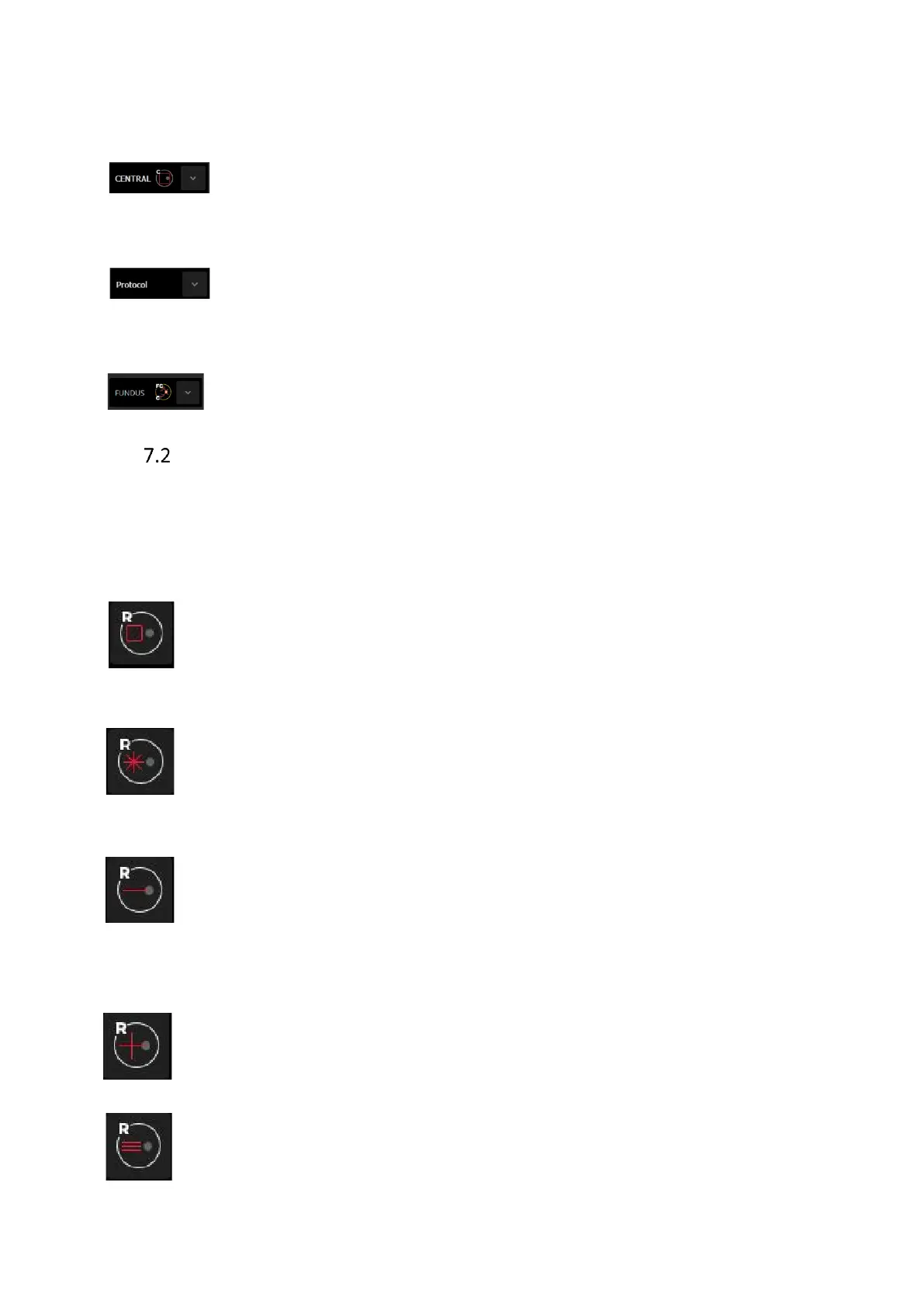
Central: The fixation target is offset to allow placing the macula and the optic disc in the
center of the scanned area. Useful for peripheral observation.
Protocol: Protocol allows to perform predefined set of exams of different type one by
one. This option allows to shorten time used for scanning program selection
CAMERA: The Fundus Camera mode allows the user to perform fundus photography in
the following programs: Central, Disc and Retina.
Selection of scanning program
User can select the desired scanning program from scan programs panel by clicking mouse
cursor on the scan pattern and selecting program from the icon list (R-Retina, D-Disc C-Central,
A-Anterior). Scanning parameters are different depending on scan modes and patterns.
Operator can reconfigure and save personal settings as default.
3D scanning program consists of a series of equally spaced parallel line scans over
a square or rectangle region, the size of which you determine. This program enables
precise and three-dimensional reconstruction of retina. In the program, analysis
modules give the most reliable and exact results.
Radial scanning program consists of a series of 2 to 32 equally spaced line scans
through a common central axis. This program enables taking scans in high resolution
in a few directions. The default pattern has 15 lines of 7 mm length. Operator can
adjust the length of scan lines by adjusting the scan width and number of scans.
B – scan Operator can adjust the length and placement of each scan. This program
enables taking a single B scan in highest resolution. If averaging is selected, the
scanning program scans one place defined number of times. It allows to enhance
information and it can be helpful for patients with a gaze problem. A cine loop from
scanned places can be observed.
Cross scanning program Enables taking two tomograms (horizontal (0°) and Vertical
(90°) of 10mm length. You can adjust the length and placement of scans. This
program enables taking B-scans in highest resolution.
Raster This program enables taking 5 B scans in highest resolution. The default
pattern is 5 horizontal lines whose length depends on the scan program. You can
adjust the length, tomogram spacing and angle of scan.



 To Next Page